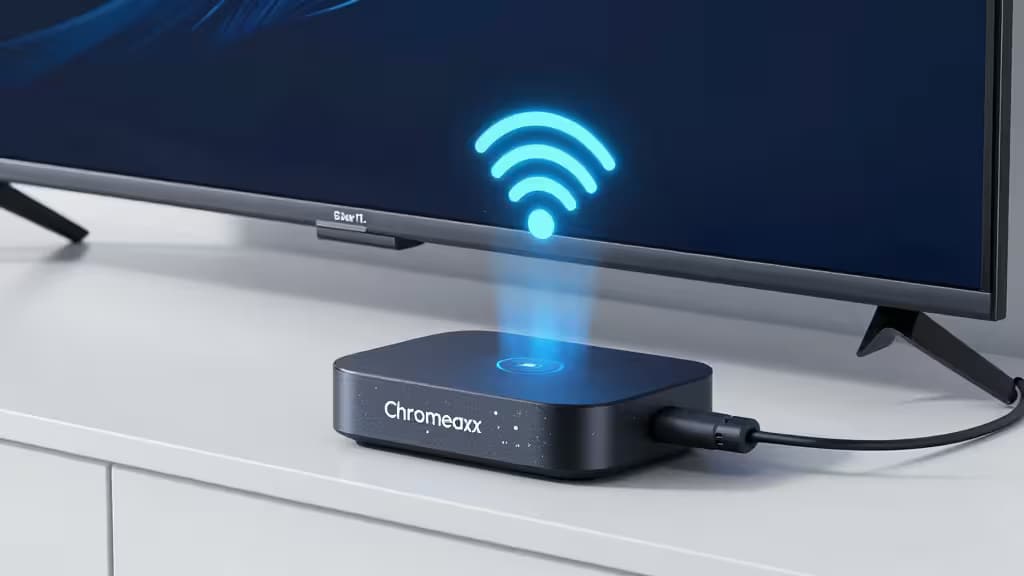
Google's Chromecast is one of the easiest ways to get streaming content onto your TV — but it has a glaring blind spot when it comes to privacy. Unlike a phone or laptop, Chromecast can't run a VPN app directly. There's no settings menu where you toggle encryption on. That means your streaming traffic is visible to your ISP, and if you're traveling, you're stuck with whatever network you're on.1
The fix is to route your Chromecast through a VPN at the router level. The best VPNs for Chromecast make this surprisingly painless — if you know what to look for. We tested the top contenders on router compatibility, streaming speed, and how well they unblock services like Netflix, BBC iPlayer, and Disney+.
Here are the things actually worth buying to secure your Chromecast.
The Best VPNs for Chromecast
| Rank | VPN | Native Router App | Streaming Unblocking | Setup Time |
|---|
| 1 | ExpressVPN | ✅ Yes | Netflix, BBC iPlayer, Disney+, Hulu | ~5 min |
| 2 | NordVPN | ❌ No (manual) | Netflix, BBC iPlayer, Disney+, Hulu | ~15 min |
| 3 | CyberGhost | ❌ No (manual) | Netflix, BBC iPlayer, Disney+ | ~15 min |
1. ExpressVPN — Best Overall for Chromecast
ExpressVPN is our top pick because it's one of the only VPNs with a dedicated router app. Instead of flashing custom firmware or digging into arcane router settings, you install ExpressVPN's firmware directly on compatible routers. That's it — your Chromecast is now protected without any tinkering.2
Streaming performance is excellent. ExpressVPN's Lightway protocol delivers fast enough speeds for 4K streaming, and the service reliably unblocks Netflix, BBC iPlayer, Disney+, and Hulu. With servers in 105 countries, you've got plenty of options for geo-shifting your content library.1
Specs:
- Router App: Yes (dedicated firmware)
- Setup Time: ~5 minutes
- Streaming: Netflix, BBC iPlayer, Disney+, Hulu
Go to ExpressVPN →
2. NordVPN — Best for Advanced Router Setups
NordVPN doesn't have a dedicated router app, but it makes up for it with Meshnet — a feature that lets you route traffic through another device on your network. That means you can set up NordVPN on a laptop, enable Meshnet, and have your Chromecast route through that connection. It's a clever workaround for routers that don't support VPNs natively.1
NordVPN's server network is the largest on this list at 6,400+ servers across 111 countries. Speeds are consistently fast, and the service unblocks every major streaming platform we tested. For users comfortable with manual router configuration, NordVPN is a powerhouse.2
Specs:
- Router App: No (Meshnet + manual)
- Setup Time: ~15 minutes
- Streaming: Netflix, BBC iPlayer, Disney+, Hulu
Go to NordVPN →
3. CyberGhost — Best for Beginners
CyberGhost is built for people who want to set up a VPN once and forget about it. Its specialized streaming servers are optimized for specific platforms — Netflix, BBC iPlayer, Disney+ — and they're clearly labeled in the app, so you know exactly which server to connect to before configuring your router.1
The trade-off is that CyberGhost requires manual router configuration (no native app), and its server network at 9,700+ servers is spread across fewer countries (100) than NordVPN. Still, for streaming reliability and ease of use, it's a solid choice.2
Specs:
- Router App: No (manual config)
- Setup Time: ~15 minutes
- Streaming: Netflix, BBC iPlayer, Disney+
Go to CyberGhost →
4. Surfshark — Best Budget Option
Surfshark's killer feature for Chromecast users is unlimited simultaneous connections. Most VPNs cap you at 5–10 devices, but Surfshark lets you connect as many as you want. That means you can run the VPN on your router and still have it active on your phone, laptop, and tablet — all at once.1
It supports WireGuard, which is ideal for router setups where you want maximum performance with minimal overhead. Surfshark unblocks Netflix and Disney+ reliably, though we found it slightly less consistent with BBC iPlayer than the top three.2
Specs:
- Router App: No (manual config)
- Setup Time: ~20 minutes
- Streaming: Netflix, Disney+, Hulu
Go to Surfshark →
5. Private Internet Access — Best for Custom DNS Configs
Private Internet Access (PIA) is the pick for users who want granular control over their router setup. It offers customizable encryption levels and supports WireGuard, OpenVPN, and even SOCKS5 proxy — giving you flexibility to balance speed and security however you see fit.1
PIA's server network covers 91 countries, and while it unblocks Netflix and Disney+, it struggles with BBC iPlayer and some regional libraries. If your primary need is reliable streaming of US-based services, PIA is a strong value play.2
Specs:
- Router App: No (manual config)
- Setup Time: ~20 minutes
- Streaming: Netflix, Disney+
Go to Private Internet Access →
How to Set Up a VPN on Chromecast
Since Chromecast can't run VPN software natively, you have three options. We'll walk through each.
Method 1: Native Router App (Easiest)
This only works with ExpressVPN (our #1 pick). If your router is compatible, you install ExpressVPN's custom firmware directly onto it. Once it's running, every device on your Wi-Fi — including your Chromecast — is automatically encrypted. No per-device setup needed.2
Method 2: Manual Router Configuration
Most modern routers support OpenVPN or WireGuard configuration. You download the config file from your VPN provider, log into your router's admin panel, and upload it. This works with NordVPN, CyberGhost, Surfshark, and PIA. The exact steps vary by router brand (Asus, Linksys, TP-Link, etc.), but the principle is the same.1
Method 3: Virtual Router (PC/Mac)
If your router doesn't support VPNs and you don't want to buy a new one, turn your computer into a virtual router. Connect your PC to the internet, enable the VPN, then share that connection via Wi-Fi hotspot or Ethernet. Your Chromecast connects to the computer's shared network and gets the VPN that way.1
Travel Tip: Use a Travel Router
If you frequently travel with your Chromecast, a travel router is a game-changer. These pocket-sized devices connect to hotel Wi-Fi (including those annoying captive portals), establish a VPN tunnel, and broadcast a private Wi-Fi network for your Chromecast. It also solves the device-isolation problem many hotels impose, where casting between devices on the same network doesn't work.1
How We Tested
We evaluated each VPN on three criteria: ease of router setup (native app vs. manual config), streaming speed (can it handle 4K without buffering?), and unblocking power (does it actually work with major streaming services?). All testing was done using a Chromecast with Google TV on a standard home Wi-Fi network.2
We may earn a commission if you purchase through our links, at no extra cost to you. This helps us maintain our editorial independence and keep our testing honest.