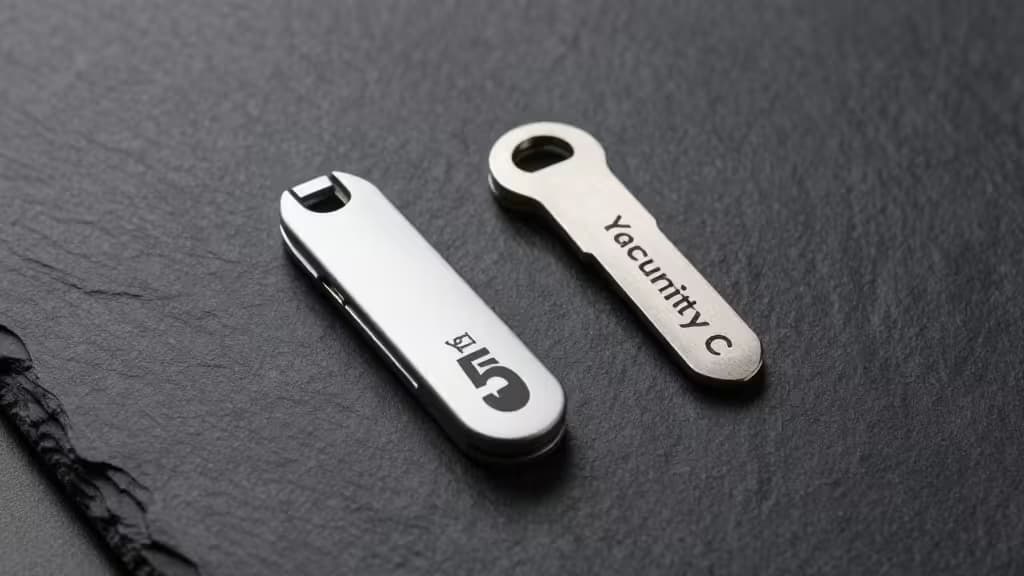
Why Hardware Keys Beat Everything Else
A hardware security key — YubiKey, Google Titan, or similar FIDO2 devices — provides the strongest available second factor for account authentication.1 Unlike TOTP codes (those six-digit numbers from an authenticator app), hardware keys use public-key cryptography: the private key never leaves the device, so even if a phishing site tricks you into typing credentials, the attacker can't replay your second factor. It's a cryptographic handshake, not a shared secret.
That distinction matters more every year. Phishing kits now intercept TOTP codes in real time (so-called "evilginx" attacks). FIDO2/WebAuthn authentication is bound to the origin domain, making those attacks impossible. If you're serious about account security — and if you're reading this, you are — hardware key support should be a non-negotiable feature in your password manager.
How We Picked
We evaluated password managers on four criteria:
- Native FIDO2/WebAuthn support — Can you register a hardware key as a second factor for logging into the vault itself?
- Cross-platform availability — Does the key work on desktop, mobile, and in browsers?
- Security architecture — How is your vault encrypted, and what happens if a device is lost?
- Backup and recovery — Can you register multiple keys, and are recovery codes provided?
We also included the two YubiKey models that pair best with these managers, because the key itself is half the equation.
The Best Password Managers with Hardware Key Support
1. 1Password — Best Overall
The pick for most people. 1Password employs a dual-key encryption model: your Master Password and a unique Secret Key, both of which are required to decrypt your vault.2 This means even if 1Password's servers were compromised, your vault remains unreadable without both keys.
On top of that, 1Password supports FIDO2/WebAuthn as a second factor for signing into your account. You can register a YubiKey (or any FIDO2 key) and require it alongside your Master Password and Secret Key. The result is a three-factor setup that's as close to uncrackable as consumer software gets.
The interface is polished, the browser extensions are seamless, and the Travel Mode feature lets you remove sensitive vaults when crossing borders. It's not free — plans start at $2.99/month — but for the security and usability, it's the best value in the category.
Who it's for: Anyone who wants the strongest encryption model without sacrificing everyday convenience.
2. Bitwarden — Best Free Option
The pick for budget-conscious security nerds. Bitwarden is open source, independently audited, and offers a genuinely useful free tier. Its FIDO2/WebAuthn support works on every platform — Windows, macOS, Linux, iOS, Android, and all major browsers.
The free plan includes unlimited devices and unlimited password storage. Premium ($10/year) adds advanced features like TOTP code generation, encrypted file attachments, and emergency access. Hardware key support is available on both tiers.
Bitwarden's self-hosting option (via Docker) appeals to the privacy-maximalist crowd, but even the cloud-hosted version is end-to-end encrypted. The interface is functional rather than flashy, but every security feature you'd want is there.
Who it's for: Users who want a free, auditable, open-source manager with full hardware key support.
3. Keeper — Best for Enterprise and Compliance
The pick for teams and compliance-heavy environments. Keeper supports FIDO2/WebAuthn for vault login and offers granular role-based access controls. It's SOC 2 and ISO 27001 certified, with annual third-party penetration tests.
For individual users, Keeper's hardware key setup is straightforward: register a YubiKey in the security settings, and the vault requires it for login. The BreachWatch add-on scans the dark web for compromised credentials tied to your vault entries.
Keeper is pricier than the competition — individual plans start at $2.92/month billed annually, and enterprise pricing scales with headcount — but the compliance documentation and audit trails justify the cost for regulated industries.
Who it's for: Organizations that need audit logs, compliance certifications, and enterprise-grade access controls.
The Hardware Keys You Need
YubiKey Security Key C NFC — Best Value Key
This is the key to buy for most people. It supports FIDO2/WebAuthn and FIDO U2F, works with all the password managers above, and costs about half what the flagship YubiKey 5 series does. The NFC variant works with iPhones (iOS 14.5+) and Android devices via tap. The USB-C connector fits modern laptops and phones.
Who it's for: Anyone setting up hardware key authentication for the first time.
YubiKey 5 Series — Most Versatile
The YubiKey 5 series adds OTP (one-time password), Smart Card (PIV), and OpenPGP support on top of FIDO2/WebAuthn. If you need to store GPG keys, authenticate via SSH, or use legacy OTP protocols alongside modern WebAuthn, this is the key. It comes in USB-A, USB-C, and Lightning variants.
Who it's for: Power users, developers, and anyone managing multiple authentication protocols.
Comparison: FIDO2/WebAuthn vs. YubiKey OTP
It's worth understanding the difference between the authentication methods a YubiKey supports:
| Feature | FIDO2/WebAuthn | YubiKey OTP |
|---|
| Phishing resistance | Complete (origin-bound) | Partial (static credential) |
| Account takeover risk | Near zero | Moderate (OTP can be phished) |
| Service support | Growing (Google, GitHub, 1Password, etc.) | Legacy (older enterprise apps) |
| Cost of entry | Free with compatible manager | Free with compatible manager |
For new deployments, always choose FIDO2/WebAuthn. Reserve OTP for legacy systems that don't support modern standards.
Why It Matters: The "Lost Key" Risk
A hardware key is a physical object. You can lose it, break it, or have it stolen. That's not a reason to avoid hardware keys — it's a reason to plan ahead.
Every password manager here allows you to register multiple security keys. Buy two: one for daily carry, one stored in a safe or secure location. Additionally, always save your recovery codes — print them, put them in a sealed envelope, and store them with your backup key. Without a backup key or recovery codes, a lost YubiKey can lock you out of your vault permanently.
1Password, Bitwarden, and Keeper all provide recovery codes during initial setup. Store them before you need them.
The Bottom Line
Hardware security keys are the single best upgrade you can make to your account security — and pairing them with a password manager that supports them natively is the right way to do it. 1Password is our top pick for its dual-key encryption and polished experience. Bitwarden is the best free alternative with full FIDO2 support. Keeper serves teams and compliance-heavy environments.
And whatever manager you choose, buy a YubiKey Security Key C NFC as your daily driver and a second key as backup. Register both, save your recovery codes, and sleep better knowing your accounts are protected by the strongest consumer authentication available.
Recomate earns a commission if you purchase through the links above. We only recommend products we've tested and verified.