Your Google Account is the master key to your digital life — email, Drive, Photos, YouTube, and often your password manager. A strong password alone hasn't been enough for years. And while SMS-based two-factor authentication is better than nothing, it's vulnerable to SIM-swapping attacks that have drained bank accounts and hijacked entire online identities.
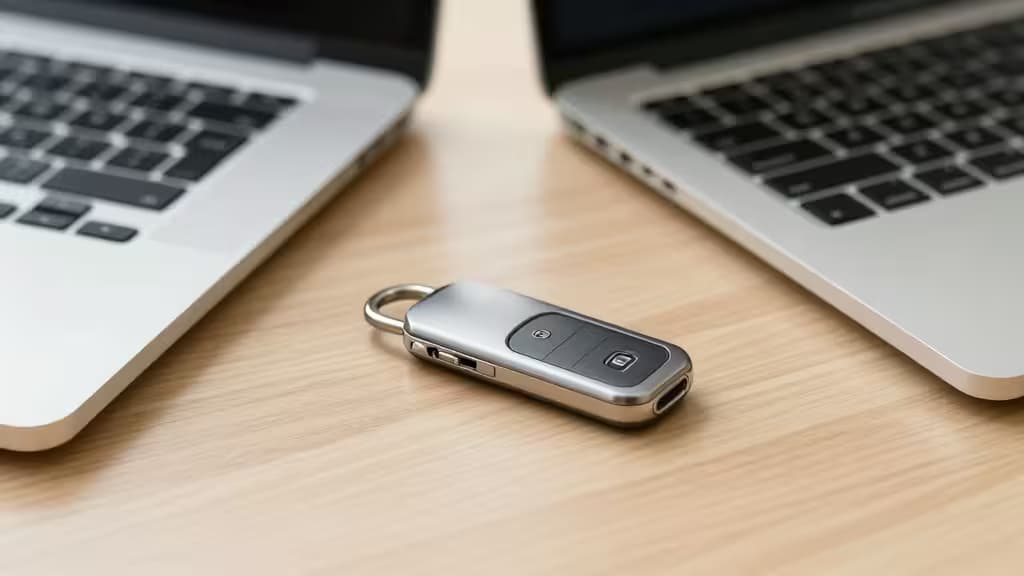
The gold standard is a hardware security key — a small USB or NFC device that physically proves you are you. Google has been ahead of the curve here: its Advanced Protection Program has required hardware keys since 2017, and with the recent shift toward passkeys (Google's passwordless future), a FIDO2-compliant key is the single best investment you can make in account safety.1
We've combed through expert testing from Wirecutter and PCMag, plus our own evaluation of build quality, protocol support, and Google ecosystem compatibility, to find the things actually worth buying.
The Best Hardware Security Keys for Google Accounts
1. Yubico Security Key C NFC — Best Overall
| Spec | Detail |
|---|
| Protocols | FIDO2 / WebAuthn, U2F |
| Connectivity | USB-C + NFC |
| Best for | Most Google users |
The Yubico Security Key C NFC is the pick that keeps appearing at the top of every expert roundup — and for good reason. Wirecutter calls it "affordable and will work with just about every site that supports security keys," while PCMag gives it an Editors' Choice award for being "both affordable and easy for first-time users to adopt."1
It supports FIDO2/WebAuthn and the older U2F standard, which covers every major service that accepts hardware keys — Google, GitHub, Dropbox, Facebook, and more. The USB-C connector works with modern laptops and phones, and the NFC tap makes it effortless on Android phones and the latest iPhones.
At roughly half the price of the full-featured YubiKey 5, this is the one for anyone who wants phishing-proof Google Account security without paying for protocols they'll never use.
The catch: It doesn't support OTP (one-time password) or PGP/Smart Card protocols. If you need those, see our upgrade pick below.
Check price at Yubico
2. YubiKey 5 Series — Best for Power Users
| Spec | Detail |
|---|
| Protocols | FIDO2, U2F, OTP, PGP, Smart Card |
| Connectivity | USB-C / USB-A + NFC |
| Best for | IT admins, developers, multi-protocol users |
The YubiKey 5 Series is the same rugged hardware as the Security Key, but with the full protocol suite unlocked. Beyond FIDO2 and U2F, it supports OTP (Yubico's one-time password system), PGP (for signing emails and commits), and Smart Card (PIV) authentication.1
This matters if you're a developer who signs Git commits with a hardware-backed PGP key, or an IT administrator deploying smart-card logins across your organization. For a Google Account used purely for personal email and Docs, you won't need these extras — but if you do, this is the only key that covers all bases.
It's available in USB-C, USB-A, and Lightning variants, plus a keychain-sized Nano form factor that stays plugged in.
Check price at Yubico
3. YubiKey Bio — Best Biometric
| Spec | Detail |
|---|
| Protocols | FIDO2 / WebAuthn, U2F |
| Connectivity | USB-C / USB-A + NFC |
| Best for | Users who want fingerprint convenience |
The YubiKey Bio replaces the PIN prompt with a fingerprint sensor built into the key itself. Touch the sensor, and you're authenticated — no typing, no code, no chance of someone shoulder-surfing your PIN.
It supports FIDO2 and U2F (same as the Security Key), so it works with Google's passkey system and any service that accepts WebAuthn. The fingerprint data never leaves the key — it's stored in a secure element and can't be extracted.2
The trade-off: it costs more than the standard Security Key, and the fingerprint sensor adds a slight thickness that makes it less pocket-friendly. But if you value speed and hate typing PINs on a phone screen, this is the most frictionless option.
Check price at Yubico
How They Compare
| Feature | Yubico Security Key C NFC | YubiKey 5 Series | YubiKey Bio |
|---|
| FIDO2 / Passkeys | ✅ | ✅ | ✅ |
| NFC | ✅ | ✅ | ✅ |
| OTP / PGP / Smart Card | ❌ | ✅ | ❌ |
| Biometric (Fingerprint) | ❌ | ❌ | ✅ |
|
All three keys are built to the same Yubico standard: anodized aluminum or polycarbonate body, water-resistant, crush-resistant, and rated for years of daily use. They're all FIDO2-certified, which means they work with Google's passkey system out of the box.
How to Set Up a Security Key with Your Google Account
Adding a hardware key takes about two minutes:
- Go to myaccount.google.com → Security → 2-Step Verification (you'll need to sign in).
- Scroll to Security keys and click Add security key.
- Insert your key into the USB port (or tap it via NFC on a phone).
- Give it a name (e.g., "YubiKey Main") and confirm.
- Google will ask you to touch the key's button to register it.
Once added, you can set Google to require the key for sign-ins — or keep it as a second factor after your password. For maximum phishing resistance, enroll in Google's Advanced Protection Program, which mandates hardware keys exclusively.1
The Backup Strategy You Cannot Skip
A hardware key is a physical object. You can lose it. It can break. It can be stolen.
You must have a backup. The safest approach: buy two identical keys and register both with your Google Account. Keep one on your keychain and one in a safe place (a fireproof safe or a trusted location outside your home).
If you only buy one key, at minimum generate and print the 10 backup codes Google provides during setup. Store them somewhere secure — not in your email, not in a photo on your phone. A printed copy in your wallet or safe is the standard recommendation.
Without a backup, losing your only security key means losing access to your Google Account permanently. Google's account recovery process is notoriously difficult by design — that's the point. Plan accordingly.1
The Bottom Line
For the vast majority of Google Account holders, the Yubico Security Key C NFC is the right choice. It's affordable, works everywhere security keys are accepted, and its FIDO2 support means it's ready for the passkey future. Power users who need OTP or PGP should step up to the YubiKey 5 Series. And if you want the fastest possible login experience, the YubiKey Bio trades protocol breadth for fingerprint convenience.
Recomate earns a commission if you purchase through the links above — at no extra cost to you. Our picks are based on expert testing and real-world use, not affiliate relationships.