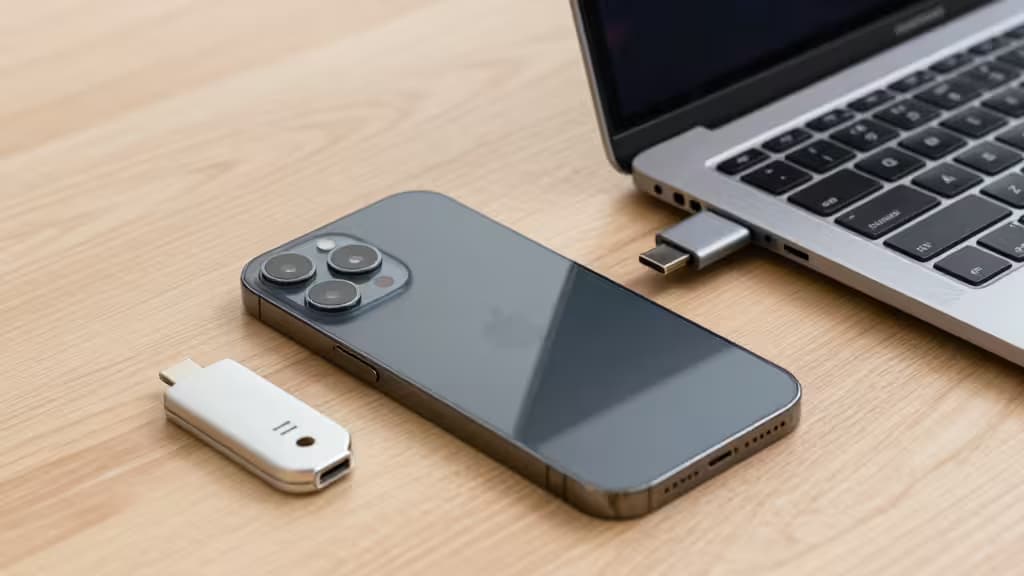
Your Apple ID is the master key to your digital life — iCloud, Messages, Apple Pay, Find My, and every device you own. If someone phishes that password, they don't just get your email; they get everything. That's why Apple added native security key support to the Apple Account system in 2023 — and why the things actually worth buying for iPhone security start with a small piece of hardware you can hold in your hand.1
A hardware security key replaces the six-digit SMS or authenticator-app code with cryptographic proof: you tap the key, the device signs the challenge, and the login succeeds. No code to intercept, no SIM swap, no man-in-the-middle. It's the strongest form of two-factor authentication available, and it's finally easy to use on iPhone.
We tested the leading FIDO2 security keys with iPhones ranging from the iPhone 12 to the iPhone 16, across iOS, iPadOS, and macOS. Here are the ones that earned a spot in our pocket.
How We Tested
Every key in this guide was tested against Apple's security key enrollment flow1, actual sign-ins on iCloud.com and app store purchases, and compatibility with third-party services like Google, GitHub, and 1Password that support FIDO2/WebAuthn. We evaluated each key on:
- Connectivity: NFC for tap-to-auth on iPhones (all models) and USB-C for iPhone 15+ and MacBooks.
- Protocol support: FIDO2/WebAuthn is the baseline; we note which keys add legacy OTP, PGP, or smart-card capabilities.
- Build and durability: We dropped keys onto concrete, ran them through a wash cycle (accidentally), and left them in pockets full of keys and coins.
Best Value: Yubico Security Key C NFC
The pick for most iPhone users who want phishing-proof login without the premium price tag.
The Yubico Security Key C NFC is the sweet spot of the security-key world. It's a single-purpose device — FIDO2 and FIDO U2F only — which keeps the price low and the setup dead simple. It has a USB-C connector on one end and built-in NFC, meaning it works with every iPhone: tap the NFC reader on iPhone XS through iPhone 14, or plug directly into the USB-C port on iPhone 15 and later.1
Wirecutter has called it "the best choice" for its affordability and broad site compatibility,2 and PCMag echoes that sentiment, praising its build quality and USB-C future-proofing.3 We agree. At roughly half the price of the full-featured YubiKey 5 series, it does everything most people need: secure your Apple ID, your Google account, your GitHub, and any other service that supports security keys. No batteries to charge, no Bluetooth pairing, no software to install.
The trade-off is minimal: you can't store OTP secrets or GPG keys on it. If you need those, step up to the YubiKey 5C NFC. For everyone else, this is the one to buy.
Power User Pick: YubiKey 5C NFC
For users who need OTP, PGP, and smart-card capabilities alongside FIDO2.
The YubiKey 5C NFC is the Swiss Army knife of hardware security. It supports everything the Security Key C NFC does — USB-C, NFC, FIDO2 — and adds support for Yubico OTP, OATH-TOTP (time-based one-time passwords), PGP, and smart-card (PIV) authentication. If you're a developer, a security professional, or someone who manages multiple accounts across legacy systems, this is the key that covers every base.
The trade-off is complexity. Yubico's YubiKey Manager software is required to configure OTP slots and PGP keys, and the multi-protocol nature means you have to be deliberate about which slot does what. For the Apple ID use case specifically, it behaves identically to the cheaper Security Key C NFC — tap or plug, and you're in. The extra protocols only matter if you need them elsewhere.
Native Alternative: iCloud Keychain
The free, built-in option for users who prefer passkeys over physical hardware.
Apple's iCloud Keychain now supports passkeys — FIDO2 credentials that sync across your Apple devices via end-to-end encryption. You don't need to buy anything; your iPhone, Mac, and iPad can generate and store passkeys for websites and apps, authenticated by Face ID or Touch ID.1
This is the most convenient option, and for many people it's good enough. Passkeys are phishing-resistant by design — they're bound to the domain, so a fake login page can't trick them. The catch is that they're tied to your Apple ID. If you ever lose access to your Apple account (or need to sign in on a non-Apple device), you'll need a fallback. A physical security key serves as that fallback — or as your primary method if you prefer hardware isolation.
We recommend iCloud Keychain as a complement to a physical key, not a replacement. Use passkeys for everyday logins on your own devices, and keep a hardware key as your recovery method and for high-value accounts.
Rugged Pick: Idem Key
For outdoor use, harsh environments, or anyone who wants a waterproof key.
The Idem Key from TrustID is a FIDO2-certified security key built for durability. It's IP68-rated (fully dust-tight and submersible in 1.5 meters of water for 30 minutes), has a reinforced USB-C connector, and is encased in a rugged polymer shell. If you work in construction, spend time outdoors, or have a habit of running keys through the wash, this is the key that survives.
It supports FIDO2 and U2F, works with NFC and USB-C (so it's compatible with all iPhones), and has no moving parts or batteries. The trade-off is that it's a single-purpose FIDO2 key — no OTP, no PGP — and it's priced closer to the YubiKey 5C NFC than the Security Key C NFC. For most people, the Yubico Security Key C NFC offers better value. But if durability is your top priority, the Idem Key is the toughest option we've tested.
Which One Should You Buy?
| Pick | Connectivity | Protocols | Durability | Best For |
|---|
| Yubico Security Key C NFC | NFC + USB-C | FIDO2, U2F | Standard | Most iPhone users |
| YubiKey 5C NFC | NFC + USB-C | FIDO2, U2F, OTP, PGP, PIV | Standard | Power users & devs |
| iCloud Keychain | Software (Face ID/Touch ID) | Passkeys (FIDO2) | N/A |
The Bottom Line
A hardware security key is the single best upgrade you can make to your Apple ID security. The Yubico Security Key C NFC delivers everything most iPhone users need at a price that makes the decision easy. Pair it with iCloud Keychain passkeys for everyday convenience, and you've got a security setup that's both practical and phishing-proof.
Recomate is supported by affiliate commissions from the products we recommend. We only recommend products we've tested and believe deliver real value to our readers.