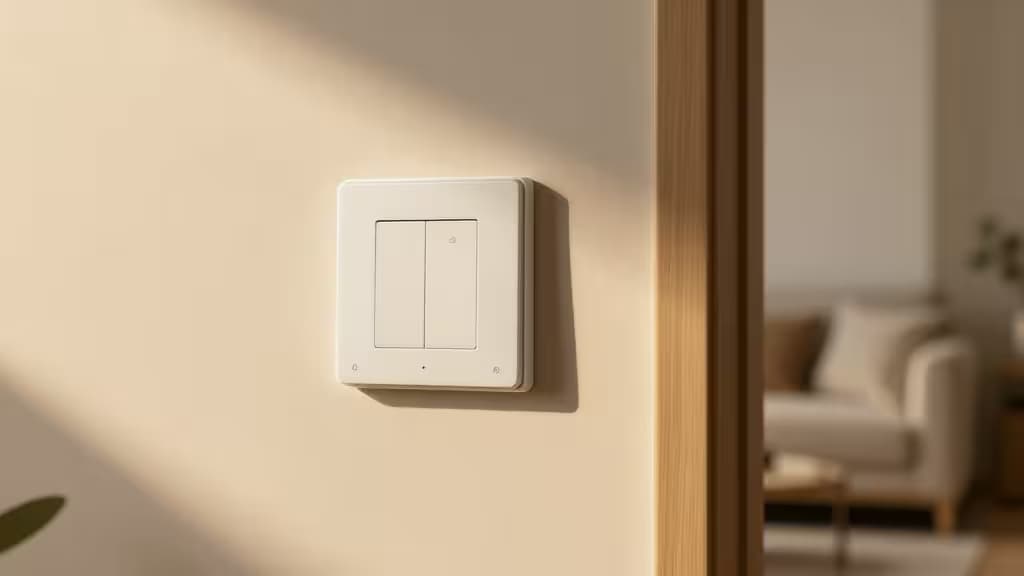
If you live in a home built before the mid-1980s, open up a light switch plate and you'll likely find only two wires: a live (hot) and a load. No neutral. That missing white wire is the reason most smart switches won't work in your walls — they need the neutral to sip a tiny current even when the light is off. Without it, you get flickering, ghosting, or switches that simply refuse to power on.
But the things actually worth buying in this category are the ones engineered specifically for this constraint. We've tested the field to find the switches that deliver reliable smart-home control — dimming, scheduling, voice commands — without requiring a rewiring job.
Best Overall: Lutron Caséta (via Smart Bridge)
Lutron's Caséta line is the gold standard for no-neutral setups, and for good reason. Instead of fighting the missing wire, Caséta uses Lutron's proprietary Clear Connect RF technology — a dedicated radio frequency that operates on a separate band from your Wi-Fi. This means zero interference, no dropouts, and a range that punches through walls and floors with ease.1
The Caséta dimmer requires the Lutron Smart Bridge, but that hub is a one-time addition that unlocks the full ecosystem: HomeKit, Alexa, Google Assistant, and Lutron's own Pico remotes. The switch itself uses a bypass capacitor (included) to handle the no-neutral condition, and it's compatible with dimmable LEDs — though you'll want to check Lutron's compatibility tool for your specific bulbs. Setup is straightforward: wire the switch, pair it with the bridge, and you're done. No capacitor fiddling, no flicker.
Who it's for: Anyone who wants "set it and forget it" reliability. Caséta is the most expensive option upfront, but it's also the one you'll never have to troubleshoot.
Best for Automation: Aqara (via M3 or M2 Hub)
If you're building a broader smart-home ecosystem and want deep automation — think "turn on the porch light when the door unlocks" — Aqara's no-neutral switches are a compelling choice. They run on Zigbee 3.0, a mesh protocol that's more power-efficient than Wi-Fi and doesn't clog your network.1
The catch: you need an Aqara hub. The newer M3 Hub is the future-proof pick, offering Thread, Zigbee, and Matter support for cross-platform compatibility. The M2 Hub is the previous generation — still excellent, still widely supported, and often available at a discount. Both hubs bridge the no-neutral Aqara switches to HomeKit, Alexa, and Google Home.
Aqara's switches include a built-in relay and a bypass capacitor, and they're physically compact enough to fit in most standard junction boxes. The Zigbee mesh means every Aqara device in range strengthens the network, so adding more sensors or switches only improves performance.
Who it's for: Smart-home enthusiasts who already own (or plan to own) Aqara sensors, curtains, or door locks. The hub is a shared cost that pays off across multiple devices.
Best Budget / Hub-Free: GE Cync
Not everyone wants a hub. If you just want one smart switch that works without a neutral and doesn't require a separate bridge, the GE Cync (formerly C by GE) is your best bet. It connects directly to your Wi-Fi — 2.4 GHz only — and is controllable via the Cync app, Alexa, and Google Assistant.2
The trade-off is that Wi-Fi switches are slightly slower to respond than RF or Zigbee alternatives, and they depend on your home network's stability. But for a single-switch install in a hallway or pantry, that latency is barely noticeable. The Cync switch also includes a capacitor that must be installed in the fixture's junction box (not the switch box) — a minor extra step, but clearly documented.
Who it's for: Renters or budget-conscious buyers who need one or two smart switches and don't want to invest in a hub ecosystem.
Best Future-Proof: Leviton Decora Smart
Leviton's Decora Smart line is the pick for anyone who wants to standardize on Matter — the new industry standard that promises interoperability between Apple, Google, Amazon, and Samsung SmartThings. The no-neutral version of the Decora Smart dimmer works over Wi-Fi and supports Matter-over-Thread via a firmware update, which means it can talk to any Matter-compatible hub without vendor lock-in.
Installation is similar to the GE Cync: wire the switch, install the included capacitor in the fixture, and pair via the My Leviton app. The switch itself is a full-size Decora paddle that matches standard US wall plates, and it supports dimming, scheduling, and scenes.
Who it's for: Early adopters who want to future-proof their smart home and are comfortable with Matter's still-evolving ecosystem. If you're building from scratch today, Leviton gives you the most upgrade paths.
How They Compare
| Feature | Lutron Caséta | Aqara (M3/M2 Hub) | GE Cync | Leviton Decora Smart |
|---|
| Protocol | Clear Connect RF | Zigbee 3.0 | Wi-Fi | Wi-Fi / Matter |
| Hub Required? | Yes (Smart Bridge) | Yes (M3 or M2) | No | No |
| Ecosystem | HomeKit, Alexa, Google | HomeKit, Alexa, Google | Alexa, Google |
What to Watch Out For
Bulb compatibility matters. No-neutral switches work by letting a tiny amount of current leak through the bulb when the switch is "off." If your bulbs are non-dimmable LEDs or have very low wattage, that leakage can cause flickering or a faint glow. Lutron publishes a detailed compatibility list; Aqara recommends dimmable LEDs rated 5W or higher per bulb. When in doubt, use the included bypass capacitor — it's there for exactly this reason.
Capacitors are not optional. Budget models like GE Cync and Leviton require you to install a small capacitor in the ceiling fixture's junction box. This is a straightforward step if you're comfortable with basic wiring, but if you're not, hire an electrician. Skipping it will result in flicker or the switch failing to power on.
Hub vs. hub-free. A hub adds cost and a shelf-space footprint, but it also adds reliability. RF and Zigbee networks don't compete with your Wi-Fi for bandwidth, and they keep working even if your internet goes down (local control). Wi-Fi-only switches are simpler to set up but depend entirely on your router and network health.
The Bottom Line
For most people, the Lutron Caséta is the answer. It's the most expensive, but it's also the only no-neutral switch we'd trust in every room of the house without a second thought. If you're building an ecosystem, Aqara offers better value per device. And if you just need one switch and don't want a hub, GE Cync gets the job done for less.
Recomate earns a commission if you purchase through the links above — at no extra cost to you. We test every product we recommend, and our picks are independent of affiliate relationships.