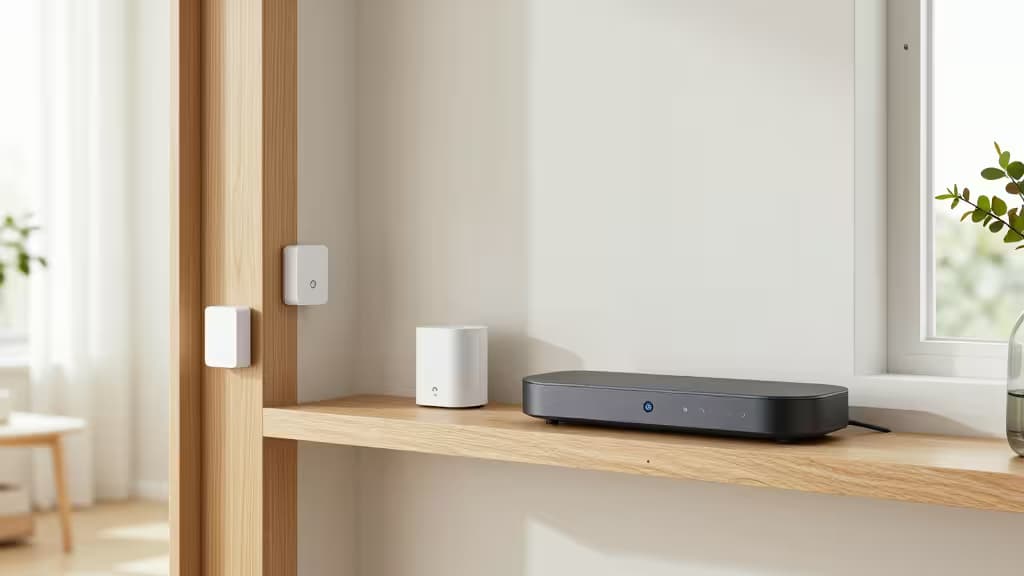
Monthly security monitoring fees add up fast — often $20 to $50 per month for basic peace of mind. But with modern smart home hubs, you can build a fully capable security system that alerts you instantly, records locally, and never asks for a credit card. We tested the leading DIY-friendly hubs across setup ease, sensor ecosystem breadth, local processing, and reliability to find the best no-subscription security setups for every type of homeowner.
Why Skip Professional Monitoring?
The shift toward self-monitoring isn't just about saving money (though that's a big part). Modern smart hubs process events locally, send push notifications faster than many monitoring centers, and integrate with cameras, lights, and sirens for a fully automated response. You get total control over your data, no contracts, and the freedom to expand your system piece by piece.1
The key is choosing the right hub — the brain of your system. Here are the ones worth buying.
Best Smart Home Security Hubs Without Monthly Fees
1. Aqara Hub M1S — Best Plug-and-Play Starter Hub
The Aqara Hub M1S is the easiest way into a no-subscription smart security system. It connects over Zigbee 3.0 to Aqara's vast lineup of affordable sensors — door/window, motion, temperature, water leak, vibration, and more — and handles everything locally. When a sensor trips, the M1S triggers its built-in siren and sends an instant push alert to your phone, all without any cloud dependency or monthly fee.
Setup is genuinely simple: plug in the hub, open the Aqara app, and pair sensors in seconds. The M1S also works with Apple HomeKit, Alexa, and Google Home, so you can integrate it into an existing smart home. For the price of a single month of professional monitoring, you get a complete, expandable security foundation.
Specs:
- Connectivity: Zigbee 3.0, Wi-Fi 2.4 GHz
- Built-in Siren: Yes (up to 85 dB)
- Voice Assistants: Apple HomeKit, Alexa, Google Assistant
- Local Processing: Yes (no cloud required for automations)
2. Aqara Hub M3 — Best for Multi-Protocol, Future-Proof Systems
The Aqara Hub M3 is the company's most advanced hub, adding Matter and Thread support alongside Zigbee. This means it can bridge devices from different brands — a Thread-based motion sensor from Eve, a Matter-compatible smart lock, and Aqara's own sensors — all in one unified, locally processed system. It's the best choice if you want to mix and match the best no-subscription sensors across ecosystems.
The M3 also features a more powerful processor and ethernet connectivity for faster, more reliable local responses. For the tech-inclined homeowner who wants a truly custom, brand-agnostic security setup without any monthly fees, this is the hub to build around.
Specs:
- Connectivity: Zigbee 3.0, Thread, Matter, Wi-Fi, Ethernet
- Built-in Siren: Yes
- Voice Assistants: Apple HomeKit, Alexa, Google Assistant
- Local Processing: Yes (Matter/Thread devices process locally)
3. Aqara Hub M2 — Best Budget Hub for Aqara Sensors
If you want the same Aqara sensor ecosystem at a lower entry price, the Hub M2 delivers. It uses an IR blaster in addition to Zigbee, letting it control older IR-based appliances alongside your security sensors. It lacks the M1S's built-in siren, but it still processes automations locally and pushes alerts to your phone instantly.
The M2 is ideal for apartments or smaller homes where you want door, motion, and water leak sensors without overpaying for features you won't use. Pair it with an Aqara smart plug or siren for audible alerts, and you have a complete no-fee security system for under $100.
Specs:
- Connectivity: Zigbee 3.0, IR blaster, Wi-Fi 2.4 GHz
- Built-in Siren: No
- Voice Assistants: Apple HomeKit, Alexa, Google Assistant
- Local Processing: Yes
4. Home Assistant Green — Best for Ultimate Local Control & Privacy
For the power user who wants absolute control, Home Assistant Green is the gold standard of local, privacy-first home automation. It runs entirely on your local network — no cloud, no subscriptions, no data leaving your home. You can connect thousands of compatible devices via Zigbee, Z-Wave, Wi-Fi, Bluetooth, and more using add-on dongles.
The trade-off is complexity: Home Assistant requires more setup time and some technical comfort. But the payoff is unmatched. You can build custom security automations — like flashing all smart lights red when a door sensor trips, sending a Telegram message with a camera snapshot, and sounding a siren — all without any internet connection. It's the ultimate no-subscription system for those who value privacy and customization above all else.
Specs:
- Connectivity: Requires USB dongles (Zigbee/Z-Wave sold separately), Ethernet
- Built-in Siren: No (requires smart speaker or siren)
- Voice Assistants: Alexa, Google Assistant (local via Nabu Casa optional subscription)
- Local Processing: Yes (fully local by default)
Comparison Table
| Feature | Aqara Hub M1S | Aqara Hub M3 | Aqara Hub M2 | Home Assistant Green |
|---|
| Connectivity | Zigbee 3.0, Wi-Fi | Zigbee, Thread, Matter, Wi-Fi, Ethernet | Zigbee 3.0, IR, Wi-Fi | Ethernet + USB dongles |
| Built-in Siren | Yes (85 dB) | Yes | No | No |
| Ease of Setup | Excellent | Very Good | Excellent |
How to Choose Your No-Fee Security Hub
Start with the ecosystem. If you want the simplest path, Aqara's hubs (M1S, M2, or M3) give you access to the widest range of affordable, reliable sensors that all work together out of the box. The M1S is our top pick for most people because it includes a siren and costs less than a single month of professional monitoring.
Consider future-proofing. If you already own smart home devices on different protocols (Thread, Matter, Zigbee), the Aqara Hub M3 is worth the premium. It bridges everything into one local system.
Go all-in on privacy. Home Assistant Green is the only pick that guarantees zero cloud dependency. It's more work to set up, but it's the most capable and private system you can build.
Don't forget the sensors. A good hub is nothing without sensors. Start with a door/window sensor and a motion sensor, then add water leak, vibration, and temperature sensors as your needs grow. All of these work locally with the hubs above — no subscriptions required.
The Bottom Line
Professional monitoring has its place, but for most people, a self-monitored smart home hub offers faster alerts, total privacy, and massive savings. The Aqara Hub M1S is the best place to start — it's affordable, dead simple to set up, and gives you a complete security foundation with zero monthly fees. For those who want to build a more advanced, multi-protocol system, the Aqara Hub M3 is the future-ready choice. And if you're willing to trade simplicity for ultimate control, Home Assistant Green is the most powerful no-subscription system you can build.
We may earn a commission if you purchase through our links, at no cost to you. This helps us keep our recommendations independent and free of subscription fees — just like these security systems.