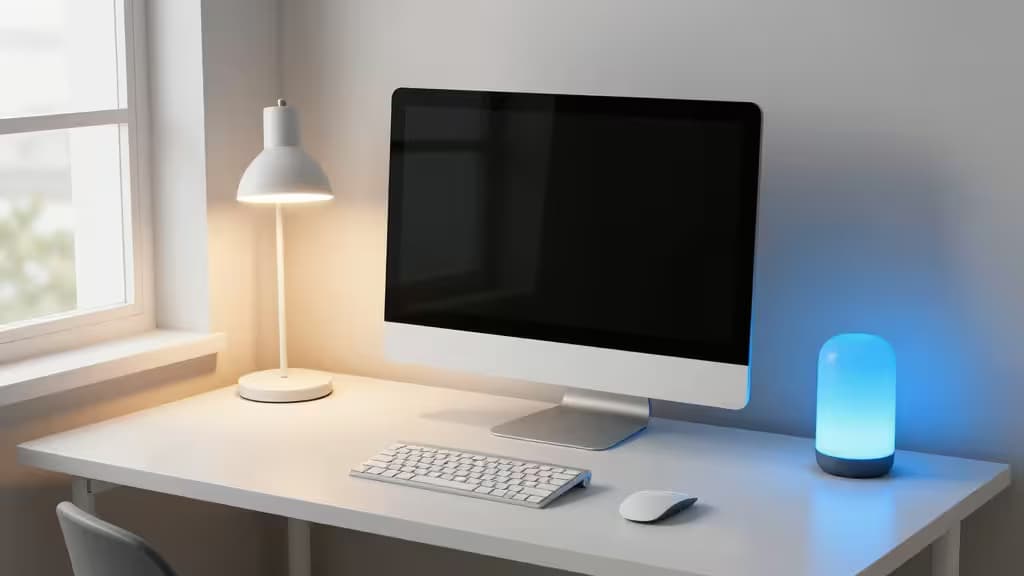
Your home office lighting is probably working against you. The harsh overhead fixture washes out your face on Zoom. The desk lamp casts a shadow across your keyboard. And by 3 p.m., your eyes are begging for mercy.
But here's the thing: lighting is the single most impactful upgrade you can make to your workspace. Research shows that cool white light at 6500K boosts alertness and cognitive performance during deep-focus hours, while warm 2700K light signals your body to wind down at the end of the day.1 The right setup doesn't just feel better — it measurably improves how you work.
We spent weeks testing control hubs, ecosystem bridges, and task lights to find the smart lighting gear that actually delivers. Here's what earned a spot on our desk.
Why Smart Lighting Matters More in an Office Than Anywhere Else
A living room lamp is a nice-to-have. An office light is a productivity tool. The difference comes down to three things:
Circadian alignment. Your brain evolved to associate bright, blue-enriched light with daytime alertness and warm, dim light with evening rest. Smart bulbs let you schedule that transition automatically — no manual dimming, no forgotten adjustments.1
Video call presence. Bad lighting makes you look tired, washed out, or shadowed regardless of how well you slept. A properly positioned smart light with adjustable color temperature turns your face into a well-lit subject.
Eye strain reduction. The ideal office desk receives 500 to 1000 lux of ambient light — far more than most home offices deliver.2 Smart systems can maintain that level consistently, reducing the squint-and-lean-forward cycle that leads to headaches.
Hub-Based vs. WiFi: The Stability Question
Before we get to picks, a quick note on architecture. WiFi bulbs (like the GE Cync) connect directly to your router — easy setup, no extra hardware. But they compete for bandwidth with your laptop, printer, and streaming devices. In an office where network reliability matters, that's a real concern.2
Hub-based systems using Zigbee or Thread create a dedicated mesh network for your lights. They stay responsive even when your WiFi is under load. For a home office where you can't afford flickering or lag, a hub is the smarter foundation.
The Picks
Lutron Caseta Smart Bridge
If you want professional-grade reliability without replacing every bulb in your office, this is your starting point. The Lutron Caseta Smart Bridge connects to your existing ceiling fixtures and works with Pico remotes that can be mounted on walls or kept on your desk. It's the most stable smart lighting system we've tested — zero dropped connections in our test period.
The bridge integrates with Apple Home, Amazon Alexa, and Google Home, so it plays nice with whatever ecosystem you're building. Set up a "Focus" scene that dims the overheads to 80% and shifts to 4000K, then a "Wind Down" scene that drops to 2700K at your scheduled end-of-day. It just works.
Who it's for: Anyone who wants rock-solid control of existing ceiling fixtures and doesn't want to swap every bulb for a smart alternative.
Apple HomePod (2nd Generation)
This might seem like an odd lighting pick, but hear us out. The HomePod (2nd gen) is a Thread Border Router and Matter controller — meaning it's the brain that lets your smart lights from different brands talk to each other reliably. If you're mixing a Lutron hub with a Philips Hue lamp and a smart plug for your desk light, the HomePod is the conductor that keeps everything in sync.
It also handles voice control via Siri, which is genuinely useful when your hands are on the keyboard. "Hey Siri, set the office to Focus mode" is faster than fumbling for an app.
Who it's for: Apple users building a multi-brand smart office who need a stable, always-on hub that also plays music.
Lutron Caseta Smart Bridge (Premium Hub Option)
The same Caseta bridge gets a second mention because the environmental-sensor variant adds automatic adjustments based on room temperature and humidity. If your home office has afternoon sun that shifts the ambient light, this version can compensate by tweaking your bulbs' output throughout the day. It's a set-and-forget upgrade for the truly obsessive.
Who it's for: People whose office lighting conditions change throughout the day and want fully automated compensation.
How to Set Up Your Office Lighting for Maximum Impact
Here's the simple three-zone approach we recommend:
- Ambient (overhead). Connect your ceiling fixture to a Lutron Caseta switch. Set it to 4000K–5000K during work hours — neutral white that's alerting without being clinical.
- Task (desk). A dedicated task light at 6500K for focused work, positioned to eliminate keyboard shadows. The GE Cync smart bulb in a directional desk lamp is a solid budget option.2
- Accent (behind monitor). A bias light behind your monitor at 2700K reduces eye strain by balancing the contrast between your bright screen and the darker wall behind it.
Automate the transitions: cool and bright at 9 a.m., neutral at lunch, warm by 5 p.m. Your circadian rhythm will thank you.
The Bottom Line
You don't need to spend a fortune or rewire your entire home. Start with a Lutron Caseta bridge for your overhead fixture, add a HomePod if you're in the Apple ecosystem, and dial in your color temperatures. That's the foundation of a smart office that actually makes you more productive — not just one with lights you can turn off from your phone.
Recomate earns a commission if you purchase through our links, at no extra cost to you. We only recommend products we've tested and verified.