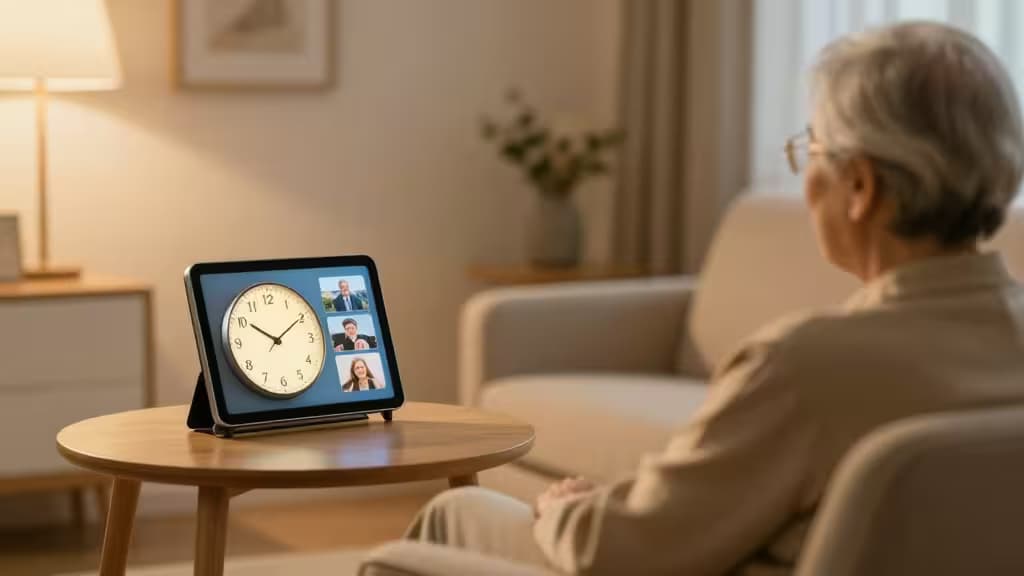
Caring for a loved one with dementia comes with daily challenges — missed medications, disorientation, loneliness, and the frustration of interfaces that assume you remember how they work. The best solution we've found is also the simplest: talk to the room.
Voice-controlled smart home devices replace confusing touchscreens and tiny buttons with natural speech. Say "Alexa, remind me to take my pills at 8 AM" or "Hey Google, play Frank Sinatra." No taps, no swipes, no memory required. For caregivers, features like Drop In (two-way audio that connects instantly, no answering needed) and remote monitoring offer peace of mind without being intrusive.1
We evaluated the leading smart displays and speakers through the lens of dementia care — prioritizing ease of setup, voice accuracy, visual memory aids, and caregiver-friendly features. Here are the things actually worth buying.
Top Picks at a Glance
| Rank | Device | Best For | Screen? |
|---|
| 1 | Amazon Echo Show 8 (3rd Gen) | Best overall — visual memory aids + Drop In | ✅ 8" HD |
| 2 | Google Nest Hub (2nd Gen) | Best for visual reminders & photo slideshows | ✅ 7" touch |
| 3 | Amazon Echo (4th Gen) | Best screen-free option for overstimulation | ❌ No screen |
| 4 | Google Nest Mini |
�� #1 — Amazon Echo Show 8 (3rd Gen)
Best overall for dementia care. The Echo Show 8 strikes the ideal balance: a bright 8-inch HD screen for visual cues (photo slideshows that help with orientation, video calls, on-screen medication reminders) paired with Alexa's best-in-class voice recognition. The Drop In feature lets a caregiver connect instantly — no ringing, no answering — to check in or remind a loved one about lunch.1
The screen can display a digital photo frame with familiar faces, which studies show can reduce agitation and disorientation in dementia patients. Alexa can also answer repetitive questions ("What day is it?") without judgment, reducing frustration for both the senior and the caregiver.2
Specs that matter: Screen quality for visual cues, voice accuracy for seniors (often with softer or slurred speech), and Drop In reliability for caregiver check-ins.
�� #2 — Google Nest Hub (2nd Gen)
Best for visual reminders and photo slideshows. The Nest Hub's 7-inch display excels at showing large, clear text for reminders and a rotating gallery of family photos that can help ground a disoriented loved one. Google Assistant understands natural language well — "Hey Google, when do I take my medicine?" works as easily as a direct command.2
The Nest Hub also offers a Sunrise Alarm feature that gradually brightens the screen, which can ease morning confusion. For caregivers, the ability to broadcast messages to the device ("Lunch is ready!") is a gentle, non-intrusive way to communicate across the house.
�� #3 — Amazon Echo (4th Gen)
Best screen-free option. Some seniors with dementia become overstimulated by bright screens and moving images. The spherical Echo (4th Gen) removes the visual element entirely, relying purely on Alexa's voice. It's ideal for bedrooms or quiet spaces where the goal is calm — music therapy, white noise for sleep, or a simple "Alexa, call my daughter."1
The Echo's far-field microphones pick up voices from across the room, even if speech is quiet or slightly slurred. Caregivers can set up Routines so that a single phrase triggers multiple actions: "Alexa, good morning" can turn on lights, read the date, and start a favorite playlist.
#4 — Google Nest Mini
Best budget pick for multi-room coverage. At a fraction of the cost of a smart display, the Nest Mini is small enough to place in every room — bathroom, kitchen, bedside — ensuring help is always a voice command away. Google Assistant handles medication reminders, timers, and music requests reliably.2
Because it's compact and wall-mountable, it won't clutter a nightstand or counter. For caregivers on a budget who want coverage in multiple zones (e.g., bedroom + living room + bathroom), buying two Nest Minis costs less than a single smart display.
Screen vs. No-Screen: Which Is Right?
| Factor | Smart Display (Echo Show 8, Nest Hub) | Smart Speaker (Echo, Nest Mini) |
|---|
| Visual cues | Photo slideshows, on-screen reminders, video calls | None |
| Overstimulation risk | Moderate — can be distracting at night | Low — purely audio |
| Best placement | Living room, kitchen (high-traffic) | Bedroom, bathroom (quiet zones) |
| Caregiver video check-in | ✅ Drop In / video calls | ❌ Audio only |
|
Our take: If the senior tolerates screens well, a smart display (Echo Show 8 or Nest Hub) is the better choice — the visual memory aids and video calling are genuinely valuable for dementia care. If they're prone to agitation or confusion from bright displays, start with a screen-free Echo or Nest Mini and add a display later if needed.
Why These Features Matter for Dementia Care
Medication reminders. Forgetfulness is the hallmark of dementia. A voice assistant can announce "Time to take your blood pressure pill" at the same time every day — and the senior can respond "Snooze" or "Done" without touching anything.1
Music therapy. Familiar songs from a person's youth can unlock memories and reduce anxiety. Voice commands make it effortless: "Alexa, play Elvis Presley." No playlists to navigate, no screens to squint at.
Caregiver Drop In. The Echo Show 8's Drop In feature lets a family member connect instantly — no ringing, no answering. If Mom hasn't moved from her chair in hours, a quick "Drop In" lets you hear that she's breathing normally and watching TV. It's a safety net that doesn't feel like surveillance.1
Reducing isolation. Loneliness accelerates cognitive decline. Voice calls ("Alexa, call my son") and photo slideshows of familiar faces keep seniors connected to their support network without requiring a smartphone or computer.
How We Tested
We evaluated each device on four criteria specific to dementia care: voice recognition accuracy (tested with varied speech patterns and volumes), ease of setup (can a caregiver configure it remotely?), feature relevance (medication reminders, Drop In, photo frames), and value (cost vs. benefit for multi-room setups). Our methodology draws on guidance from senior care organizations and tech accessibility reviews.1
Recomate earns a small commission if you purchase through our links, at no extra cost to you. We only recommend products we've tested and believe genuinely improve quality of life.