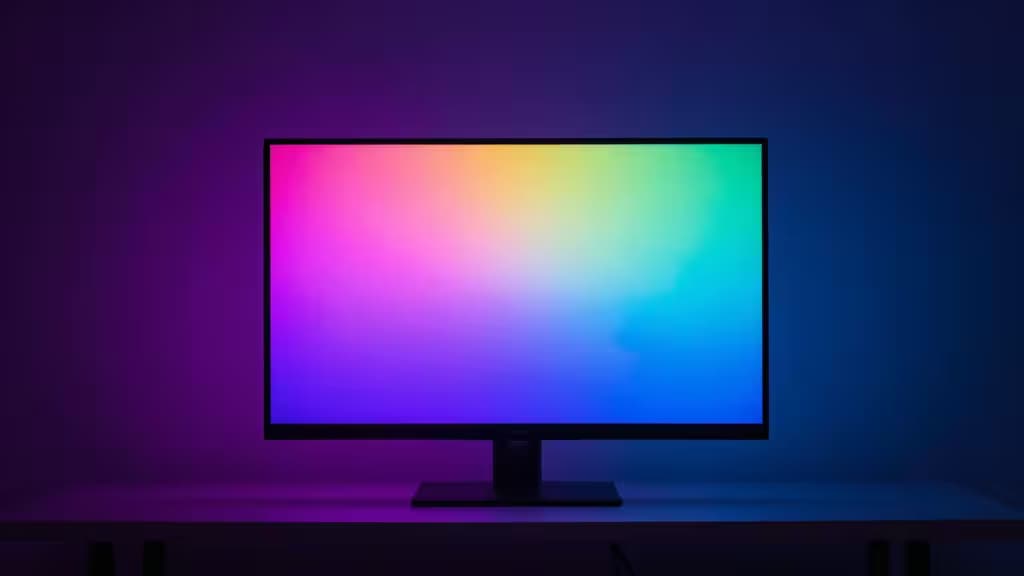
Smart sync lights are the upgrade that turns a gaming setup from "monitor in a dark room" into something that feels like a cockpit. By mirroring the colors on your screen onto the wall behind it, these lights trick your eyes into perceiving a larger, more dynamic image — deeper blacks, wider perceived field of view, and a sense that the game world extends past the bezel.
The core decision comes down to how the lights know what's on your screen. HDMI-based sync boxes sit between your source and display, reading the video signal directly — near-zero latency, precise color matching, but premium pricing. Camera-based systems point a small camera at your screen and sample colors in real time — more affordable, works with any display, but adds a few frames of delay. And then there are budget strips that don't sync at all, just set a mood.
Here's how we'd spend the money, depending on what kind of gamer you are.
How We Evaluated
We compared products from Philips Hue, Govee, and Nanoleaf using manufacturer product data, focusing on three dimensions that actually matter for gaming:
- Sync method and latency — HDMI passthrough reads the signal directly; camera-based sampling adds delay. For competitive gaming, latency matters. For casual play and streaming, a few frames are negligible.
- Color accuracy and diffusion — Premium strips (Hue Gradient) distribute color smoothly across the wall; budget RGBIC strips segment colors into distinct zones.
- Smart-home ecosystem — If you're already invested in Hue, Alexa, Google Home, or HomeKit, compatibility determines whether your lights play nicely with the rest of your setup.
Disclosure: We earn affiliate commissions on purchases through links in this guide, at no extra cost to you. Our recommendations are based on product features and how well they fit specific use cases.
1. Philips Hue Sync Box + Gradient Lightstrip — Best Overall
The Philips Hue Sync Box is an HDMI passthrough device that reads your video signal in real time and drives a Gradient Lightstrip to match on-screen colors with near-zero latency.1 It supports multiple HDMI inputs, so you can switch between a console, PC, and streaming box without re-cabling. The Gradient Lightstrip uses multiple color zones along a single strip, producing smooth color transitions rather than the blocky segments you get from cheaper RGBIC strips.2
For gaming, the low-latency HDMI sync is the key advantage — there's no camera sampling delay, so the wall reacts as fast as the screen does. The trade-off is price: the Sync Box + Gradient Lightstrip combo sits at a premium price band ($448).1 But if you're building a serious gaming setup and want the best color accuracy and ecosystem integration (HomeKit, Alexa, Google), this is the one to beat.
Verdict: The gold standard for HDMI-based gaming sync. Worth the premium if latency and color precision are non-negotiable.
2. Govee Envisual T2 — Best Mid-Range Camera Sync
The Govee Envisual T2 uses a dual-camera system to sample on-screen colors and drive an RGBIC light strip behind your display.3 Unlike HDMI solutions, it works with any display — no HDMI passthrough required — and syncs across all apps, not just content passing through a specific input. The dual-camera design captures more of the screen for better color accuracy than single-camera alternatives.
The trade-off is latency: camera-based sampling inherently adds a few frames of delay compared to HDMI passthrough. For single-player games, RPGs, and streaming, that delay is barely noticeable. For competitive shooters or fighting games where frame-perfect timing matters, you'll want HDMI sync instead. Govee's DreamView syncing lets you expand to additional Govee lights for a whole-room effect.3
Verdict: The best camera-based option for gamers who want screen sync without the HDMI price tag. Ideal for casual and immersive play.
3. Nanoleaf 4D Screen Mirror + Lightstrip Kit — Best Budget Camera Kit
The Nanoleaf 4D is a camera-based sync kit that punches above its price class. The lightstrip is trimmable to fit various screen sizes, and the camera includes a privacy cover — a thoughtful touch for anyone wary of a camera pointed at their screen.4 It supports multi-platform smart-home integration, so it plays nicely with Alexa, Google, and Nanoleaf's own ecosystem.
Like the Govee T2, it's camera-based, so expect a few frames of sync delay. But for the price, you get a well-rounded kit that's easy to install and flexible enough for different display sizes. The RGBIC gradient strip delivers segmented-but-vibrant color zones behind your monitor or TV.4
Verdict: Great value for casual gamers who want real screen mirroring without committing to a premium ecosystem.
4. Philips Hue Gradient Lightstrip (Standalone) — Best for Existing Hue Users
If you're already invested in the Philips Hue ecosystem, the Gradient Lightstrip on its own is a premium ambient lighting upgrade with superior color diffusion and deep HomeKit/Alexa/Google integration.2 On its own, it provides dynamic bias lighting and can be controlled via the Hue app. Add the Hue Sync Box later to unlock full HDMI-based screen sync.
This is the pick for someone who already has a Hue Bridge and wants to extend their setup with gaming-grade lighting — without buying the Sync Box until they're ready. The color diffusion is noticeably smoother than budget alternatives, and the ecosystem integration means it works seamlessly with existing Hue scenes and automations.2
Verdict: The premium strip for Hue loyalists. Add the Sync Box when you're ready for true screen sync.
5. Govee RGBIC Smart LED Backlight — Best Budget Ambient Lighting
The Govee RGBIC Smart LED Backlight is the honest budget option: it's not a true screen-sync light. What it does deliver is vibrant mood lighting with music-sync capabilities, 99+ preset scenes, and easy USB power.5 If you want your gaming setup to glow — and react to music or app-controlled scenes — without spending on camera or HDMI hardware, this is the strip to get.
Just be clear about what you're buying: there's no screen mirroring here. The colors won't match your game. But for ambient bias lighting that reduces eye strain and adds atmosphere, it's a solid budget choice. The RGBIC technology segments the strip into multiple color zones for a more dynamic effect than single-color strips.5
Verdict: Not screen sync — but the best budget strip for mood lighting and music sync. Know what you're getting.
The Bottom Line
Match the pick to your gaming style:
- Competitive gaming → Philips Hue Sync Box + Gradient Lightstrip. HDMI sync means near-zero latency and precise color matching.1
- Casual and immersive play → Govee Envisual T2 or Nanoleaf 4D. Camera-based sync works with any display at a lower price.3
- Existing Hue users → Gradient Lightstrip standalone, add the Sync Box when ready.2
- Mood lighting only → Govee RGBIC Smart LED Backlight. Affordable ambiance, no screen sync.5
The things actually worth buying are the ones that match how you actually play. Don't overspend on HDMI sync if you're a casual gamer who won't notice a few frames. Don't cheap out on a budget strip if you want your wall to mirror your screen. Pick the tier that fits your setup, and your games will feel bigger for it.