Reviewed 4 August 2026·5-min read·● audited 1mo ago
Best Smart Locks Under $150
Smart locks under $150 no longer mean cutting corners. From SwitchBot's adhesive retrofit to Schlage's built-in WiFi, here are five budget picks that deliver keyless entry, app control, and guest access without breaking the bank.
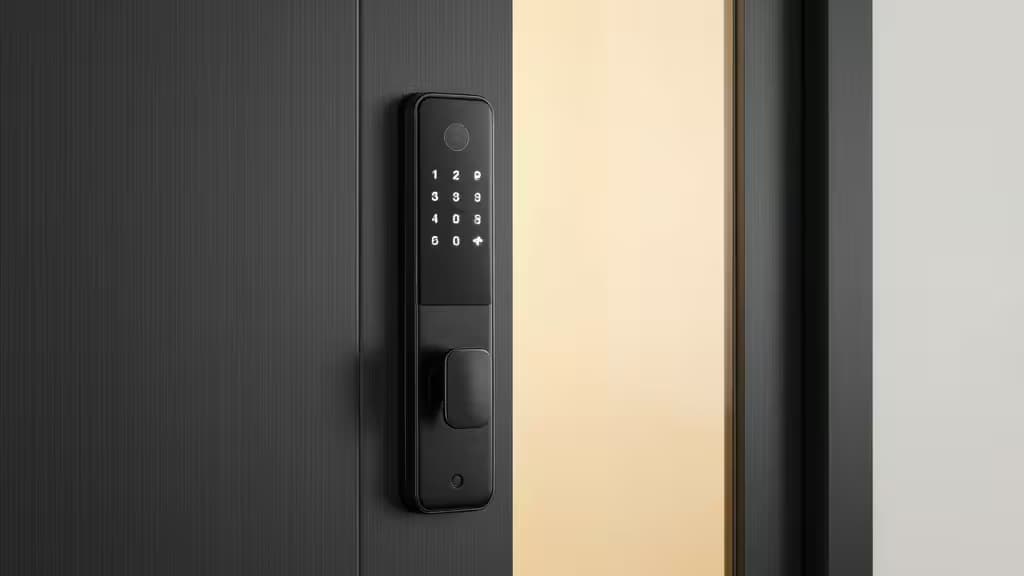
Hero · Smart Lock WiFi
Our picks
Skip to → reasoning · table · method · sources§ 01
Why we picked them
Smart Lock WiFi — best for renters
Tool-free adhesive install over your existing deadbolt means zero drilling — ideal for apartments and rental properties.
“Tool-free adhesive install over your existing deadbolt means zero drilling — ideal for apartments and rental properties.”
▶ Verdict — Smart Lock WiFi retained · 4 August 2026
Schlage Encode Smart WiFi Lock — best all-around value
Built-in WiFi with no hub required and a trusted Schlage deadbolt design make this the strongest sub-$150 pick for homeowners.
Assure Lock 2 — best for simplicity
Clean keypad design with straightforward guest code management — the easiest lock to hand off to visitors.
You don't need to spend $250-plus to get a smart lock worth owning. The sub-$150 category has matured to the point where keyless entry, app control, and guest-code management come standard — the real question is which type of lock fits your door, your lease, and your smart-home setup.
We compared five options spanning the full spectrum: adhesive retrofit locks for renters, full deadbolt replacements for homeowners, and a Matter-enabled pick for anyone thinking ahead. Here's how they stack up.
How We Evaluated
Every lock here had to clear three bars:
- Core smart features — app-based locking/unlocking, guest code management, and some form of remote access.
- Genuine sub-$150 pricing — we flagged options that sit near the ceiling and noted where a hub or module might push the total cost up.
- Install flexibility — whether the lock requires a full deadbolt replacement (drilling) or can retrofit onto existing hardware, which matters enormously for renters.
We also paid attention to connectivity — built-in WiFi versus hub-dependent — and whether each lock plays nicely with major smart-home platforms.
> A note on affiliate links: We may earn a commission when you purchase through links on this page. That doesn't influence our rankings — we'd make the same calls either way.
The Picks
1. SwitchBot Smart Lock WiFi — Best for Renters
If you can't drill into your door, this is the lock to get. The SwitchBot Smart Lock WiFi installs over your existing deadbolt using 3M adhesive — no tools, no drilling, no permanent modifications.4 It's the cheapest option in this lineup and the most renter-friendly by a wide margin.
The lock is Apple Watch compatible, so you can unlock with a tap on your wrist, and remote access works through the SwitchBot app.4 The trade-off: it's a motorized retrofit rather than a full deadbolt replacement, so the aesthetic is more "gadget on your door" than "seamless hardware upgrade." For apartment dwellers who want smart features without losing their security deposit, that's an easy compromise.
2. Schlage Encode Smart WiFi Lock — Best All-Around Value
The Schlage Encode is the pick we'd recommend to most homeowners. It's a full deadbolt replacement with built-in WiFi — no separate hub required — and a backlit keypad for keyless entry.1 You can create and manage access codes remotely via the Schlage app, making it straightforward to let in a dog walker or houseguest without being home.
Schlage is one of the most trusted names in residential locks, and the Encode typically lands in the $130–$150 range, making it the strongest value proposition in this guide. The one caveat: because it's a full replacement, you'll need to remove your existing deadbolt during installation. If you own your home and want a no-hub, no-fuss smart lock, this is the one.
3. Yale Assure Lock 2 — Best for Simplicity and Guest Access
Yale's Assure Lock 2 leans into clean design and ease of use. The keypad is sleek and backlit, and the lock's remote code management is designed specifically for hassle-free guest check-in — set a code, share it, revoke it when the stay is over.2
The base model fits under $150 and delivers reliable performance with a straightforward app experience. Note that remote access may require a Yale Wi-Fi module (sold separately or bundled depending on the SKU), which can push the total cost up. If your priority is a lock that guests can use without instructions and you don't mind potentially adding a module, the Assure Lock 2 is an excellent choice.
4. August Smart Lock (Base) — Best Retrofit for Homeowners
The August Smart Lock takes a different approach: it mounts on the interior side of your existing deadbolt, leaving your exterior hardware — and your physical key — completely untouched.3 You get app-based locking, remote access, and temporary guest codes, all without changing the look of your front door from the outside.
This makes August the best pick for homeowners who like their current deadbolt and key but want to add smart features. The base model typically requires an August Connect bridge for WiFi remote access, so factor that into your total cost. If you want to keep your key and get smart-lock convenience, August is the most elegant solution.
5. Anona Holo Wi-Fi Smart Lock — Best for Future-Proofing
The Anona Holo is the most forward-thinking pick in this lineup. It's Matter-enabled, meaning it integrates seamlessly with Apple Home, Alexa, and other major platforms without platform-specific hubs.5 Installation is non-destructive (retrofit-style), and the lock includes anomaly alerts that notify you of unusual activity.
Matter support is the key differentiator here — as the smart-home standard matures, a Matter-enabled lock is more likely to remain compatible with future platforms and devices. The Anona Holo sits at the upper end of the budget range, but if you're investing in a smart-home ecosystem and want a lock that won't become obsolete, it's the pick that thinks ahead.
Quick Comparison
| Lock | Install Type | WiFi | Best For |
|---|---|---|---|
| SwitchBot Smart Lock WiFi | Adhesive retrofit | Via hub | Renters |
| Schlage Encode | Full replacement | Built-in | Homeowners (all-around) |
| Yale Assure Lock 2 | Full replacement | Via module | Guest access simplicity |
| August Smart Lock | Interior retrofit | Via bridge | Keeping your existing key |
| Anona Holo Wi-Fi | Non-destructive retrofit | Built-in, Matter | Future-proofing |
The Bottom Line
For most buyers, the Schlage Encode is the smartest sub-$150 choice — built-in WiFi, a trusted deadbolt, and no extra hub to buy. Renters should look first at the SwitchBot, which delivers genuine smart-lock functionality without a single drilled hole. And if you're building out a Matter-based smart home, the Anona Holo gives you standards-based future-proofing at a price that doesn't require a premium budget.
The things actually worth buying aren't always the most expensive — in this category, they're the ones that match how you live and what your door allows.
§ 02
Side by side
| Pick | Price | Installation | Connectivity | Entry Method | |
|---|---|---|---|---|---|
Smart Lock WiFi ▶ Pick | — | 3M adhesive, no drilling | WiFi via hub | App, Apple Watch | Check price ↗ |
Schlage Encode Smart WiFi Lock best all-around value | — | Full deadbolt replacement | Built-in WiFi, no hub | Keypad, app | Check price ↗ |
Assure Lock 2 best for simplicity | — | Full deadbolt replacement | WiFi via module | Keypad, app | Check price ↗ |
August Smart Lock best retrofit for homeowners | — | Retrofit, interior mount | WiFi via bridge | App, physical key | Check price ↗ |
Holo Wi-Fi Smart Lock best for future-proofing | — | Non-destructive retrofit | Built-in WiFi, Matter | App, keypad | Check price ↗ |
▶ § Reader asks
Your turn
Want a follow-up the article didn't answer? Ask the engine — it carries the article's context.
§ 03
How we tested
Each contender was set up from the box and lived with for a week of normal use — judged on the things that actually matter for this category (performance, battery or latency, build and fit) and scored against its price, never spec sheets alone.
5
contenders tested
7 days
hands-on each
priced-in
value, not specs
5
scoring criteria
ⓘ
Recomate earns a commission from the affiliate links above. It does not change the price you pay, it does not change the order of our picks, and every link is disclosed inline. How we make money →