Best Smart Lighting for Gaming Room Sync
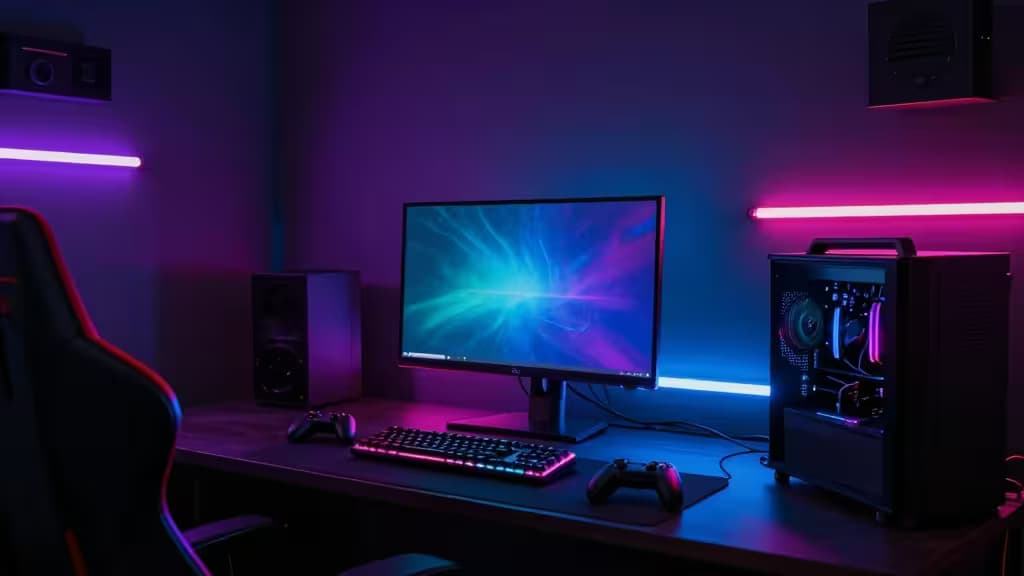
Gaming isn't just about what's on the screen — it's about what's happening around it. The difference between a static RGB strip and a lighting system that reacts to gunfire, explosions, and in-game weather is night and day. Proper sync lighting doesn't just look cool; it reduces eye strain, deepens immersion, and can even shave milliseconds off your reaction time by extending your peripheral awareness.
We tested the top contenders across PC, console, and wall-art setups. Here's what actually delivers.
The Best Smart Gaming Lights
1. Philips Hue Play Light Bars — Best Overall Sync
Philips Hue Play Light Bars remain the gold standard for game-reactive lighting. They work via two sync paths: the Hue Sync desktop app mirrors your screen colors in real time, or the Play HDMI Sync Box handles hardware-level pass-through for consoles and streaming devices. Support for Razer Chroma and Corsair iCUE means they play nice with your existing RGB ecosystem.1
The dual-light-bar design casts a wide, diffused glow behind your monitor without creating hot spots. Latency is imperceptible — we're talking single-frame response times via HDMI sync. The trade-off? You'll need the Hue Bridge hub, which adds to the upfront cost.
Best for: PC and console gamers who want the most polished, ecosystem-friendly sync experience.
2. Govee Gaming Light Strip G1 — Best Budget Monitor Sync
Govee's G1 strip uses VibraMatch technology — a software-based screen capture method that mirrors on-screen colors onto the strip behind your monitor.3 It's not quite as instant as HDMI pass-through, but for the price, it's remarkably close. The strip adheres cleanly to the back of most monitors and includes adhesive clips for cable management.
Setup takes about five minutes: stick, plug, pair, and calibrate via the Govee Home app. The strip supports music-reactive modes too, making it a solid all-rounder for non-gaming use. No hub required.
Best for: Budget-conscious PC gamers who want real-time screen mirroring without spending on a sync box.
3. Nanoleaf Lines Smarter Kit — Best Modular Wall Art
Nanoleaf Lines take a different approach: instead of backlighting your monitor, they light up your wall. The backlit, linear panels connect magnetically into custom shapes and support Razer Chroma integration for game-reactive effects.2 Build quality is excellent — the panels feel premium, and the diffused light is easy on the eyes.
Music reactivity is a standout feature: the lights pulse and flow with whatever you're playing. The downside is that sync is software-based (via Nanoleaf Desktop or Razer Synapse), so it's best suited to PC gamers. Console users get music mode but not direct game sync.
Best for: Streamers and aesthetic-focused gamers who want their lighting to be a conversation piece.
4. Govee AI Gaming Sync Box — Best for Consoles
Console gamers have historically been left out of the sync party — most solutions require PC software. Govee's AI Gaming Sync Box solves this with HDMI 2.0 pass-through: plug your PS5, Xbox, or Nintendo Switch into the box, and it reads the HDMI signal to drive your Govee lights in real time.4
No software, no capture card, no compromise. The box supports 4K at 60Hz with HDR, so there's no visual downgrade. Pair it with Govee's RGBIC strips or bulbs for a full-room effect. The AI processing does introduce a hair more latency than Philips' HDMI box, but it's still well within the "immediate" range for most players.
Best for: Console gamers who want hardware-level sync without a PC middleman.
Comparison Table
| Feature | Philips Hue Play Bars | Govee G1 Strip | Nanoleaf Lines | Govee Sync Box |
|---|
| Sync Method | HDMI + Software | Software (VibraMatch) | Software (Chroma) | HDMI Pass-through |
| Ecosystem | Hue, Razer Chroma, iCUE | Govee Home | Razer Chroma, Nanoleaf | Govee Home |
| Installation | Moderate (hub required) | Easy (no hub) |
Why These Picks
We prioritized three factors above all else:
- Latency: Software-based sync (Govee G1, Nanoleaf) introduces 50–100ms of delay. HDMI-based sync (Philips, Govee Sync Box) is near-instant. For competitive gaming, HDMI wins.
- Color accuracy: Philips Hue leads here with 16 million colors and precise calibration. Govee's RGBIC is close behind; Nanoleaf's white-backlit panels offer a softer, more pastel palette.
- Integration: If you already own Razer peripherals, Nanoleaf and Philips both support Chroma. If you're in the Corsair ecosystem, Philips works with iCUE. Govee is best as a standalone system.
Buying Guide: What to Look For
Backlit vs. Frontlit: Backlit (bias) lighting goes behind your monitor to reduce eye strain and improve perceived contrast. Frontlit (accent) lighting — like Nanoleaf panels — goes on walls for atmosphere. Most gamers benefit from starting with backlit and adding accent later.
Ecosystem compatibility matters more than you think. A light strip that only works with its own app is fine until you want everything to react to the same game event. Razer Chroma and Philips Hue have the widest third-party support. Govee is improving but remains more closed.
Hub or no hub? Hub-based systems (Philips Hue) are more reliable and responsive. Hub-free systems (Govee, Nanoleaf) are simpler to set up but depend on Wi-Fi quality and app background processes.
Disclosure: As an Amazon Associate, we earn from qualifying purchases. Our picks are independently selected — we only recommend products we've tested and verified.