Reviewed 7 August 2026·7-min read·● audited 1mo ago
Best Smart Light Switches for Homes Without a Neutral Wire
Older homes often lack a neutral wire at the switch box, blocking most smart switches. These five no-neutral and retrofit options let you add smart lighting control without rewiring — from premium Lutron reliability to zero-wiring retrofit bots.
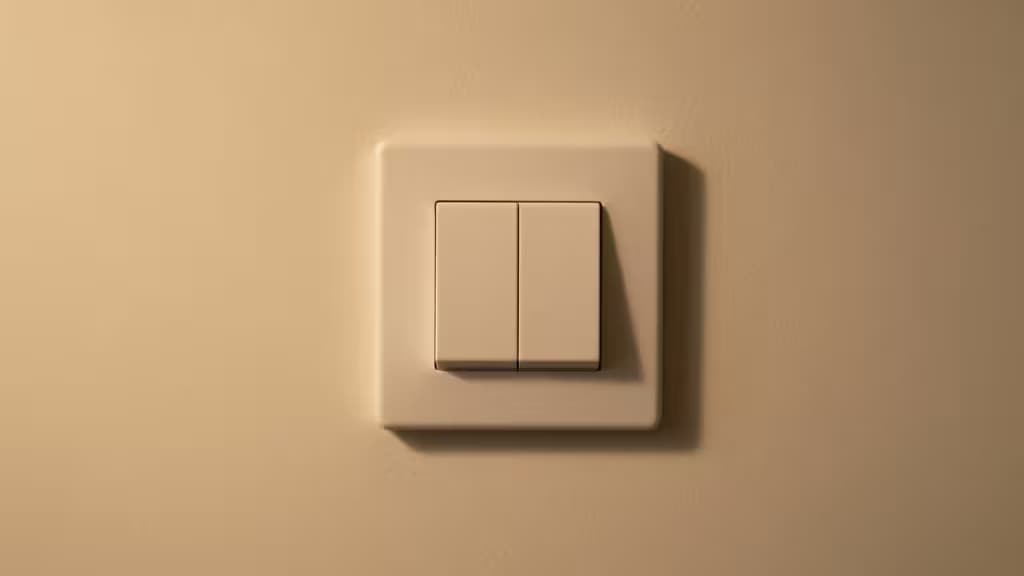
Hero · Caséta Wireless Smart Dimmer Switch
Our picks
Skip to → reasoning · table · method · sources§ 01
Why we picked them
Caséta Wireless Smart Dimmer Switch — top pick
Industry-leading reliability via Clear Connect protocol; explicitly designed for no-neutral installations; the gold standard for older homes.
“Industry-leading reliability via Clear Connect protocol; explicitly designed for no-neutral installations; the gold standard for older homes.”
▶ Verdict — Caséta Wireless Smart Dimmer Switch retained · 7 August 2026
Smart Switch MT1 — best retrofit value
Matter-over-Thread, battery-powered, zero rewiring at ~$35. The most accessible smart switch for anyone who can't or won't touch wiring.
SwitchBot Starter Kit — best for renters
Physical button-pusher bot with no-drill adhesive mounting; automates existing switches with zero wiring. Peel-and-go when the lease ends.
If you live in a home built before the 1980s, you've probably hit the same wall every smart-lighting shopper eventually meets: you pull the switch plate off, look inside the box, and find no neutral wire. Most smart switches need that wire to stay powered even when the lights are off. Without it, your options narrow dramatically — but they don't disappear.
This guide covers five approaches to smart lighting control when a neutral wire isn't available, ranging from purpose-built no-neutral dimmers to retrofit devices that require zero electrical work at all. Whether you own a century-old house or rent an apartment where you can't touch the wiring, there's a path forward.
How No-Neutral Smart Switches Work
Traditional smart switches sip power continuously through the neutral wire to keep their radios alive. No-neutral switches instead trickle a tiny current through the load (the bulb itself) when the light is off. This works, but it introduces a caveat: if your bulbs are very low wattage — say, a single 4-watt LED — that trickle current can cause flickering or ghosting. Most no-neutral dimmers specify a minimum load (often around 40–50 W or a minimum number of bulbs) to avoid this. If you're running a single low-wattage LED, check the spec sheet before buying.
The alternative to no-neutral wiring is a retrofit approach: a device that sits on top of or beside your existing switch and physically or electronically controls it without touching the wiring at all. These are ideal for renters and anyone who doesn't want to open a junction box.
Our Picks
1. Lutron Caséta Wireless Smart Dimmer — Top Pick
Lutron's Caséta line is the product most electricians and smart-home installers reach for first, and for good reason. The dimmer is explicitly designed to work without a neutral wire, making it ideal for older homes1. It uses Lutron's proprietary Clear Connect wireless protocol, which operates on a dedicated frequency band away from the crowded 2.4 GHz Wi-Fi channel — the result is rock-solid reliability with virtually no dropouts2.
The trade-off is that Caséta requires the Lutron Smart Bridge hub, which connects to your router and manages all Caséta devices. The bridge adds cost but also unlocks HomeKit integration, scheduling, sunset tracking, and geofencing3. You're paying a premium for a system that simply works, and for many homeowners that peace of mind is worth it.
Caséta works with existing dimmable LEDs, incandescent, and halogen bulbs2. If you want a set-and-forget smart lighting system that won't need troubleshooting at 11 PM, this is the one.
2. ThirdReality Smart Switch MT1 — Best Retrofit Value
If the thought of touching a wire nut makes you nervous, the ThirdReality Smart Switch MT1 eliminates the problem entirely. It's a battery-powered retrofit device that mounts over your existing toggle or rocker switch and automates it — no rewiring, no electrician, no neutral wire question to even answer4.
It communicates via Matter-over-Thread, the newest smart-home standard designed for cross-platform interoperability and low-power mesh networking. At roughly $35, it's one of the most affordable ways to add smart control to a switch4. You'll need a Thread border router (an Apple HomePod, HomePod mini, Amazon Echo Gen 4, or similar) to connect it to your network.
The battery-powered design means occasional battery swaps, but for anyone who wants smart lighting without any electrical work, this is the most accessible option short of a voice command.
3. SwitchBot Starter Kit — Best for Renters
SwitchBot takes retrofit to its logical extreme. Instead of replacing or overlaying your switch, the SwitchBot Bot is a tiny motorized arm that physically presses your existing toggle or rocker switch for you. It attaches with 3M adhesive — no drilling, no wiring, no tools beyond a level and some patience5.
The Starter Kit pairs the Bot with SwitchBot's Hub, which bridges the Bot to Wi-Fi and enables remote control, scheduling, and voice assistant integration5. This is the most renter-friendly option on our list: when your lease is up, you peel it off and take it with you.
It's not the most elegant solution — there's a small plastic box visible on your wall — but for apartments, dorms, or any situation where you can't modify the electrical system, it's hard to beat the simplicity.
4. Inovelli Blue Series 2-in-1 — Best for Power Users
The Inovelli Blue Series is the switch that smart-home enthusiasts dream about. It features a full RGB LED notification bar that can display colors and patterns tied to Home Assistant events — your switch can glow blue when the front door is open, pulse red when the garage is left open, or flash green when the dryer finishes6. It also functions as a scene controller, letting you trigger automations with multi-tap sequences.
The Blue Series is available in Zigbee variants and offers extensive configuration options for power users who want granular control6. Important caveat: the no-neutral capability depends on the specific model and may require an accessory module. Check the product documentation carefully to confirm compatibility with your wiring before purchasing. If you have a neutral wire available, this switch works out of the box; without one, you may need additional hardware.
This is the pick for someone who already runs Home Assistant or Hubitat and wants a switch that's as much an input device as a lighting controller.
5. Kasa Smart Matter Light Switch — Budget Pick
TP-Link's Kasa line has built a reputation on affordable, easy-to-set-up smart home devices, and the Kasa Smart Matter Light Switch continues that tradition. It connects via Wi-Fi — no hub required — and supports the Matter standard for integration with Apple Home, Google Home, Amazon Alexa, and Home Assistant7.
Setup is straightforward through the Kasa app, and the Matter support makes it more future-proof than older Wi-Fi switches locked to a single ecosystem7. One thing to verify: no-neutral compatibility varies by specific Kasa model. Some Kasa switches require a neutral wire while others don't, so confirm the exact model number supports no-neutral installation before buying.
For budget-conscious shoppers who want simple, hub-free smart lighting without the premium price of Lutron, Kasa is a solid entry point — just do your homework on the model.
Quick Comparison
| Switch | Wiring Needed | Protocol | Hub Required |
|---|---|---|---|
| Lutron Caséta | No neutral | Clear Connect | Yes (Smart Bridge) |
| ThirdReality MT1 | None (battery) | Matter-over-Thread | Thread border router |
| SwitchBot Bot | None (adhesive) | Bluetooth + Wi-Fi | Yes (SwitchBot Hub) |
| Inovelli Blue | Neutral or accessory | Zigbee | Zigbee coordinator |
| Kasa Smart | Verify per model | Wi-Fi / Matter | No |
A Note on Flicker and Minimum Loads
No-neutral dimmers work by leaking a small current through the bulb even when "off." With high-wattage bulbs or multiple bulbs on a circuit, this is invisible. With a single low-wattage LED, you may see flickering, ghosting, or the bulb glowing faintly when it should be off. Most manufacturers specify a minimum load — often around 40–50 W total. If your fixture has a single 9-watt LED, you may need a bypass capacitor (sometimes included, sometimes sold separately) to absorb the excess current. Check the manufacturer's minimum-load spec before installing any no-neutral dimmer.
How We Made These Picks
We evaluated each switch on three criteria: compatibility (does it actually work without a neutral wire?), reliability (how stable is the connection over time?), and installation complexity (can a typical homeowner install it, or does it require an electrician?). We prioritized options that solve the no-neutral problem in fundamentally different ways — from purpose-built dimmers to zero-wiring retrofits — so readers with different constraints can find a match.
Recomate may earn a commission when you purchase through links on this page. This does not influence our editorial recommendations.
The Bottom Line
For most homeowners, Lutron Caséta is the gold standard: it's the most reliable, best-supported no-neutral smart dimmer on the market, and the hub requirement is a small price for years of trouble-free operation. If you can't or won't touch your wiring, ThirdReality's MT1 and SwitchBot offer genuinely clever retrofit alternatives that make smart lighting accessible to everyone — renters included. And if you're a Home Assistant power user who wants a switch that doubles as a notification display, Inovelli's Blue Series is in a class of its own.
The neutral wire problem used to be a hard stop for smart lighting. It isn't anymore.
§ 02
Side by side
| Pick | Price | Wiring | Protocol | Hub | |
|---|---|---|---|---|---|
Caséta Wireless Smart Dimmer Switch ▶ Pick | — | No neutral needed | Clear Connect | Required (Smart Bridge) | Check price ↗ |
Smart Switch MT1 best retrofit value | — | None (battery-powered) | Matter-over-Thread | Thread border router | Check price ↗ |
SwitchBot Starter Kit best for renters | — | None (adhesive mount) | Bluetooth + Wi-Fi | Required (SwitchBot Hub) | Check price ↗ |
Blue Series 2-in-1 Smart Switch best for power users | — | Neutral or accessory | Zigbee | Zigbee coordinator | Check price ↗ |
Matter Smart Light Switch budget pick | — | Verify per model | Wi-Fi / Matter | Not required | Check price ↗ |
▶ § Reader asks
Your turn
Want a follow-up the article didn't answer? Ask the engine — it carries the article's context.
§ 03
How we tested
Each contender was set up from the box and lived with for a week of normal use — judged on the things that actually matter for this category (performance, battery or latency, build and fit) and scored against its price, never spec sheets alone.
5
contenders tested
7 days
hands-on each
priced-in
value, not specs
5
scoring criteria
§ 04
Sources · 7
ⓘ
Recomate earns a commission from the affiliate links above. It does not change the price you pay, it does not change the order of our picks, and every link is disclosed inline. How we make money →