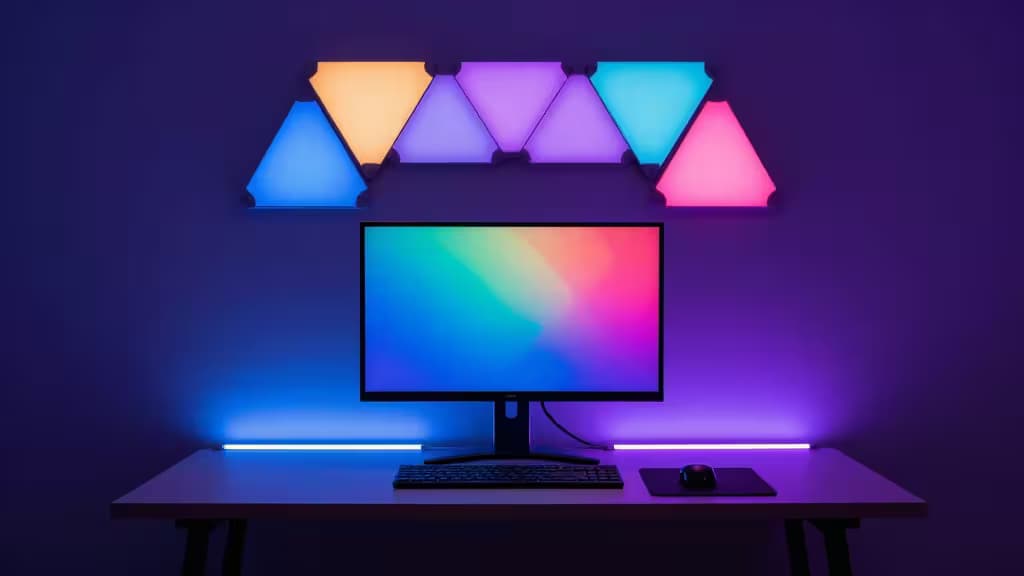
A great gaming setup is more than a fast monitor and a mechanical keyboard — it's the atmosphere around you. Smart lighting is what transforms a desk into a battlestation, syncing room colors to on-screen action and pulling you deeper into the game. The best options do this with real-time color matching, deep smart-home integration, and a range that covers budget ambient glow to premium HDMI-level sync.
This guide covers five picks across three categories: HDMI-sync kits that read your video signal directly, camera-based screen-mirror kits that achieve similar effects at lower cost, and ambient strips and modular panels for mood lighting and wall art. Whether you're invested in the Philips Hue ecosystem or just want a cheap USB strip behind your monitor, there's a pick here for your setup.
Disclosure: Recomate earns affiliate commissions on some products linked below. That doesn't change our rankings — we call it the way we see it.
1. Philips Hue Play HDMI Sync Box + Gradient Lightstrip
The gold standard for real-time screen sync.
If you want your room to react to gameplay with near-zero latency, the Hue Play HDMI Sync Box is the pick. It sits between your console or PC and your monitor, reading the HDMI signal directly and driving a Gradient Lightstrip mounted behind your display. Because it processes the actual video feed rather than relying on a camera, color matching is fast and accurate — no calibration drift, no ambient light interference.1
The Sync Box integrates with the Hue Bridge, which manages all Hue lighting over Zigbee for stable, responsive device control and advanced scene programming.6 That Bridge is also your gateway to HomeKit, Alexa, and Google Home, so your gaming lighting can participate in broader home automations. The trade-off is cost: the Sync Box plus a Gradient Lightstrip lands in a premium price band, and you'll need the Hue Bridge as well if you don't already own one.1
Best for: Gamers who want the most accurate screen-sync experience and are already in (or willing to invest in) the Hue ecosystem.
2. Nanoleaf 4D Screen Mirror + Lightstrip Kit
Camera-based screen sync at a fraction of the cost.
The Nanoleaf 4D takes a different approach: a small camera mounted on or near your monitor reads on-screen colors and mirrors them to a lightstrip behind your display. It's not as precise as HDMI-level sync, but it's surprisingly effective — and it costs significantly less than the Hue Sync Box route.2
The kit is trimmable to fit various screen sizes, and Nanoleaf includes a privacy cover for the camera, addressing the obvious concern about a camera pointed at your screen. RGBIC gradient technology means multiple colors can appear on the strip simultaneously, and the kit supports multiple smart-home platforms.2
Best for: Gamers who want screen-mirror sync without the HDMI-box price tag, and who don't mind a camera-based approach.
3. Nanoleaf Lines Squared
Modular light art for the wall behind your monitor.
Not every gaming setup needs screen sync. If you're after pure aesthetics — geometric light panels casting color across an accent wall — the Nanoleaf Lines Squared is the design-forward pick. These modular light bars connect in customizable patterns, letting you build everything from a subtle accent strip to an elaborate wall installation behind your battlestation.3
Lines Squared is Thread-enabled, which means fast, responsive network communication and compatibility with the Matter smart-home standard. That gives it a future-proof edge over older Zigbee or Wi-Fi-only panels. The premium price reflects both the modular hardware and the design engineering.3
Best for: Gamers who prioritize wall aesthetics and ambient color over real-time screen sync, and who want Thread/Matter compatibility.
4. Govee RGBIC Smart LED Backlight
The budget entry for ambient mood lighting.
If you just want colorful glow behind your monitor without spending triple digits, the Govee RGBIC Smart LED Backlight is the value pick. It offers music sync, over 99 preset scenes, and RGBIC technology for multi-color gradients — all at a budget price point.4
USB power makes desk mounting simple: plug it into your monitor's USB port or a powered hub and you're set. The catch is that this is mood lighting, not screen-sync lighting. There's no HDMI pass-through or camera-based mirror — the colors respond to music or preset patterns, not to what's happening on screen.4
Best for: Budget-conscious gamers who want ambient color and music-reactive lighting without true screen sync.
5. Philips Hue Gradient Lightstrip (Standalone)
Premium color diffusion for existing Hue owners.
If you're already invested in the Hue ecosystem and don't need the HDMI Sync Box, the standalone Gradient Lightstrip gives you the same premium color diffusion and multi-color gradient effects — just without the real-time video sync. You can still control it through the Hue app, set scenes, and integrate with HomeKit, Alexa, and Google Home via the Hue Bridge.5
This is the pick for Hue owners who want bias lighting behind their monitor for reduced eye strain and ambient color, but who don't need the Sync Box's real-time gameplay matching. It's premium-priced on its own, but if you already have the Bridge, it's a simpler add-on than the full Sync Box kit.5
Best for: Existing Hue ecosystem users who want premium ambient bias lighting without HDMI sync.
How to Choose
The decision comes down to three questions:
Do you need real-time screen sync? If yes, the Hue Sync Box offers the most accurate HDMI-level sync, while the Nanoleaf 4D delivers camera-based sync at a lower price. If no, ambient options like the Govee or standalone Hue Gradient Lightstrip are sufficient.
What's your smart-home platform? Hue products require the Hue Bridge but offer the deepest ecosystem integration. Nanoleaf's Thread-enabled products are Matter-ready for cross-platform compatibility. Govee works with Alexa and Google but is less deeply integrated.
What's your budget? Govee covers the budget tier, Nanoleaf 4D and Lines Squared sit in the mid-to-premium range, and the Hue Sync Box kit is the premium investment. Choose the tier that matches how central lighting is to your setup.
The things actually worth buying are the ones that match your setup — not just the most expensive option on the shelf.