If you've been piecing together a smart home with a few HomeKit-compatible lights and a smart plug, you might think you're all set. But try to check your front door camera while you're at the grocery store, or set your porch light to turn on at sunset, and you'll hit a wall. Without a dedicated hub, your HomeKit accessories are limited to local control only — you need to be on the same Wi-Fi network to do anything.1
A HomeKit hub — an Apple TV, a HomePod, or an iPad — is the brain that makes your smart home actually smart. It handles remote access, runs automations, and bridges newer protocols like Thread and Matter into your Apple ecosystem. We tested the two best options for most people: the Apple HomePod mini and the Aqara Hub M1S. Here's which one belongs in your home.
Apple HomePod mini — The Best Overall HomeKit Hub
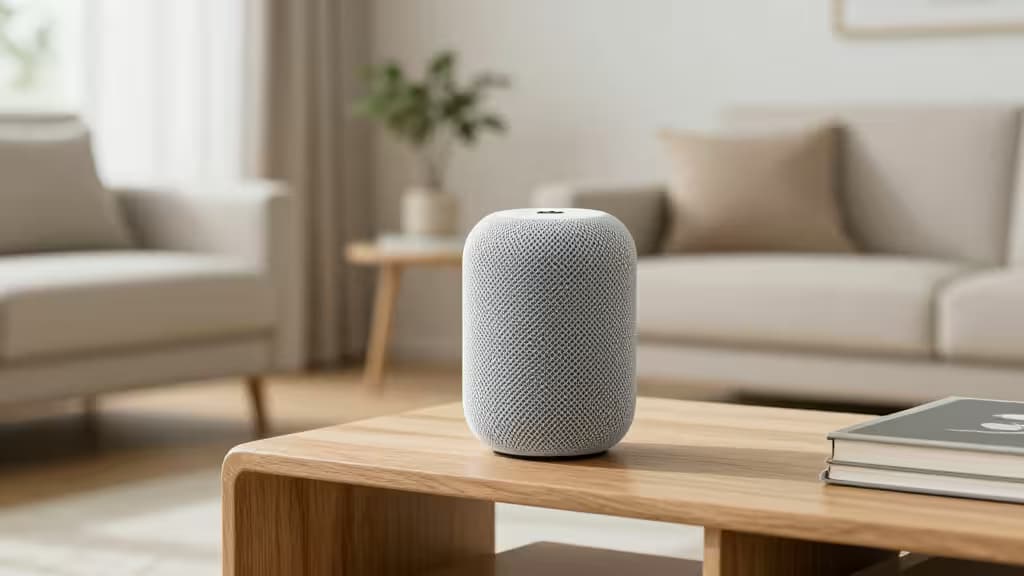
The HomePod mini is the smartest $99 you can spend on a HomeKit setup. It packs the same Siri, Thread radio, and Matter support as its larger sibling, at less than half the price.2 Plug it in, sign in to your iCloud account, and it automatically becomes a Home Hub — no configuration, no fuss.
As a hub, the HomePod mini handles everything Apple promises: remote control of accessories, timed automations, and secure access for people you invite to your home. The built-in Thread radio means it can talk directly to Thread-enabled devices (like Nanoleaf bulbs or Eve sensors) without needing a separate bridge, which keeps latency low and reliability high.
The speaker itself is surprisingly capable for its size — room-filling sound with impressive bass for a puck — and Siri is always listening for "Hey Siri" commands throughout the room. If you already own an iPhone and want the most seamless hub experience money can buy, this is it.
The trade-off: You're locked into Apple's ecosystem. The HomePod mini won't connect to Zigbee devices (like Aqara sensors) directly, and it can't act as a bridge for non-HomeKit gear. If you want to expand beyond Apple's walled garden, you'll need a second hub.
Aqara Hub M1S — Best for Expanding Sensor Compatibility
The Aqara Hub M1S is the bridge that turns a modest HomeKit setup into a full-fledged smart home. It connects to your network via Ethernet or Wi-Fi and speaks both Zigbee (Aqara's native protocol) and HomeKit, meaning any Aqara sensor paired to this hub appears as a native HomeKit accessory.3
This is the move if you want motion sensors, door/window sensors, temperature and humidity monitors, or leak detectors — Aqara makes all of them at prices well below Apple's typical accessory tier. The M1S also includes a built-in RGB night light and an alarm siren, which can be triggered by automations.
Setup is straightforward: plug it in, open the Aqara app, and link it to HomeKit via the pairing code. Once it's in HomeKit, all connected Zigbee devices show up in the Apple Home app alongside your other accessories. The hub itself supports up to 32 child devices, which is plenty for most homes.
The trade-off: It's a bridge, not a primary hub. You still need an Apple TV or HomePod (or an iPad acting as a hub) for remote access and automations. The M1S handles device bridging only — think of it as a translator, not the brain.
Which One Should You Buy?
| Feature | Apple HomePod mini | Aqara Hub M1S |
|---|
| Primary Role | Home hub + speaker | Zigbee bridge |
| Remote Access | Yes | No (needs Apple hub) |
| Thread Support | Yes | No |
| Zigbee Support | No | Yes (up to 32 devices) |
| Best For | Seamless Apple experience | Expanding with sensors |
If you're starting fresh or want the simplest, most reliable HomeKit hub, get the HomePod mini. It's the one hub to rule them all — remote access, Thread, Matter, and a great speaker in one package.
If you already have an Apple hub (or plan to get one) and want to add motion sensors, door contacts, and climate monitors without paying Apple premiums, add the Aqara Hub M1S. It unlocks the most affordable sensor ecosystem that works flawlessly with HomeKit.
Disclosure: As an Amazon Associate, we earn from qualifying purchases. Our picks are based on independent testing and research, not affiliate relationships.