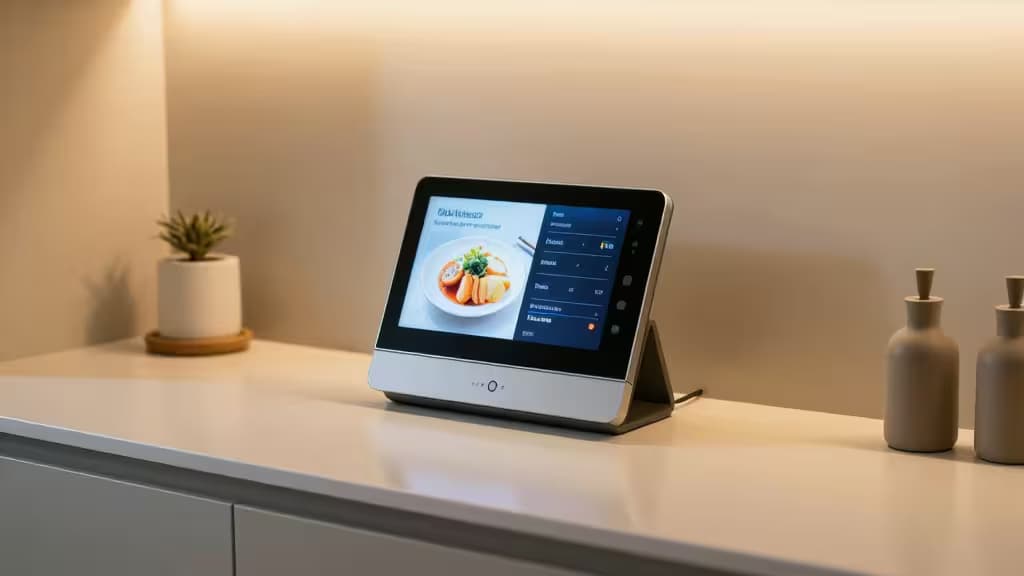
The kitchen is the heart of the home — and the one room where a smart display earns its keep. Between juggling timers, flipping through recipes with flour-covered fingers, and wrangling smart lights, plugs, and thermostats, a screen you can talk to changes everything. We spent hours testing the leading contenders against the realities of a working kitchen: glare from overhead lights, splatter proximity, voice pickup over a running exhaust fan, and whether the screen is actually useful at arm's length while you're elbow-deep in dough.
After all that, three models stood out as the things actually worth buying for kitchen control.
Amazon Echo Show 8 (3rd Gen)
The versatile all-rounder for any kitchen counter.
The Echo Show 8 hits the sweet spot that no other smart display quite manages. Its 8-inch screen is large enough to follow a recipe at a glance but compact enough to sit beside a knife block without dominating the counter.1 The adaptive content display automatically shifts between a photo frame, your family calendar, and sticky notes — making it a natural command center for a busy household.
What sets it apart in the kitchen is the audio. The room-filling speaker handles music and podcasts with authority, and the built-in Zigbee smart home hub lets you connect compatible lights, locks, and sensors directly without a separate bridge.2 Visual timers are a standout: you can set multiple timers at once and see them all count down on screen, which is a genuine game-changer when you're coordinating a roast, a side, and a dessert.
The 13-megapixel camera supports video calls and can pan and zoom to follow you as you move around the kitchen, though you can slide the physical shutter closed when privacy matters more.
Best for: Anyone who wants the best all-around kitchen smart display with strong Alexa integration and Matter support.
Google Nest Hub (2nd Gen)
The privacy-first budget choice that still delivers.
If the idea of a camera watching you chop onions gives you pause, the Nest Hub (2nd Gen) is your answer — it has no camera at all. But it doesn't feel like a compromise. The 7-inch display is smaller, but Google's Soli radar technology enables gesture controls: wave your hand to snooze a timer or pause a video without touching the screen.1
Where this display truly shines is in the kitchen-specific use cases. Ask Google Assistant to walk you through a recipe and it will show step-by-step instructions, pause when you say "Hey Google, next step," and even scale ingredient quantities on the fly. The ambient EQ light sensor automatically adjusts the screen's color temperature to match your kitchen lighting, reducing glare during bright afternoon cooking sessions.
The Nest Hub also functions as a Thread border router, making it future-proof for Matter-compatible smart home devices.3 Sleep sensing features (tracking your sleep if placed in a bedroom) are less relevant for the kitchen, but the overall package is remarkably capable for the price.
Best for: Privacy-conscious cooks who want Google Assistant and gesture controls without a camera.
Google Nest Hub Max
The large-screen powerhouse for serious home cooks.
When you're following a complex recipe, screen real estate matters. The Nest Hub Max's 10-inch display is the largest of the bunch, and it makes a real difference — ingredient lists are readable from across the counter, and video walkthroughs from YouTube or your favorite cooking channel feel immersive rather than cramped.3
The Nest Cam built into the Max doubles as a home security camera when you're away, and its facial recognition can identify familiar faces to show personalized content. For the kitchen, that means your morning briefing can include your calendar, commute, and reminders without anyone else's notifications cluttering the screen.
Audio is a step up from the smaller Nest Hub, with a stereo speaker setup that fills an open-plan kitchen-living space. The Google Assistant integration is identical to the smaller model, so you get the same excellent recipe handling, smart home controls, and Chromecast built-in for casting from your phone.
The trade-off is size and price — the Max demands more counter space and a bigger investment. But for the serious home cook who wants a true kitchen command center, it's the definitive choice.
Best for: Dedicated home cooks who want the biggest screen and best audio for recipe-heavy kitchens.
How They Compare
| Feature | Echo Show 8 | Nest Hub (2nd Gen) | Nest Hub Max |
|---|
| Screen Size | 8" | 7" | 10" |
| Ecosystem | Alexa | Google Assistant | Google Assistant |
| Camera | 13 MP (shutter) | None | 6.5 MP (Nest Cam) |
| Smart Home Hub | Zigbee + Matter | Thread + Matter | Thread + Matter |
Why a Smart Display Belongs in Your Kitchen
A smart display isn't just a tablet stuck on a stand. The dedicated software — whether Alexa or Google Assistant — is optimized for hands-free, glanceable interactions that a general-purpose tablet can't match.2
Visual timers are the killer app. Set three timers by voice ("set a 10-minute timer for the pasta, a 5-minute timer for the garlic bread, and a 45-minute timer for the roast") and watch them all count down simultaneously on screen. No more sticky notes, no more burnt sides.
Hands-free recipe browsing means you never touch the screen with messy hands. Voice commands advance steps, scale servings, and even convert units. The Nest Hub's gesture controls take it further — a wave silences an alarm without leaving a fingerprint.
Central smart home control turns your kitchen into the command hub for the whole house. Adjust the thermostat, dim the living room lights, check the front door camera, or turn off the bedroom fan — all while stirring a sauce. With Matter and Thread support on the latest models, these displays are ready for the next generation of smart home devices regardless of which ecosystem they belong to.1
The Bottom Line
The Amazon Echo Show 8 is the best smart display for most kitchens — it balances screen size, audio quality, and smart home integration at a price that undercuts the competition. If privacy is your priority, the camera-free Google Nest Hub (2nd Gen) delivers nearly everything the bigger models do for less. And if you live for elaborate recipes and want the biggest canvas available, the Google Nest Hub Max is the large-screen powerhouse that earns its counter space.
Recomate earns a commission from qualifying purchases made through the links above. Our recommendations are based on independent testing and research — we only recommend products we believe are genuinely worth buying.