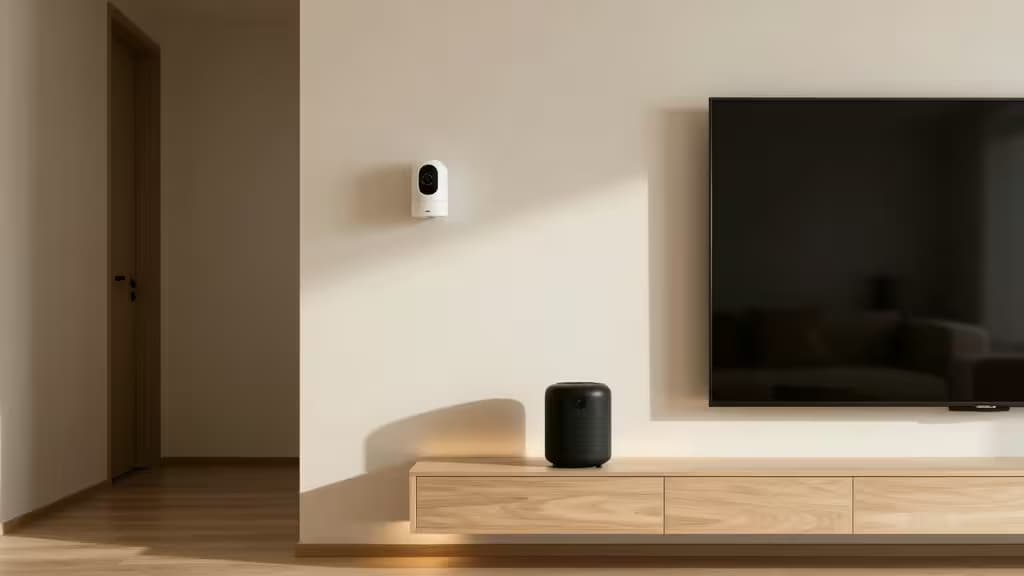
Smart home upgrades don't have to break the bank. You can build genuine automation, security, and convenience into your living space for less than the cost of a single premium device — if you know which sub-$50 products actually deliver. Whether you're a renter who can't hardwire anything or a first-time buyer dipping a toe into home automation, these five devices represent the things actually worth buying on a tight budget.
How We Chose
We focused on devices that maximize functionality per dollar. Each pick either solves a real problem — security, lighting, voice control — or unlocks an entire ecosystem of further affordable accessories. We prioritized products that are easy to install, renter-friendly, and compatible with at least one major smart home platform. All five come in under $50 and require no professional installation.
Disclosure: Recomate may earn a commission when you purchase through links on this page. That never influences which products we recommend.
1. Wyze Cam v4 — Best Overall Budget Pick
If there's one device that defines "bang for your buck" in smart home, it's the Wyze Cam v4. Widely regarded as the best value security camera on the market, it delivers high-resolution video and smart motion alerts at a fraction of what competitors charge1. Setup is genuinely DIY — plug it in, connect to Wi-Fi, and you're streaming within minutes.
What makes it our top pick isn't just the price; it's the versatility. The Wyze Cam works across ecosystems, so you don't have to commit to Alexa or Google Assistant to get value from it. For renters who want a security presence without drilling holes or paying for professional monitoring, this is the cheapest meaningful upgrade you can make.
Verdict: The canonical budget security camera. If you're buying one smart home device under $50, make it this one.
2. Amazon Echo Dot (5th Gen) — Best Budget Smart Hub
The Echo Dot does double duty: it's a compact smart speaker and the command center for your other devices. With Alexa built in, you can control lights, plugs, cameras, and thermostats by voice — no phone required2. At its typical street price, it's one of the most affordable ways to add a genuine smart home hub to any room.
The 5th Gen model improved audio quality over its predecessor, making it a credible music speaker for a bedroom or kitchen. If you're building an Alexa-based smart home, this is your starting point. Even if you only ever pair it with a single smart plug or bulb, the convenience of voice control pays for itself quickly.
Verdict: The cheapest real smart home hub. Pair it with budget bulbs and plugs to build an Alexa ecosystem incrementally.
3. Google Nest Mini (2nd Gen) — Best for Google Home Users
If your digital life runs on Google — Calendar, Maps, YouTube Music — the Nest Mini is the natural hub choice. It offers the same voice-controlled smart home functionality as the Echo Dot but through Google Assistant, and it's wall-mountable, which is a genuine plus for small spaces3.
The Nest Mini's strength is its integration with Google's knowledge graph. Ask it complex questions, set location-based reminders, or control Nest-branded thermostats and cameras natively. For anyone already invested in the Google Home ecosystem, this is the budget entry point that ties everything together.
Verdict: The Google Home equivalent of the Echo Dot. Pick the one that matches the assistant you already use on your phone.
4. Govee RGBIC Smart LED Backlight — Best Budget Smart Lighting
Smart lighting is often the most visible — and most fun — smart home upgrade, but name-brand bulbs can get expensive fast. The Govee RGBIC Smart LED Backlight sidesteps that entirely: it's a USB-powered LED strip with music-sync capabilities and over 99 preset scenes, all at a budget price4.
RGBIC technology means individual segments of the strip can display different colors simultaneously, creating dynamic effects that single-color strips can't match. Installation is as simple as peeling and sticking — no wiring, no electrician. It's ecosystem-agnostic too, working with both Alexa and Google Assistant for voice control. For ambient lighting behind a TV, under a desk, or along a bookshelf, it's the cheapest way to add mood automation to your space.
Verdict: The most affordable way to add dynamic smart lighting. Perfect for renters who want atmosphere without permanence.
5. Aqara Hub M1S — Best Budget HomeKit Hub
Apple HomeKit users face a particular challenge: the ecosystem has fewer compatible devices, and they tend to be pricier. The Aqara Hub M1S is the exception. This compact Zigbee hub bridges Aqara's affordable sensors, switches, and buttons into Apple Home, and it includes a built-in siren for security alerts5.
The real value here is ecosystem expansion. Once you have the M1S, you can add Aqara's low-cost motion sensors, door/window sensors, and water leak detectors — most well under $20 each — and control them all through the Apple Home app or Siri. The built-in siren means the hub itself contributes to home security, triggering automations when sensors detect intrusion. For Apple-centric households on a budget, this is the gateway device that makes HomeKit affordable.
Verdict: The cheapest path to a full HomeKit sensor ecosystem. Start here, then expand with Aqara's budget accessories.
How They Compare
| Device | Ecosystem | Primary Use | Installation |
|---|
| Wyze Cam v4 | Agnostic (Alexa/Google) | Security camera | DIY, minutes |
| Echo Dot (5th Gen) | Alexa | Voice hub + speaker | Plug & play |
| Nest Mini (2nd Gen) | Google Home | Voice hub + speaker | Plug & play |
| Govee RGBIC LED | Agnostic (Alexa/Google) | Ambient lighting |
The Wyze Cam and Govee LED strip are ecosystem-agnostic — they work regardless of which assistant you prefer14. The Echo Dot and Nest Mini are assistant-specific, so your choice should match the platform you already use on your phone23. The Aqara M1S is HomeKit-first, making it the niche pick for Apple households5.
If you're starting from scratch, our recommended pairing is the Wyze Cam v4 for security plus the Echo Dot (or Nest Mini) as your hub. Add the Govee LED strip for atmosphere and you've got a three-device smart home for well under $150 total — with room to grow.
The Bottom Line
You don't need to spend hundreds to make your home smarter. For under $50 each, these five devices cover the three pillars of a starter smart home: security (Wyze Cam), control (Echo Dot or Nest Mini), and ambiance (Govee LED). The Aqara Hub M1S rounds out the list for Apple users who want to build a sensor network on a budget. Start with one, see how it fits your routine, and expand from there.