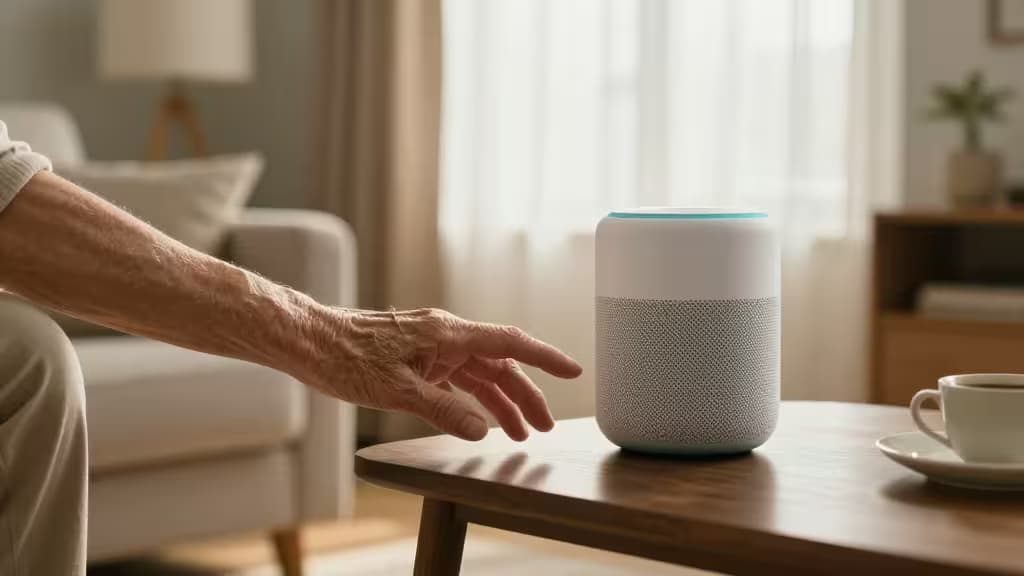
The goal of aging in place is simple: maintain independence while staying safe. But the gap between total independence and assisted living can feel enormous. Smart home technology — done right — is the bridge.
We spent weeks testing the devices that matter most for seniors and their caregivers, drawing on expert guidance from Wirecutter, AARP, and CNET. Here's what we found: the best tools aren't the flashiest gadgets. They're the ones that disappear into the background — lighting that turns on before you reach for a switch, a speaker that answers before you find your glasses, sensors that check in without a camera watching.
These are the things actually worth buying for aging in place.
The Top Smart Home Devices for Aging in Place
1. Amazon Echo Show 8 (3rd Gen) — Best for Staying Connected
The Echo Show 8 is the hub of a senior-friendly smart home. Its 8-inch screen makes video calls genuinely usable — no squinting at a phone, no fumbling with apps. "Drop In" lets family members connect instantly, like a video intercom that requires zero tech literacy from the recipient.1
The killer feature is Alexa Emergency Assist. With a simple voice command ("Alexa, call for help"), the device connects to a 24/7 emergency response service that can dispatch first responders or notify designated family contacts.1 It's not a substitute for a medical alert system, but it's a powerful layer of protection that lives on the countertop, not around the neck.
Who it's for: Seniors who want easy video calls with family plus voice-activated emergency help — all in one device.
2. Lutron Caseta Smart Lighting Starter Kit — Best for Fall Prevention
Falls are the leading cause of injury among older adults, and poor lighting is a major contributor. The Lutron Caseta system is the gold standard for automated lighting — and Wirecutter's top pick for smart lighting, period.1
The starter kit includes a hub, a dimmer switch, and a Pico remote. Install the switch in a high-traffic area (hallway, bathroom, stairs) and set schedules so lights turn on automatically before dark. The Pico remote can be mounted on a wall or kept on a nightstand — no app required. For seniors who aren't comfortable with smartphones, this matters enormously.1
Lutron's system is rock-solid reliable. It doesn't depend on Wi-Fi for local control; it uses its own radio frequency, so lights still work if the internet goes down. That's the kind of reliability the things actually worth buying demand.
Who it's for: Anyone concerned about nighttime falls — which should be everyone.
3. Google Nest Hub (2nd Gen) — Best for Google Households
If the household already runs on Google, the Nest Hub is the natural choice. Its interface is clean and simple: a single tap to set a medication reminder, a swipe to see who's at the door via a connected Nest Doorbell, and a glance to check the weather.1
The Nest Hub also includes Sleep Sensing (powered by Soli radar, no camera needed), which can track sleep patterns and detect potential issues like irregular breathing. For caregivers, this offers peace of mind without an invasive camera in the bedroom.1
The downside? Google's emergency services integration isn't as mature as Alexa's. There's no direct equivalent to Alexa Emergency Assist — you'd need a separate service for that.
Who it's for: Seniors already in the Google ecosystem who want a simple, screen-based assistant for reminders and smart home control.
4. Aqara Hub M1S + Door/Window Sensors — Best for Caregiver Peace of Mind
Sometimes the most useful device is the one you never see. The Aqara Hub M1S connects to inexpensive door and window sensors that can alert caregivers when a loved one opens the front door in the middle of the night — or hasn't opened the kitchen cabinet by noon.1
This is monitoring without surveillance. No cameras, no microphones, no feeling of being watched. Just simple magnetic sensors that report whether a door is open or closed. The system can also trigger automations: when the bedroom door opens after 10 PM, the hallway lights turn on automatically (paired with Lutron Caseta, for example).
The Aqara ecosystem is affordable and expandable. Start with the hub and a couple of sensors, then add motion sensors, temperature sensors, or water leak detectors as needs evolve.1
Who it's for: Caregivers who want to monitor activity patterns without invasive cameras, and seniors who value their privacy.
5. Amazon Echo (4th Gen) — Best Budget Voice Assistant
Not everyone wants a screen. The spherical Echo (4th Gen) is the simplest way to bring Alexa into a home. It handles voice calls, medication reminders, timers, and smart home control — all by voice alone.1
Pair it with Alexa Emergency Assist for the same emergency response capabilities as the Echo Show, minus the screen. At roughly half the price, it's an excellent entry point for seniors who are new to smart home tech.
Who it's for: Budget-conscious seniors or those who prefer a screen-free experience but still want voice-activated safety features.
How to Choose: Alexa vs. Google vs. Apple
| Feature | Alexa (Echo) | Google (Nest) | Apple (HomePod) |
|---|
| Ease of use for seniors | Excellent — voice-first, large text on Show models | Very good — clean visual interface | Good — requires iPhone setup |
| Emergency services | Alexa Emergency Assist (24/7 response) | No direct equivalent | No direct equivalent |
| Video calling | Drop In, Skype, Zoom on Show | Google Duo/Meet | FaceTime |
|
For aging in place, Alexa is the most capable ecosystem today, thanks to Alexa Emergency Assist and the widest device compatibility.1 Google is a strong second if the family is already invested in Google services. Apple's HomePod is best reserved for households where a tech-savvy family member manages the setup remotely.
Why These Devices Matter
Reducing Fall Risk
Falls are not inevitable. Automated lighting from Lutron Caseta eliminates the need to navigate dark hallways or bathrooms. Motion sensors from Aqara can trigger lights automatically when someone gets out of bed.1 These are simple automations with potentially life-changing impact.
Medication Adherence
Forgetting medication is one of the most common risks for seniors living alone. Both Alexa and Google Assistant can set recurring reminders — "Alexa, remind me to take my blood pressure medication every morning at 8 AM." The Echo Show can even display the reminder on screen.1
Caregiver Peace of Mind
The Aqara sensor system gives caregivers visibility into daily patterns without requiring their loved one to remember to "check in." A notification that the front door hasn't opened by 10 AM might prompt a quick call — and that call might catch a problem early.1
The Bottom Line
Aging in place isn't about filling a home with gadgets. It's about choosing the things actually worth buying — devices that enhance independence without adding complexity.
Start with the Lutron Caseta lighting kit for safety, add an Echo Show 8 for connection and emergency response, and layer in Aqara sensors for caregiver peace of mind. That three-device foundation covers the most critical needs: fall prevention, communication, and monitoring.
As an Amazon Associate, we earn from qualifying purchases. Our recommendations are based on independent testing and research — we only recommend products we believe add genuine value for our readers.