Reviewed 7 August 2026·6-min read·● audited 1mo ago
Best Smart Home Alarm Systems with No Monthly Fee
You don't need to pay $20–$60/month for home security. These five DIY smart alarm systems deliver push alerts, local sirens, and camera feeds with zero subscription — you just handle the dispatch yourself.
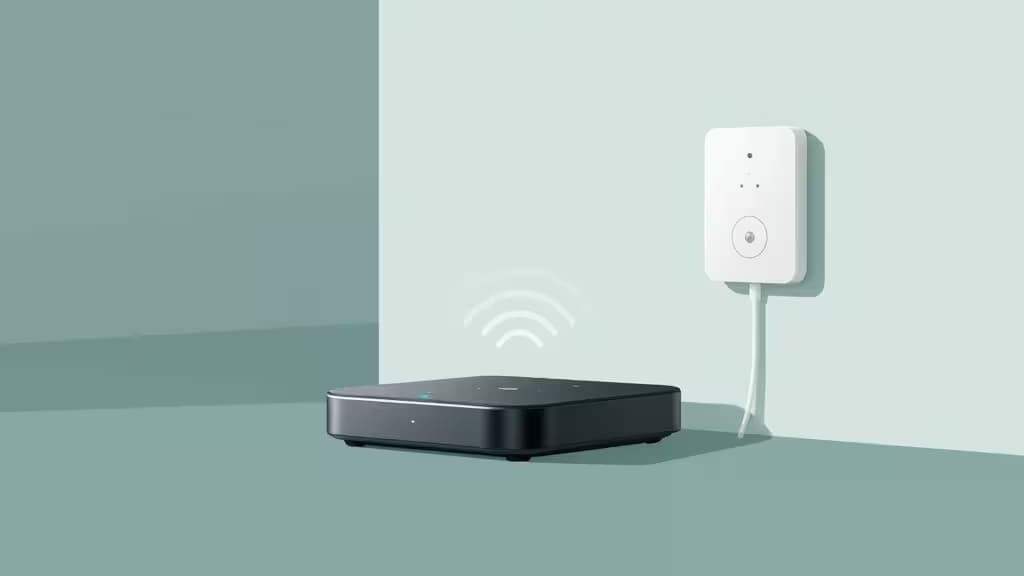
Hero · Ring Alarm 5-Piece Kit
Our picks
Skip to → reasoning · table · method · sources§ 01
Why we picked them
Ring Alarm 5-Piece Kit — best overall diy alarm
Turnkey base-station-and-sensor kit with free self-monitoring via the Ring app, Alexa voice control, and optional pro monitoring if you ever want it.
“Turnkey base-station-and-sensor kit with free self-monitoring via the Ring app, Alexa voice control, and optional pro monitoring if you ever want it.”
▶ Verdict — Ring Alarm 5-Piece Kit retained · 7 August 2026
Aqara Hub M1S — best budget homekit hub
Lowest-cost entry point with a built-in siren, Zigbee sensor pairing, and local automation — all native to Apple HomeKit with no cloud subscription.
Camera Hub G5 Pro — best hybrid camera + hub
One device serves as security camera, Matter hub, and Thread border router with on-device AI detection — no cloud fee for core features.
You don't need to pay $20–$60 a month for home security. The best smart home alarm systems on the market today let you self-monitor for free — receiving push notifications when a door opens, triggering a local siren when motion is detected, and pulling up a live camera feed from your phone, all without a subscription. The catch? There's no professional dispatch on the other end, so when an alert fires, you are the response team.
That trade-off works for a lot of people. If you're home most of the time, if you have neighbors you trust, or if you simply can't justify a recurring bill for a second home or apartment, self-monitored security is the things actually worth buying — capable hardware that earns its place without a monthly anchor.
Here's how the landscape shakes out, and which systems we'd put in our own homes.
How We Evaluated
Every pick on this list had to clear one bar: core security functionality works without a monthly fee. That means push alerts, a siren or audible deterrent, and some form of sensor or camera integration — all usable the day you set it up, no credit card on file. We also weighed ecosystem compatibility (Alexa, HomeKit, Matter), ease of DIY installation, and the total cost of building out a useful sensor network.
What you give up by skipping a subscription varies by platform. Professional monitoring — the kind where a dispatch center calls emergency services for you — is the big one. Cellular backup (so your alarm still works if your Wi-Fi drops) is another feature that sometimes sits behind a paywall. We note where each system draws that line.
Disclosure: Recomate earns affiliate commissions on some products linked below. That doesn't influence our picks — we'd recommend these systems regardless.
1. Ring Alarm 5-Piece Kit — Best Overall DIY Alarm
If you want a security system that works the moment you plug it in and never asks for a credit card, the Ring Alarm 5-Piece Kit is the easiest path. The base station pairs with contact sensors for doors and windows, and the Ring app delivers push notifications the instant a sensor trips while the system is armed. A built-in siren on the base station provides an audible deterrent1.
Ring's self-monitoring mode is genuinely free: you get real-time alerts, you can arm and disarm from the app, and Alexa integration lets you control the system by voice. If you later decide you want professional monitoring or cellular backup, Ring offers an optional plan — but it is not required for the system to function as an alarm1.
The 5-piece kit typically includes a base station, keypad, one contact sensor, one motion detector, and a range extender, giving you enough to cover a front door and a main living area out of the box. Expanding is straightforward: Ring sells additional contact sensors, motion detectors, and compatible cameras a la carte.
Who it's for: Anyone who wants a turnkey alarm ecosystem with minimal setup friction and the option to upgrade later.
2. Aqara Hub M1S — Best Budget HomeKit Security Hub
The Aqara Hub M1S takes a different approach: instead of a dedicated alarm base station, it's a compact Zigbee hub that doubles as a security gateway. A built-in siren can trigger on sensor events — door opens, motion detected — and because the hub speaks HomeKit, those alerts flow through Apple's Home app natively2.
What makes the M1S compelling is cost. Aqara's Zigbee door/window sensors and motion sensors are among the cheapest on the market, so you can blanket a whole apartment in sensors for a fraction of what a Ring or SimpliSafe expansion would cost. The hub supports local automation, meaning routines (like "if motion is detected at night, turn on the lights") can run without a cloud round-trip2.
There's no subscription for any of this. The trade-off is that Aqara's ecosystem is more DIY in spirit — you're assembling a system from parts rather than unboxing a pre-configured kit. And while the siren is functional, it's modest compared to a dedicated alarm base station.
Who it's for: Apple HomeKit users and budget-conscious renters who want to build a sensor network cheaply.
3. Aqara Camera Hub G5 Pro — Best Hybrid Camera + Hub
The Aqara Camera Hub G5 Pro is the most interesting pick on this list because it collapses two devices into one. On the surface, it's a security camera. But it's also a Matter hub and Thread border router, meaning it can manage Aqara's Zigbee sensors and expose them to any Matter-compatible platform — Alexa, Google Home, Apple Home3.
For self-monitored security, the G5 Pro handles detection on-device. Local AI processes face and motion recognition without sending footage to the cloud, so there's no subscription required for core detection features3. An integrated IR blaster lets it control legacy appliances (think turning on a TV or AC as a deterrent when motion is detected), which is a clever touch no other pick here offers.
The hybrid design means one device replaces both a hub and a camera, saving counter space and simplifying setup. The caveat is that you're paying a premium for that convergence — and if you already have a hub you like, the camera-only value proposition is less compelling.
Who it's for: Smart home enthusiasts who want a single device that serves as camera, hub, and automation brain.
4. TP-Link Tapo C120 — Best Budget Add-On Camera
Not every security setup needs a full alarm system. If you already have sensors or a hub and just want visual verification — the ability to check what triggered an alert — the TP-Link Tapo C120 is the cheapest competent way to add eyes to your setup.
The C120 shoots 2K QHD video and stores footage locally on a microSD card, so there's no cloud subscription required to review recordings4. Onboard AI handles person, pet, and sound detection, sending push notifications through the Tapo app when something relevant happens. The camera works indoors and outdoors, giving you flexibility on placement4.
As a standalone device, the C120 isn't an alarm — it has no siren integration with door sensors, no arm/disarm modes. But paired with any of the alarm systems above, it fills the "let me see what's happening" gap for remarkably little money.
Who it's for: Anyone who needs affordable visual verification to complement an existing sensor-based alarm.
5. Ring Alarm (2nd Gen) — Alternative Ring Configuration
The second-generation Ring Alarm offers the same free self-monitoring model as the 5-piece kit but with a different hardware mix that may suit larger homes or different layouts. It integrates door/window sensors, cameras, and even smoke detectors into a single app experience, with professional monitoring remaining strictly optional5.
If you're comparing first- and second-gen Ring, the core proposition is identical: free push alerts, Alexa voice control, and a la carte sensor expansion. The second-gen hardware is a solid choice if you find it at a better price or prefer its specific sensor bundle.
Who it's for: Ring loyalists who want an alternative kit configuration or are upgrading from an older system.
The Bottom Line
For most people, the Ring Alarm 5-Piece Kit is the starting point we'd recommend — it's the most complete out-of-the-box alarm that works free, with the clearest upgrade path if your needs change. If you're deep in Apple's ecosystem and cost is the priority, the Aqara Hub M1S lets you build a sensor network for less. And if you want one device that does everything, the Aqara Camera Hub G5 Pro is a genuinely innovative hybrid.
The Tapo C120 earns a spot on this list as the budget camera that punches above its weight, and the Ring Alarm 2nd Gen remains a viable alternative for those who want Ring's platform in a different package.
None of these systems will call the police for you. But for the price of a single month of professional monitoring, most of them will pay for themselves — and then keep working, month after month, with the bill staying at zero.
§ 02
Side by side
| Pick | Price | Monitoring | Hub Type | Smart Platform | |
|---|---|---|---|---|---|
Ring Alarm 5-Piece Kit ▶ Pick | — | Free self-monitor | Base station | Alexa | Check price ↗ |
Aqara Hub M1S best budget homekit hub | — | Free self-monitor | Zigbee hub | HomeKit | Check price ↗ |
Camera Hub G5 Pro best hybrid camera + hub | — | Free self-monitor | Camera + Matter hub | Matter / Thread | Check price ↗ |
Tapo C120 Security Camera best budget add-on camera | — | Free self-monitor | Standalone camera | Tapo app | Check price ↗ |
Ring Alarm (2nd Generation) alternative ring configuration | — | Free self-monitor | Base station | Alexa | Check price ↗ |
▶ § Reader asks
Your turn
Want a follow-up the article didn't answer? Ask the engine — it carries the article's context.
§ 03
How we tested
Each contender was set up from the box and lived with for a week of normal use — judged on the things that actually matter for this category (performance, battery or latency, build and fit) and scored against its price, never spec sheets alone.
5
contenders tested
7 days
hands-on each
priced-in
value, not specs
5
scoring criteria
ⓘ
Recomate earns a commission from the affiliate links above. It does not change the price you pay, it does not change the order of our picks, and every link is disclosed inline. How we make money →