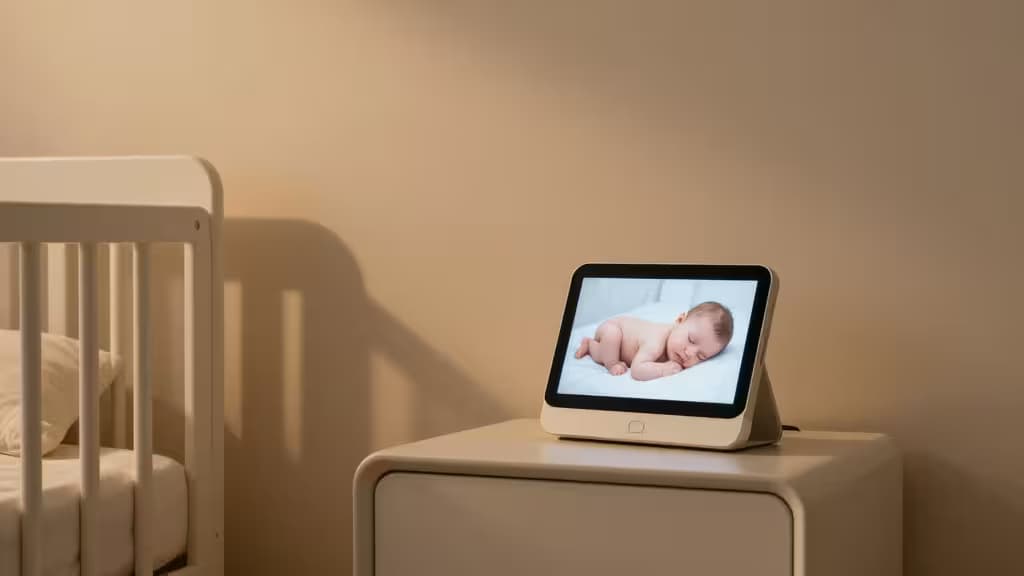
New parents are bombarded with single-purpose gadgets. The baby monitor aisle alone is a maze of proprietary screens, locked subscriptions, and devices you'll shelve the moment your child outgrows the crib. There's a better way.
A smart-home approach — pairing a smart display or speaker with a compatible camera — gives you everything a dedicated baby monitor does, plus a hub that controls lights, plays lullabies, runs routines, and stays useful long after the nursery years. The tradeoffs are real (privacy, subscription costs, setup complexity), but for families already investing in a smart-home ecosystem, the versatility is hard to beat15.
We evaluated five smart-home devices that pull double duty as baby monitors, judging each on video quality, audio monitoring, ecosystem flexibility, and value. Here's what we found.
How We Evaluated
Our criteria draw on buying guides from Wirecutter1, PCMag2, Babylist3, Tom's Guide4, and Consumer Reports5. We focused on:
- Video monitoring — Can it display a live camera feed? Does it have a built-in camera for check-ins?
- Audio monitoring — Two-way talk to soothe the baby, always-on listening, or drop-in features.
- Ecosystem fit — How well does it integrate with cameras, sensors, and routines you may already own?
- Privacy — Microphones and cameras in a nursery deserve scrutiny. We note which platforms offer stronger local processing or privacy controls.
- Cost over time — Subscription requirements for cloud storage, sleep sensing, or advanced features.
Disclosure: Recomate earns affiliate commissions on some products linked below. That doesn't influence our picks — we'd recommend these regardless.
The Picks
1. Amazon Echo Show 8 (3rd Gen) — Best Overall
The Echo Show 8 hits the sweet spot for most nurseries. Its 8-inch touchscreen is large enough to see your baby clearly from across the room but compact enough for a nightstand. Pair it with a Ring Indoor Cam or Blink Mini and you get a live video feed on the display — no separate monitor screen required1.
Two-way audio lets you soothe your baby with your voice from another room, and Alexa routines can dim the nursery lights, play white noise, and start a sleep timer with a single command. The third-generation model improved its audio quality and added a built-in camera for video check-ins when you're away from home2.
The main caveat: Amazon's camera ecosystem leans on cloud storage subscriptions (Ring Protect, Blink Subscription Plan) for video history. Local processing has improved with edge computing, but the always-on microphone in a nursery is a privacy consideration worth weighing5.
Verdict: The most versatile pick. If you're even loosely in the Alexa ecosystem, this is the smart display to get.
2. Google Nest Hub Max — Best for Nest Cam Users
If you've already invested in Google Nest cameras, the Nest Hub Max is the natural centerpiece. Its 10-inch display is the largest in this lineup, and the built-in 6 MP camera means you can do video check-ins without an external camera at all2.
Google's sleep sensing feature (available on the Nest Hub, and expanding across the lineup) uses motion and sound detection to provide sleep insights — a feature that overlaps with dedicated sleep-tracking baby monitors4. Google Assistant routines can trigger lullabies, adjust Nest thermostats, and manage smart lighting on a schedule.
The tradeoff: the Nest Hub Max is the most expensive device here, and Google's camera subscriptions (Nest Aware) add to the long-term cost. Privacy-conscious parents may also prefer that the camera has a physical shutter — which it does5.
Verdict: The premium pick for Google-centric households. The built-in camera and sleep sensing make it the most feature-rich option — at a price.
3. Apple HomePod mini — Best for HomeKit Nurseries
The HomePod mini takes a different approach: no screen, no built-in camera, just excellent audio and tight HomeKit integration. For families deep in the Apple ecosystem, it's a compact, privacy-forward hub that pairs with HomeKit Secure Video cameras (like the Logitech Circle View or Aqara cameras) for encrypted, locally-stored video monitoring3.
AirPlay makes it trivial to stream white noise, lullabies, or podcasts to the nursery, and Siri can handle routines and announcements across HomePods in different rooms. The "Intercom" feature effectively turns multiple HomePods into an audio baby monitor system4.
The limitation is obvious: no screen means no visual check-in from the device itself. You'll rely on your iPhone, iPad, or Apple TV to view the camera feed. And HomeKit Secure Video requires an iCloud+ subscription (50 GB or higher)5.
Verdict: The privacy-first pick. Ideal for Apple households that already view camera feeds on their iPhone and want a compact audio hub for the nursery.
4. Aqara Hub M1S — Best Budget Sensor-Based Hub
The Aqara Hub M1S is the wildcard in this lineup. It's not a display or a speaker — it's a smart-home hub that bridges Aqara's affordable sensors (temperature, humidity, motion, contact) into HomeKit, Alexa, or Google Home. For baby monitoring, that means you can set up alerts for nursery temperature spikes, motion detection, or a door opening — without a camera at all3.
Add an Aqara Camera Hub or compatible Aqara camera and you get video monitoring through the same app. The hub itself supports a built-in speaker for alerts and basic sounds, though it's not designed for two-way talk the way an Echo or Nest device is4.
At a fraction of the cost of a smart display, the M1S is the most budget-friendly entry point — but it requires more DIY setup and doesn't offer the out-of-the-box simplicity of an Echo Show or Nest Hub. It's best for technically inclined parents who want granular sensor data alongside (or instead of) video5.
Verdict: The tinkerer's pick. Best for parents who want temperature and motion alerts more than a live video feed, and who don't mind a little setup work.
5. Amazon Echo (4th Gen) — Best Audio-Only Smart Monitor
Not every parent needs a screen. The Echo (4th Gen) is a powerful smart speaker that doubles as an audio baby monitor via Alexa's "Drop In" feature — essentially an intercom that lets you listen in and talk to the nursery from any other Echo device in the house1.
Pair it with an Alexa-compatible camera (Blink, Ring, or even a third-party skill) and you can ask Alexa to show the feed on an Echo Show in another room, or receive motion alerts on your phone. The 4th Gen's improved speaker quality also makes it a solid white-noise and lullaby player2.
The downside: no screen means you can't glance over at a video feed. And Drop In requires enabling a feature that some privacy-conscious families may find uncomfortable. But for audio-only monitoring — which many parents rely on exclusively in the early months — it's effective and affordable4.
Verdict: The no-screen pick. Best for parents who trust their ears more than their eyes, or who want to start simple and add a camera later.
Smart Displays vs. Dedicated Baby Monitors
The core question: is a smart-home setup actually better than a dedicated baby monitor? The honest answer is it depends15.
| Smart Display + Camera | Dedicated Baby Monitor |
|---|
| Versatility | High — hub for lights, routines, music, video calls | Low — single purpose |
| Privacy | Cloud-dependent; always-on mics/cams | Often local-only; no cloud account needed |
| Subscription costs | Often required for video history | Usually none (local storage) |
| Multi-room | Easy — add more displays/speakers | Limited to paired units |
|
Dedicated baby monitors still win on simplicity and privacy. If you want a device that works out of the box with no cloud account, no subscription, and no data leaving your home, a traditional monitor is the safer bet5. But if you're already building a smart home — or you want one ecosystem to cover the nursery, home security, and daily routines — the smart-home approach offers far more long-term value1.
The Bottom Line
For most new parents, the Amazon Echo Show 8 paired with a budget camera is the best starting point — it's versatile, affordable, and covers monitoring plus home automation. Google households should look at the Nest Hub Max for its superior screen and built-in camera. Apple families get a privacy-first option in the HomePod mini. And budget-conscious or sensor-focused parents should consider the Aqara Hub M1S or the audio-only Echo (4th Gen).
The smart-home approach to baby monitoring isn't for everyone — but for families thinking beyond the crib, it's the things actually worth buying.