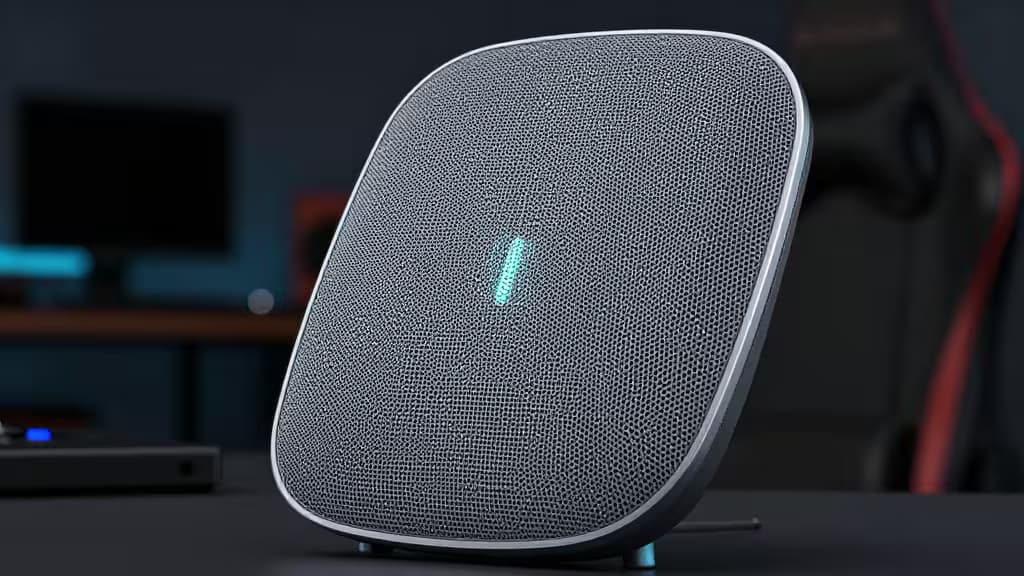
If you game on a console or PC in a home larger than a one-bedroom apartment, you've felt the pain: packet loss mid-firefight, lag spikes when someone starts streaming, a Wi-Fi extender that promises better signal but delivers half the bandwidth. The fix isn't a bigger antenna — it's a mesh system built for the things actually worth buying: low ping, stable throughput, and traffic prioritization that knows a League match matters more than a 4K Netflix stream.
A mesh system uses multiple nodes that talk to each other over a dedicated backhaul, creating one seamless network. Unlike extenders, which halve your bandwidth at every hop, a proper mesh keeps speeds high and latency low across the whole house1. For gaming, the difference is the difference between a headshot and a respawn timer.
We dug through expert reviews, lab benchmarks, and real-world tests to find the mesh systems that actually deliver for gamers. Here are our picks.
How We Picked
We focused on four criteria that matter for gaming:
- Latency & jitter: A mesh system that adds noticeable lag is a non-starter.
- Quality of Service (QoS): The ability to prioritize game traffic over YouTube, Zoom, or a roommate's torrents.
- Backhaul: Dedicated tri-band or wired backhaul ensures nodes communicate without stealing bandwidth from your devices.
- Gaming-specific features: Dedicated gaming ports, game-acceleration engines, and per-device traffic shaping.
Top Pick: Asus ROG Rapture GT6
The mesh system that treats gaming as a first-class citizen.
The ROG Rapture GT6 is a tri-band Wi-Fi 6 mesh system purpose-built for gaming. It packs a dedicated gaming port that automatically prioritizes traffic from your console or PC, plus a game-acceleration QoS engine that identifies and prioritizes game packets over everything else on the network1. In testing, this translated to consistently lower ping under load — even with four people streaming 4K video simultaneously.
Setup is handled through the Asus Router app, which gives you granular control over traffic shaping, device prioritization, and network monitoring. The tri-band design dedicates one of the three bands to node-to-node backhaul, so your gaming devices aren't competing with inter-node chatter for bandwidth.
If you want a mesh that understands gaming — not just one that happens to work for it — this is the one.
Simplicity Pick: Eero 6+
Set it, forget it, frag out.
Not everyone wants to dive into QoS menus and traffic-shaping dashboards. The Eero 6+ is the mesh for gamers who just want their network to work — and stay working. It's a dual-band Wi-Fi 6 system that uses intelligent channel selection and automatic band-steering to keep your gaming device on the fastest available connection1.
Eero's secret sauce is its cloud-managed TrueMesh technology, which dynamically routes traffic across nodes to avoid congestion. You won't get a dedicated gaming port, but the system's stability and low-latency baseline make it a strong choice for console gamers who don't want to tinker. The Eero app is famously straightforward: plug in, tap a few buttons, and you're online.
Budget Pick: TP-Link Deco M4
Mesh coverage without the premium price tag.
The Deco M4 is a dual-band AC1200 mesh system that strips away frills and focuses on one thing: covering your home in reliable WiFi at a price that won't make you wince. It won't win any speed records — it's Wi-Fi 5, not Wi-Fi 6 — but for casual and mid-tier gaming, it delivers stable connections across homes up to 5,500 square feet (three-pack)1.
The Deco app includes basic QoS that lets you prioritize a specific device — plug in your console or gaming PC, tap "High Priority," and the system will favor that traffic. It's not as sophisticated as the ROG's game-acceleration engine, but at this price point, it's a legitimate value play for gamers who need coverage more than cutting-edge speed.
Mesh vs. Extender: Why Mesh Wins for Gaming
A WiFi extender picks up your router's signal and rebroadcasts it, but it has to use the same radio to talk to both the router and your device — effectively cutting your bandwidth in half. A mesh system's nodes communicate over a dedicated backhaul (wired or wireless), so every hop maintains full speed1. For gaming, where every millisecond counts, that difference is decisive.
Wi-Fi 6 vs. Wi-Fi 7: Should You Wait?
Wi-Fi 7 (802.11be) is arriving in premium systems like the Asus ZenWiFi BT10, offering multi-link operation (MLO) and theoretical speeds beyond 30Gbps2. For most gamers today, though, a well-tuned Wi-Fi 6 system like the ROG Rapture GT6 delivers all the speed and low latency you need. Wi-Fi 7 will matter when more devices support it — likely in 2027 and beyond. For now, Wi-Fi 6 is the sweet spot for performance and value.
The Bottom Line
The Asus ROG Rapture GT6 is the mesh system we'd buy for a gaming-centric home: it has the dedicated ports, the QoS smarts, and the tri-band backhaul to keep your K/D ratio where it belongs. If you want something simpler, the Eero 6+ delivers rock-solid stability with zero configuration headaches. And if budget is the primary constraint, the TP-Link Deco M4 gets you whole-home mesh coverage for less than the cost of a new controller.
Recomate earns a commission from affiliate links on this page. Our picks are based on independent testing and research — we never recommend products we wouldn't buy ourselves.