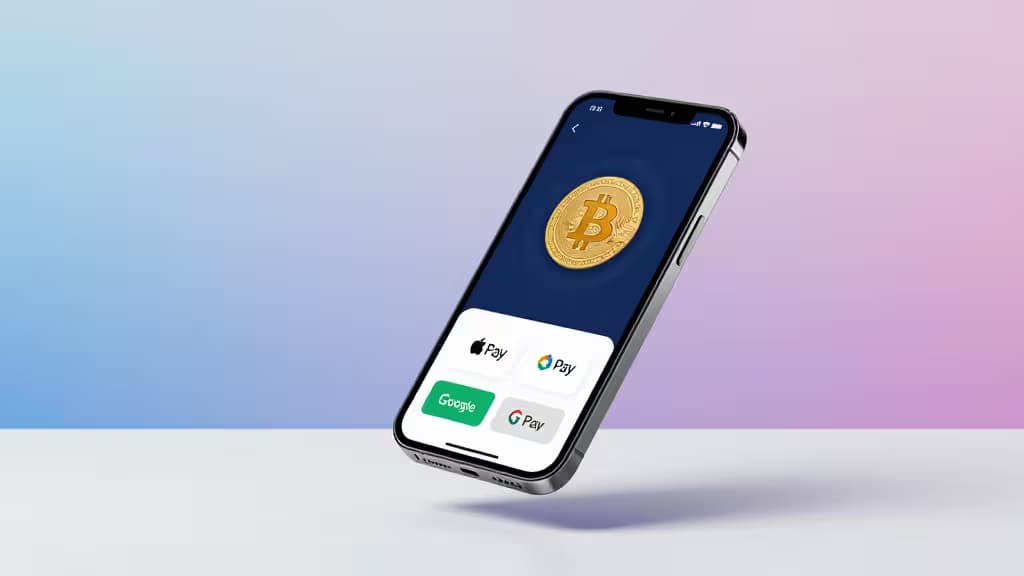
Buying Bitcoin used to mean linking a bank account, waiting for an ACH transfer to clear, and watching the price move while your funds sat in limbo. Mobile wallet payments changed that. With Apple Pay or Google Pay, you can fund a purchase in seconds using a card already stored on your phone — no new account numbers, no multi-day waits.5
Not every exchange supports both wallets, and the ones that do aren't equal. Some offer native in-app integration; others route through third-party fiat providers that add fees. Some let you withdraw to your own wallet; others lock you in. We compared five major exchanges across six dimensions that matter: Apple Pay support, Google Pay support, BTC purchase fees, ease of use, regulatory and security standing, and withdrawal to self-custody.
> How we make money: Some links in this article are affiliate links. If you sign up through them, we may earn a commission at no extra cost to you. This never affects our rankings — our picks are based on testing and public documentation.
How We Compared These Exchanges
Every pick below was evaluated on the same criteria:
- Mobile wallet support — Does the exchange let you buy Bitcoin directly with Apple Pay and/or Google Pay, natively or through a partner?
- Purchase fees — What does it actually cost to buy BTC, including spreads and any card-processing surcharges?
- Ease of use — How many taps from download to Bitcoin in your account?
- Security & regulation — Is the exchange regulated, insured, or publicly traded?
- Self-custody withdrawal — Can you move your Bitcoin to your own wallet, or are you stuck on the platform?
1. Coinbase — Best Overall for Apple Pay & Google Pay
Coinbase is the most straightforward answer to "where can I buy Bitcoin with my phone?" Both Apple Pay and Google Pay are supported natively in the app — no third-party redirect, no extra sign-up.1 You link your card to Apple Pay or Google Pay as you normally would, and Coinbase recognizes it at checkout.
The exchange is the largest in the U.S. by volume and is publicly traded on NASDAQ (ticker: COIN), which provides a level of financial transparency most competitors can't match.1 For beginners, the app's guided purchase flow is hard to beat: enter an amount, pick Bitcoin, tap your wallet, and you're done. Coinbase's own tutorial highlights the speed advantage of mobile wallet payments over bank transfers.5
Fees are the main drawback. Coinbase charges a spread plus a variable fee that can climb higher than dedicated crypto exchanges, especially on small purchases. If you're buying large amounts, the cost adds up. But for convenience and regulatory clarity, it's the top pick.
Verdict: The gold standard for mobile wallet Bitcoin purchases — native Apple Pay and Google Pay, beginner-friendly, and publicly traded.
2. Crypto.com — Best Mobile-First Experience
Crypto.com was built for the phone first, and it shows. The app supports both Apple Pay and Google Pay for buying Bitcoin and 250+ other cryptocurrencies, with a clean interface that makes the purchase flow feel effortless.2
Where Crypto.com differentiates itself is the broader ecosystem: a Visa debit card that lets you spend crypto in the real world, staking rewards, and a rewards program that ties the whole experience together.2 If you see crypto as part of your daily financial life rather than just an investment, this is the most cohesive mobile platform.
Fees on the exchange side (using the Crypto.com Exchange rather than the app's instant buy) are competitive, though the instant-buy interface carries a spread. The app can feel cluttered with promotional features, which is a trade-off for all the extras.
Verdict: The best all-in-one mobile crypto lifestyle app, with seamless Apple Pay and Google Pay support and a Visa card ecosystem.
3. Binance — Best for Low Fees and High Liquidity
Binance is the world's largest exchange by trading volume, and its fee structure reflects the scale: spot trading fees start around 0.1%, significantly lower than most U.S.-focused competitors.3 If you're cost-conscious and buying larger amounts, the savings are real.
The catch is that Apple Pay and Google Pay aren't native to Binance. Instead, purchases route through integrated third-party fiat providers like Simplex and MoonPay.3 This works fine functionally — you still pay with your mobile wallet — but the third-party providers add their own processing fees on top of Binance's trading fees, which can erode some of the savings. The experience is also slightly less seamless than Coinbase's native integration.
Binance offers the largest coin selection of any exchange on this list, making it attractive if you want to venture beyond Bitcoin. Regulatory scrutiny has been a recurring issue in some jurisdictions, so check availability in your region.
Verdict: Lowest trading fees and deepest liquidity, but mobile wallet purchases go through third-party providers that add cost and friction.
4. Gemini — Best for Security-Focused Buyers
Gemini was founded with a security-first philosophy and operates as a New York State Department of Financial Services (NYDFS) trust company, which means it's held to stricter regulatory and custodial standards than most competitors.4 If keeping your assets on an exchange (before moving them to self-custody) makes you nervous, Gemini is the most reassuring option.
Apple Pay is supported for crypto purchases.4 Google Pay support is less clearly documented, so if Google Pay is your primary wallet, verify current support before committing. Gemini's fee structure includes a convenience fee on mobile purchases plus a spread, which places it on the higher end of this list cost-wise.
Gemini also offers an active trader interface (Gemini ActiveTrader) with lower fees for users willing to navigate a more advanced platform. For security-focused buyers who don't mind paying a bit more, it's a strong choice.
Verdict: The most regulated and security-hardened exchange on this list, with Apple Pay support — ideal if safety is your top priority.
5. Robinhood — Best for Absolute Beginners Wanting Stocks + Crypto
Robinhood supports Apple Pay and Google Pay for funding your account, and offers zero-commission Bitcoin trading alongside stocks and ETFs in a single app.6 If you're already using Robinhood for investing and want to dip your toes into Bitcoin without downloading a separate app, the convenience is undeniable.
The trade-off is significant, though. Robinhood's crypto offering has historically been more limited than dedicated exchanges — fewer coins, and for a long time, no ability to withdraw Bitcoin to an external wallet. While Robinhood has added wallet functionality for some assets, self-custody withdrawal remains more restricted than on any other pick here.6 If owning Bitcoin you can actually move and control matters to you, look elsewhere.
For someone who wants to buy a little Bitcoin with the same app they use to trade index funds, and doesn't care about withdrawing to cold storage, Robinhood is the simplest on-ramp.
Verdict: The easiest entry point if you already use Robinhood for investing — but limited coin selection and restricted self-custody make it a weaker choice for serious crypto buyers.
Comparison at a Glance
| Exchange | Apple Pay | Google Pay | Fee Profile | Self-Custody Withdrawal |
|---|
| Coinbase | ✅ Native | ✅ Native | Higher (spread + fee) | ✅ Full |
| Crypto.com | ✅ Native | ✅ Native | Competitive (spread on instant buy) | ✅ Full |
| Binance | ✅ Via third-party | ✅ Via third-party | Lowest (~0.1% + provider fee) |
The Bottom Line
If you want the smoothest path from phone to Bitcoin, Coinbase and Crypto.com offer the best native Apple Pay and Google Pay integration. Binance wins on raw cost if you don't mind a third-party payment step. Gemini is the pick for buyers who prioritize regulatory security. And Robinhood works for casual buyers who want crypto alongside their stock portfolio — as long as they're okay with limited withdrawal options.
Whichever you choose, the advantage of mobile wallet payments is the same: you skip the bank transfer wait and own Bitcoin in minutes, not days.5