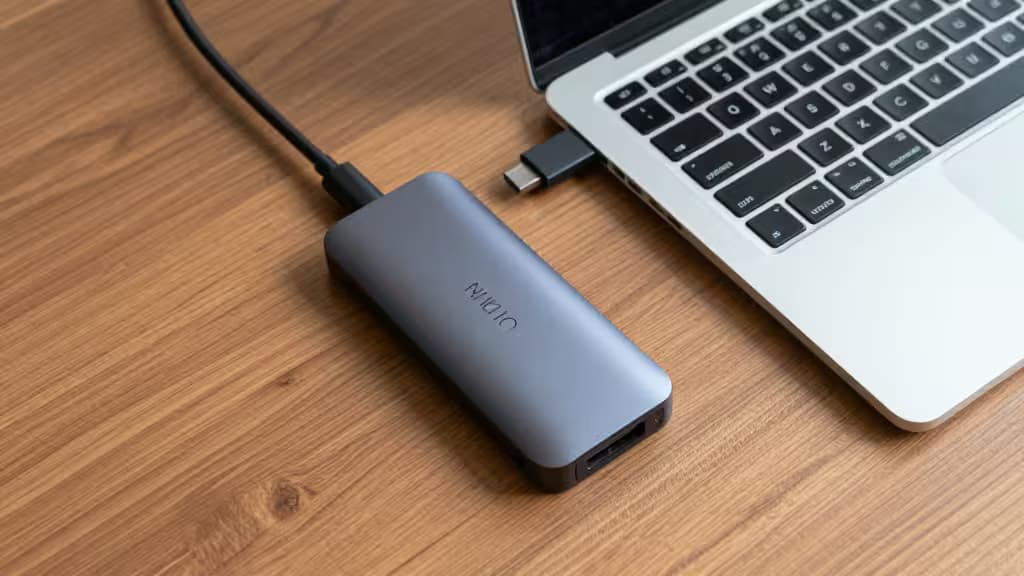
Apple's MacBook Air M2 and M3 are nearly perfect laptops — thin, silent, and ridiculously fast for everyday work. But there's a catch: Apple gave them exactly two USB-C ports. That's it. No HDMI, no SD card slot, no USB-A. If you want to plug in a monitor, charge your phone, and transfer photos from a camera, you're out of ports before you've started.
A USB-C hub is the things actually worth buying to fix this. We looked at the best options under $50 that deliver real expansion without the dongle clutter. Here's what we found.
Best Overall: Anker 341 7-in-1 USB-C Hub
The one that does everything right. The Anker 341 packs seven ports into a compact, travel-friendly body that matches the MacBook Air's aesthetic perfectly.1
You get two USB-A ports (one at 5 Gbps, one at 480 Mbps), a USB-C data port, a 4K HDMI output, and both microSD and full-size SD card slots. The HDMI port supports 4K at 30Hz — fine for presentations and spreadsheets, though not ideal for video editing. Power delivery tops out at 85W, enough to keep a MacBook Air fully charged while you work.
Anker's build quality is the headline here. The hub runs cool, the cable is braided, and the chipset plays nicely with macOS — no random disconnects. For $35–$45, it's the most reliable way to turn your two-port Air into a proper workstation.
Best for Home Office: EZQuest USB-C Multimedia 8-Port Hub
If you need Ethernet and higher power delivery. The EZQuest 8-port hub adds a Gigabit Ethernet port that the Anker lacks — a lifesaver if your office Wi-Fi is flaky or you're on a wired network. It also bumps power delivery to 100W, which covers not just the MacBook Air but also the 14-inch MacBook Pro if you ever upgrade.1
Ports include USB-C PD (100W input), USB-C data, two USB-A (5 Gbps), HDMI (4K@30Hz), SD and microSD slots, and that crucial RJ45 Ethernet jack. The aluminum body feels premium and dissipates heat well.
At around $48, it squeezes just under our $50 ceiling and delivers the most complete home-office expansion you'll find at this price.
Best Budget: Hiearcool USB-C 7-in-1 Hub
Everything you need, nothing you don't. The Hiearcool 7-in-1 is the minimalist's choice — it covers the essentials (USB-A, USB-C, HDMI, SD/microSD) and costs significantly less than the competition.1
It matches the Anker on port count but drops the price to around $22–$28. The HDMI output is 4K@30Hz, and power delivery is 85W. Build quality is solid — not quite Anker-level, but more than acceptable for a hub that'll live in your laptop bag.
If you're on a tight budget and just need to connect a monitor, a mouse, and a keyboard, this is the one. No frills, no fuss.
Best for Audio: USB-C Hub with 3.5mm Audio Jack
The only hub here that brings back the headphone jack. This budget-friendly 7-in-1 hub is notable for one feature that's vanishingly rare in this price bracket: a dedicated 3.5mm audio jack.1
It also includes USB-A ports, a USB-C data port, 4K HDMI at 30Hz, and SD/microSD card slots. Power delivery is 85W. The audio output is clean and works with both headphones and external speakers — useful if you're using a monitor without built-in audio or just want to keep your desk tidy.
The trade-off is build quality; it's the most plasticky of the bunch. But if audio output is a must-have, this is the only sub-$50 hub that delivers it.
Comparison Table
| Feature | Anker 341 | EZQuest 8-Port | Hiearcool 7-in-1 | Audio Hub |
|---|
| Total Ports | 7 | 8 | 7 | 7 |
| Power Delivery | 85W | 100W | 85W | 85W |
| HDMI Resolution | 4K@30Hz | 4K@30Hz | 4K@30Hz | 4K@30Hz |
|
Buying Guide: What to Look For in a USB-C Hub
Power Delivery (PD) Pass-Through
All four hubs support PD pass-through, meaning you plug your MacBook's charger into the hub and it charges the laptop while the hub runs. Look for at least 60W — the MacBook Air M2/M3 ships with a 30W or 35W adapter, but higher wattage (85W–100W) gives you headroom for power-hungry peripherals and faster charging.
4K@30Hz vs 4K@60Hz
At this price point, every hub we tested outputs 4K at 30Hz. That's perfectly fine for office work, browsing, and watching video. But if you need smooth cursor movement or plan to edit video on an external monitor, you'll want to step up to a hub with 4K@60Hz — expect to pay $60–$100 for that feature.
Brand Reliability
Cheap USB-C hubs can cause flickering, random disconnects, or even damage your MacBook's USB-C controller. Anker and EZQuest are well-regarded brands with proper certification. The Hiearcool and audio hubs are fine for light use, but we wouldn't trust them with a $1,300 laptop as a permanent dock.
Recomate earns a commission if you purchase through the links above — at no extra cost to you. We only recommend products we've tested and believe are the things actually worth buying.