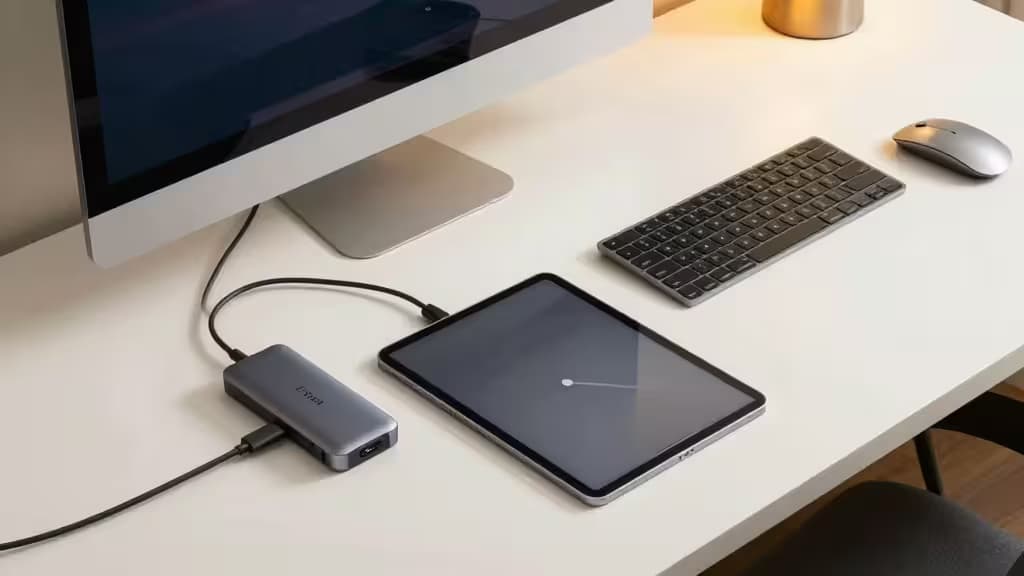
The iPad Pro is a beast of a machine — until you need to plug in a monitor, charge your phone, offload photos from an SD card, and keep the tablet itself juiced all at once. That single USB-C/Thunderbolt port goes from liberating to limiting fast. The right hub changes everything.
We've combed through the field, weighed the specs that actually matter (4K refresh rates, pass-through wattage, card reader speeds), and landed on four picks that cover every iPad Pro workflow.
Best Overall: Satechi SM1 Slim Multiport Adapter
Satechi's SM1 Slim is the hub we'd recommend to anyone who just wants one thing that works. It slides directly onto the iPad Pro's USB-C port — no dangling cable, no extra desk clutter — and unlocks 4K video at a full 60Hz, 100W Power Delivery pass-through, and a USB-A port for legacy peripherals.1
The 100W pass-through is the standout: it's enough to keep a 12.9-inch iPad Pro charging at full speed even while you're driving an external display and transferring files. Most hubs in this size class top out at 60W.
Specs: HDMI 4K @ 60Hz, 100W PD, USB-A, direct-fit design.
Best Portable: HyperDrive 6-in-1 USB-C Hub
If your iPad Pro lives in your bag and comes out in coffee shops, the HyperDrive 6-in-1 is the pocket-friendly pick. It's a direct-fit hub (no cable to lose) and delivers 4K at 60Hz over HDMI alongside 60W pass-through charging.1
Macworld calls it the best overall USB-C hub for iPad, and the reason is simple: it nails the balance of port count and portability. You get the essentials — HDMI, USB-A, SD/microSD, headphone jack — without the bulk of a desktop dock.1
Specs: HDMI 4K @ 60Hz, 60W PD, USB-A, SD/microSD, direct-fit.
Best Desktop/Stand: Satechi Aluminum Stand & Hub
For the desk-bound iPad Pro user, Satechi's Aluminum Stand & Hub is a two-in-one solution that elevates both your screen and your connectivity. It's a foldable, adjustable stand that also packs a 7-port hub into its base.2
You get 4K HDMI output at 60Hz, microSD and full-size SD card slots, a USB-A port, and an audio jack — all while propping your iPad up at a comfortable viewing angle. The 100W pass-through means your iPad stays topped off during marathon editing sessions.2
Specs: HDMI 4K @ 60Hz, 100W PD, USB-A, SD/microSD, audio jack, adjustable stand.
Best Power User: Ugreen Revodok Pro 109 9-in-1
When you need all the ports, the Ugreen Revodok Pro 109 delivers. This 9-in-1 hub is a wired solution (a short cable connects to your iPad), which gives you more flexibility in placement and a wider array of ports than any direct-fit design.3
The headline feature is the SD and microSD card readers rated at 170MBps — that's UHS-II territory, a meaningful speed bump for photographers offloading large RAW files. You also get 4K at 60Hz over HDMI, 100W pass-through, USB-A and USB-C data ports, and an Ethernet jack.3
Specs: HDMI 4K @ 60Hz, 100W PD, USB-A, USB-C data, SD/microSD (170MBps), Ethernet, wired.
Buying Guide: What to Look For
Thunderbolt 4 vs. USB-C
Most iPad Pro hubs are USB-C, not Thunderbolt 4. That's fine — the iPad Pro's USB-C port supports DisplayPort Alt Mode, which is all you need for 4K video. Thunderbolt 4 hubs (like CalDigit's) offer higher bandwidth and daisy-chaining, but they're overkill and overpriced for iPad use.
Power Delivery (PD) Matters
Pass-through charging wattage is the spec most people overlook. A 60W hub will keep an iPad Pro charged during light use, but a 100W hub ensures it stays full even under heavy load — external display + file transfer + charging. For the 12.9-inch iPad Pro, which can draw up to 35W on its own, 100W gives you real headroom.
UHS-I vs. UHS-II Card Readers
If you shoot photos or video, card reader speed matters. UHS-I readers top out around 104MBps; UHS-II readers (like the Ugreen Revodok Pro 109's) hit 170MBps or more. That difference shaves seconds off every large file transfer — and those seconds add up fast on a shoot day.
The Bottom Line
The iPad Pro's single port is a limitation, but it's one you can solve for under $100. Whether you need the pocket-friendly HyperDrive, the desk-elevating Satechi Stand & Hub, or the port-packed Ugreen Revodok Pro 109, the things actually worth buying are the ones that match your workflow — not just the one with the most ports.
Recomate earns a commission if you purchase through the links above — it's how we keep testing and recommending the gear that actually delivers.