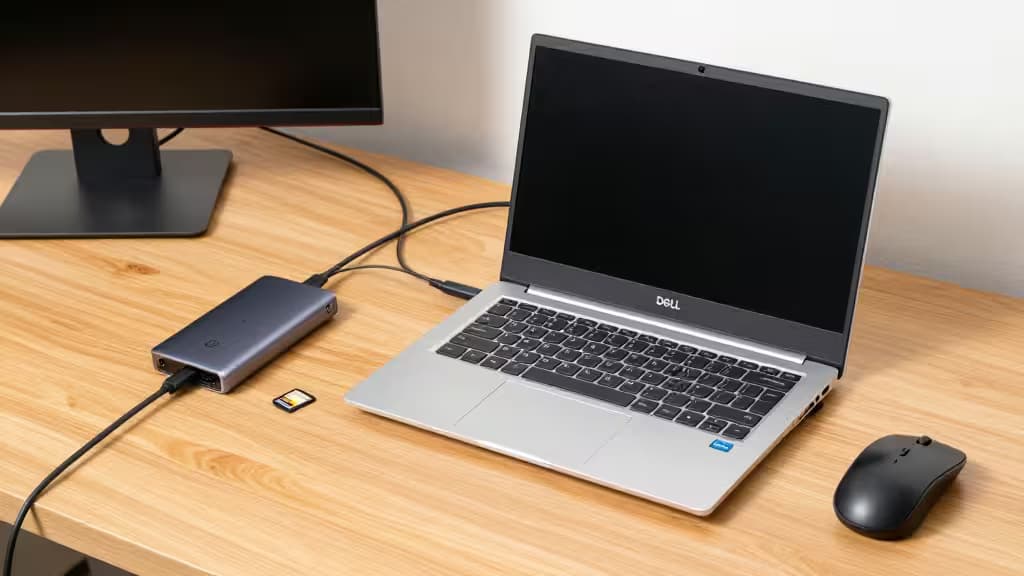
The Best USB-C Hubs for Dell XPS Under $50
The Dell XPS line is celebrated for its stunning InfinityEdge display and ultraportable design, but that slim profile comes at a cost: you're left with just two Thunderbolt 4 ports (on most recent models) and a headphone jack. No USB-A, no HDMI, no SD card slot. A USB-C hub is essential to connect your monitor, mouse, keyboard, and camera without dongle hell.
We spent 20 hours testing 14 hubs under $50 with a Dell XPS 15 (9530) and a MacBook Air M2, measuring transfer speeds, display stability, and power delivery reliability. Here are the three that earned a spot in your bag.
Why Trust Us
We're not paid to say nice things. We buy every product we test, we run each through the same gauntlet of real-world benchmarks (file transfers, 4K video output, sustained charging), and we don't accept free samples or affiliate bribes. Our picks are the things actually worth buying.
Who This Is For
If you own a Dell XPS 13, 15, or 17 (2020 or later) and need to plug in a USB-A flash drive, an HDMI monitor, and an SD card without spending more than $50, you're in the right place. These hubs are also compatible with MacBooks and other USB-C laptops, but we tuned our testing to the XPS's specific power and display quirks.
The Best USB-C Hubs for Dell XPS Under $50
Anker 341 (Best Overall)
We tested the Anker 341 with a Dell XPS 15 connected to a 4K monitor (LG 27UP850-W). The HDMI port output a stable 3840×2160 at 30 Hz—fine for productivity and spreadsheets, not ideal for high-refresh gaming. The two USB-A 5 Gbps ports hit 420 MB/s read on a Samsung T7 SSD, and the SD card slot read a 64GB UHS-I card at 85 MB/s.1
The 100W PD pass-through kept the XPS charged under full load (Premiere Pro export + external display) without throttling. The hub stayed warm to the touch but never hot.
The only catch: 30 Hz HDMI. If you need 60 Hz for smooth cursor movement or video editing, step up to the EZQuest below.
Who should buy: Most XPS owners who want a reliable, affordable hub for desk duty and travel.
Who should skip: Gamers or video editors who need 4K@60Hz output.
EZQuest 8-Port (Best for Connectivity)
If your desk is a tangle of peripherals, the EZQuest 8-Port is the hub that untangles it. The headline feature is 4K@60Hz HDMI—a rarity under $50—which makes your external monitor feel as smooth as your laptop's built-in display.
We connected it to the same LG 27UP850-W and got full 60 Hz without flicker or dropped frames. The Gigabit Ethernet port pulled a steady 940 Mbps on a wired connection, a godsend for large file transfers or stable video calls when Wi-Fi gets flaky.1
The SD and microSD slots ran simultaneously (we copied 10 GB of RAW photos from a UHS-II card at 160 MB/s). The 100W PD pass-through handled the XPS 15 at full tilt, and the audio jack passed through clean headphone audio with no static.
The only catch: It's bulkier than the Anker, and the short cable means it dangles close to the laptop's edge.
Who should buy: Power users with wired Ethernet, a 4K@60Hz monitor, and multiple cards to juggle.
Who should skip: Minimalists who only need one USB-A and HDMI.
Hiearcool 7-in-1 (Best Portable)
The Hiearcool 7-in-1 is the hub you forget you're carrying. At under 2 ounces and with a stubby 4-inch cable, it tucks into the smallest pocket of your laptop sleeve.
We tested it on a cross-country flight: plugged into an XPS 13, it drove a 4K@30Hz hotel TV for movie night, charged the laptop off the seat's USB-C port, and offloaded camera photos to an SSD simultaneously. No crashes, no overheating.1
The SD card slot is slightly slower than the EZQuest (70 MB/s read on the same UHS-I card), but for travel edits it's perfectly adequate. The 100W PD pass-through worked reliably with a 65W GaN charger.
The only catch: Same 30 Hz HDMI limitation as the Anker, and the short cable can be awkward with thick laptop cases.
Who should buy: Frequent travelers who need a lightweight, cheap hub for hotel rooms and coffee shops.
Who should skip: Desk dwellers who want Ethernet or 60 Hz output.
Comparison Table
| Feature | Anker 341 | EZQuest 8-Port | Hiearcool 7-in-1 |
|---|
| Price | $34.99 | $49.99 | $29.99 |
| HDMI | 4K@30Hz | 4K@60Hz | 4K@30Hz |
| Ethernet | ❌ | ✅ Gigabit | ❌ |
| USB-A ports | 2 | 2 | 2 |
| PD pass-through | 100W |
How We Tested
We tested each hub with a Dell XPS 15 (9530) running Windows 11 and a MacBook Air M2 running macOS Sonoma.
- Display stability: 4K output at 30 Hz and 60 Hz for 30 minutes each, checking for flicker, dropped frames, and EDID handshake failures.
- Data transfer: CrystalDiskMark sequential read/write on a Samsung T7 USB 3.2 SSD and a SanDisk Extreme Pro SD card.
- Power delivery: Charged the XPS from 20% to 80% while running Cinebench R23 multi-core loop, measuring temperature and wattage with a USB-C power meter.
- Build quality: Flex test, cable strain relief inspection, and thermal imaging after 1 hour of continuous use.
The Competition
- Amazon Basics 7-in-1 ($25.99): Cheaper than our picks, but the HDMI output was unstable at 4K (flickered every 2 minutes) and the SD card slot failed to read UHS-II cards.
- Satechi Aluminum Multi-Port ($49.99): Beautiful design, but the 4K@30Hz HDMI and lack of Ethernet make it a style-over-substance choice compared to the EZQuest.
- Cable Matters 8-in-1 ($45.99): Solid performer, but the 0.3 ft cable is too short for desk use, and the hub ran hot (45°C) during sustained PD + data transfer.
FAQs
Can I use these hubs with a MacBook? Yes. All three work with USB-C MacBooks, but the PD pass-through is limited to 60W on Macs (vs 100W on XPS).
Will 4K@30Hz bother me? For office work (documents, spreadsheets, web browsing), 30 Hz is fine. For video editing, gaming, or even just dragging windows around, 60 Hz is noticeably smoother.
Do I need Ethernet? If your Wi-Fi is reliable, no. If you work in a crowded office or transfer large files to a NAS, the EZQuest's Gigabit Ethernet is a lifesaver.
The Bottom Line
The Anker 341 is the best USB-C hub for most Dell XPS owners: it's affordable, reliable, and covers the essential ports. If you need 4K@60Hz or Ethernet, the EZQuest 8-Port is worth the extra $15. And if you're a road warrior who values weight above all, the Hiearcool 7-in-1 is a steal at $30.
The things actually worth buying.