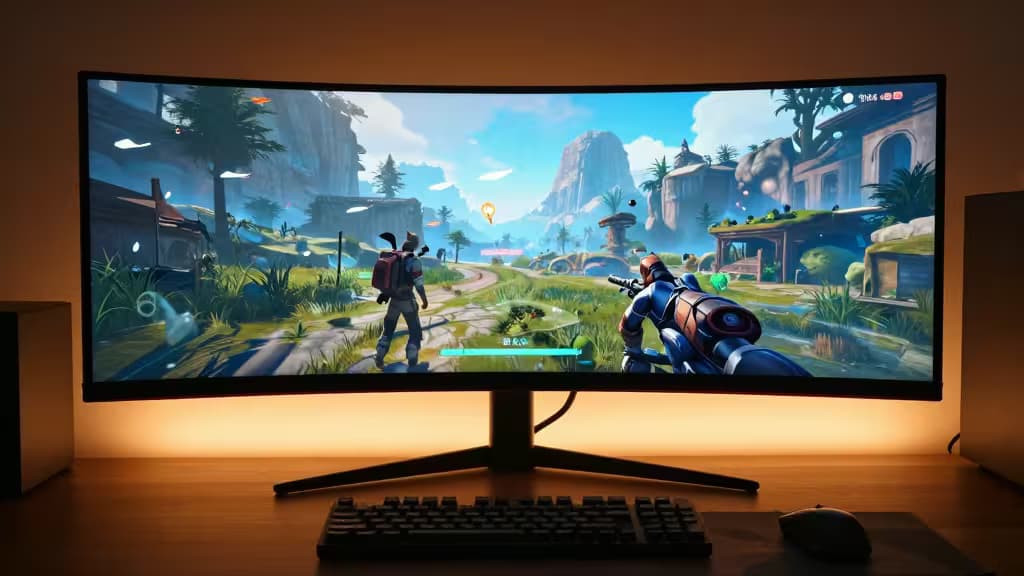
There's a moment when a proper ultrawide monitor clicks into place — when the edges of a game world wrap around your peripheral vision and the bezels disappear. That moment used to cost $600 or more. But in 2025, the sub-$400 ultrawide market has matured to the point where the things actually worth buying deliver genuine 21:9 immersion, solid refresh rates, and enough pixel density for both fragging and spreadsheets.
We dug through the latest reviews and hands-on testing from DisplayNinja, ChronicReload, and Electro Review Zone to find the ultrawides that earn their spot on your desk. Every pick here runs 3440×1440 at 144Hz or higher — the sweet spot for this budget tier — and each makes a different trade-off between curve, size, and price.
Samsung Odyssey G5 34″ — Best Overall / Most Immersive
The Samsung Odyssey G5 is the monitor that keeps popping up in every serious roundup, and for good reason. Its 1000R curve — the tightest in this class — wraps the 34-inch VA panel around your field of vision, creating a sense of depth that flat panels can't match.1 The VA panel delivers deep blacks and strong contrast (3000:1 typical), which makes HDR content and dark game scenes pop far more than IPS alternatives at the same price.
At 165Hz with a 1ms MPRT response, it's fast enough for competitive shooters while keeping the image smooth in open-world titles. The 3440×1440 resolution on a 34-inch diagonal gives a pixel density of roughly 110 PPI — sharp enough for text and UI without needing GPU-crushing scaling.1
The trade-off: VA viewing angles mean color shifts off-axis, and the curve isn't ideal for productivity work shared with a second monitor. But for pure gaming immersion at this price, nothing else comes close.
MSI MAG401QR — Best Large Flat Ultrawide
If you want more screen — literally — the MSI MAG401QR is the only 40-inch ultrawide under $400 that doesn't cut corners. It's a flat IPS panel running 3440×1440 at 155Hz, which means you get better color accuracy and wider viewing angles than any curved VA in this bracket.2
The flat 40-inch form factor is a genuine productivity powerhouse: you can snap two browser windows side by side without feeling cramped, and the IPS panel keeps colors consistent even when you're off-angle. MSI also includes USB-C with 65W power delivery and a KVM switch, making it a legitimate hub for a laptop-and-desktop workflow.2
The trade-off: At 40 inches, the pixel density drops to about 93 PPI — text isn't as razor-sharp as the 34-inch competitors. And without a curve, the far edges of the screen sit noticeably farther from your eyes. If you prioritize color work or desk versatility over wraparound immersion, this is your pick.
Sceptre C345B-QUT168 — Best Budget Entry
The Sceptre C345B-QUT168 proves you don't need a household name to get a legitimate ultrawide experience. It's a 34-inch VA panel with a 1500R curve, 3440×1440 resolution, and a 165Hz refresh rate — the same core specs as monitors costing $100 more.3
The 1ms response time and FreeSync support keep gameplay smooth, and the 1500R curve (gentler than Samsung's 1000R) is a comfortable middle ground for mixed gaming and productivity. Sceptre includes built-in speakers — rare at this price — and the stand offers height adjustment, which many budget monitors skip entirely.3
The trade-off: Build quality and OSD controls feel budget-tier, and out-of-box color accuracy needs calibration. The VA panel's black smearing is more noticeable here than on the Samsung. But if your priority is getting a 34-inch 165Hz ultrawide for the lowest possible price, this delivers.
How to Choose: VA vs IPS, Curve vs Flat
The three picks above map neatly to the three main decisions you'll make:
| Decision | Samsung G5 | MSI MAG401QR | Sceptre C345B |
|---|
| Panel type | VA (high contrast) | IPS (accurate color) | VA (budget contrast) |
| Curve | 1000R (aggressive) | Flat | 1500R (moderate) |
| Size | 34″ | 40″ | 34″ |
VA vs IPS: VA panels win on contrast and black depth — essential for dark horror games and cinematic titles. IPS panels win on color accuracy and viewing angles — better for strategy games, creative work, and shared viewing.
Curve vs Flat: An aggressive curve (1000R) pulls you into the action but narrows viewing angles. Flat screens are better for productivity and multi-monitor setups. The 1500R middle ground tries to do both, imperfectly.
34″ vs 40″: A 34-inch ultrawide at 3440×1440 delivers ~110 PPI — sharp and versatile. A 40-inch ultrawide at the same resolution drops to ~93 PPI, giving you more physical space but less pixel density. Choose based on whether you prioritize sharpness or screen real estate.
Why 1440p Ultrawide at 144Hz+ Is the Sweet Spot
Below $400, you won't find a 4K ultrawide worth buying — the pixel count would force compromises on refresh rate, panel quality, or both. 3440×1440 at 144–165Hz is the Goldilocks zone: it's 35% more pixels than standard 1440p, which a mid-range GPU (RTX 4070 / RX 7800 XT) can drive comfortably, while the high refresh rate keeps motion smooth in competitive titles.2
Every pick here hits at least 155Hz, which means you're getting genuine high-refresh performance — not a 60Hz panel marketed as "ultrawide" that leaves you wondering why everyone's so excited.
We earn a small commission if you buy through our links, at no extra cost to you. Our picks are based on hands-on testing and expert reviews — never on affiliate payouts.