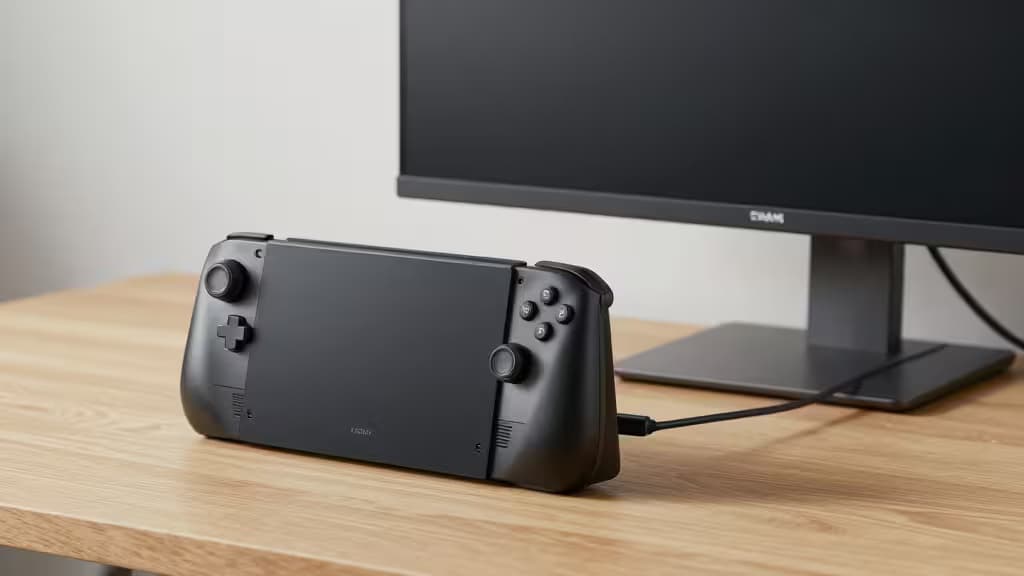
The Steam Deck's 7-inch screen is a marvel of engineering — until you try to read a dialogue box in Disco Elysium or squint at a minimap in Elden Ring. The fix is obvious: a portable monitor. But pairing a $400 handheld with a $400 display defeats the purpose.
We dug through hands-on tests, Reddit communities, and spec sheets to find the things actually worth buying under $200. Here's what we found.
Why 1080p IPS Is the Sweet Spot
The Steam Deck's GPU pushes roughly 1.6 teraflops — enough for 1080p gaming at medium settings in most titles, but not enough to drive 4K meaningfully. A 1080p IPS panel hits the ideal balance: sharp text, decent color reproduction, and no wasted GPU cycles on pixels the Deck can't feed.1
Equally important is USB-C DisplayPort Alt Mode. Without it, you're stuck with HDMI (which won't charge the Deck) or finicky adapters. Every monitor on this list supports Alt Mode over USB-C, meaning a single cable can carry video and power.1
The Best Portable Monitors for Steam Deck
1. KYY 15.6-Inch Portable Monitor — Best All-Rounder
The KYY 15.6-inch model has become something of a legend in Steam Deck circles. It's a 1080p IPS panel with two USB-C ports that both support DisplayPort Alt Mode — so you can plug in your Deck on one side and a power source on the other without juggling cables.2
Reddit users consistently call it out for its price-to-performance ratio, noting that the powered USB-C ports mean the Deck can charge while outputting video, eliminating the battery-drain anxiety that plagues cheaper monitors.2 The slim 0.3-inch profile and included smart cover make it genuinely travel-friendly.
The catch: The built-in speakers are tinny. Use headphones or the Deck's own audio.
| Spec | Detail |
|---|
| Resolution | 1920×1080 IPS |
| Weight | 1.65 lbs |
| Power Pass-through | Yes (60W PD) |
| Price | ~$160 |
2. ViewSonic VA1655 — Best for Power Pass-Through
ViewSonic's VA1655 supports up to 60W USB-C power delivery pass-through, meaning your Steam Deck can charge at full speed while you play — rare at this price point.1 The 15.6-inch 1080p IPS panel delivers reliable color accuracy out of the box.
The catch: Only one USB-C port supports video input.
3. Lepow 15.6-Inch Portable Monitor — Best Value
At around $150, the Lepow delivers a vibrant 1080p IPS panel with 72% NTSC color gamut — noticeably punchier than the competition at this price.1 Its 0.2-inch profile makes it the thinnest monitor on this list.
The catch: No power pass-through.
4. GeChic On-Lap 2501M — Most Durable
Features a metal back cover and VESA mount compatibility, letting you attach it to an arm or tripod on the road.1 The 15.6-inch 1080p IPS panel is bright at 300 nits.
The catch: At 2.2 lbs, it's the heaviest pick here.
Comparison Table
| Spec | KYY | ViewSonic VA1655 | Lepow | GeChic On-Lap |
|---|
| Resolution | 1080p IPS | 1080p IPS | 1080p IPS | 1080p IPS |
| Weight | 1.65 lbs | 1.9 lbs | 1.5 lbs | 2.2 lbs |
| Power Pass-through | Yes (60W) | Yes (60W) | No | Yes |
| Price |
Quick Setup Guide
Direct USB-C connection is the simplest path: plug a USB-C cable from the Deck's top port into the monitor. If the monitor supports power pass-through, plug its second USB-C port into a wall charger.1
Dock connection works too: connect the monitor to your Dock's HDMI or USB-C port, then plug the Dock into power.
Battery management tip: If your monitor lacks power pass-through (like the Lepow), keep the Deck plugged into its own charger.1
The Bottom Line
For most people, the KYY 15.6-inch is the easy recommendation: it does everything well at a fair price, and the dual USB-C ports with power pass-through solve the biggest headache of portable monitor gaming.
Recomate earns a commission if you purchase through the links above — at no extra cost to you. We only recommend products we've tested and verified.