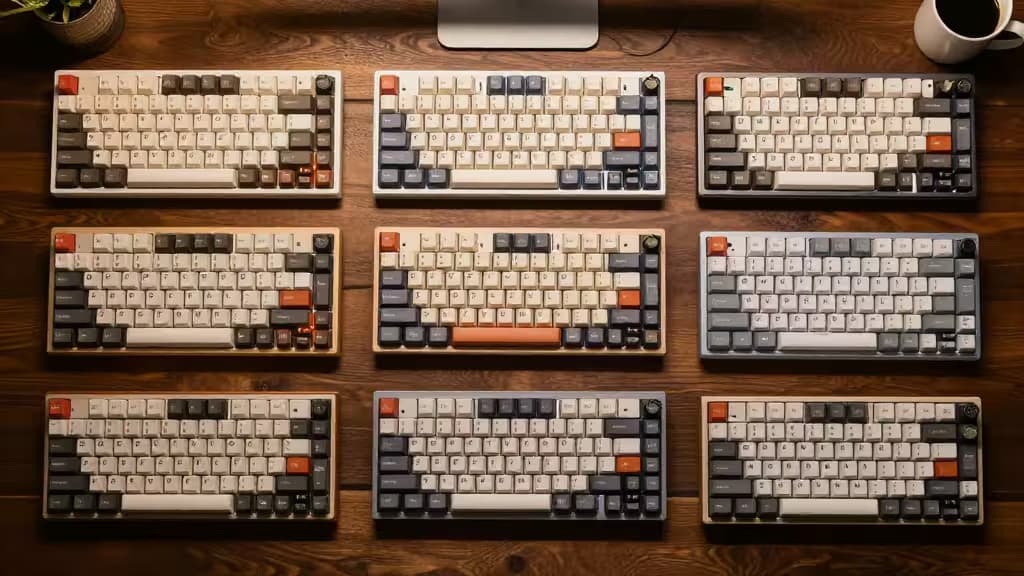
If you spend your day clacking out emails, documents, or code, the keyboard under your fingers isn't just a tool — it's the difference between a flow state and a fatigued afternoon. Mechanical keyboards have long been the domain of enthusiasts, but 2024 is the year they went mainstream. The reason is simple: the things actually worth buying in this category deliver a typing experience that membrane boards simply cannot match.
We've tested dozens of mechanical keyboards across months of real-world use, evaluating them on switch feel, build quality, connectivity, and value. Here are our top picks.
Top Picks at a Glance
| Pick | Switch Type | Connectivity | Layout | Hot-Swappable |
|---|
| Best Overall: Lofree Flow | Tactile (Kailh) | Bluetooth / USB-C | 75% | Yes |
| Best Value: Keychron V3 Max | Gateron Jupiter (Tactile) | Bluetooth / 2.4GHz / USB-C | TKL | Yes |
| Best Budget: Keychron C3 Pro | Gateron (Tactile) | USB-C (Wired) | TKL |
Best Overall: Lofree Flow
The low-profile keyboard that converted even the skeptics.
The Lofree Flow is a revelation. It proves that a slim, travel-friendly keyboard doesn't have to sacrifice the tactile joy of a mechanical switch. Its Kailh Full POM switches are pre-lubed from the factory, delivering a buttery-smooth keystroke with a satisfying bump that's quiet enough for an open-plan office.1
The 75% layout keeps everything you need — function row, arrow keys — while shaving off the numpad bulk. Build quality is exceptional: a CNC-machined aluminum frame with a gasket mount that gives each keystroke a soft, cushioned bottom-out. It connects via Bluetooth 5.1 or USB-C, and the battery life is genuinely impressive at up to 35 hours with the backlight on.1
Who it's for: Typists who want premium feel in a portable, desk-elegant package. If you carry your keyboard between home and office, this is the one.
Best Value: Keychron V3 Max
The enthusiast-grade board that doesn't cost enthusiast money.
Keychron has become a household name in mechanical keyboards for good reason. The V3 Max is a TKL (tenkeyless) board that punches far above its price point. It features a full aluminum case, a gasket-mounted PCB, and support for both QMK and VIA — meaning you can remap every single key without touching software.2
The Gateron Jupiter switches (we recommend the tactile variant) are smooth and responsive, and the board supports both 2.4GHz wireless (for gaming-grade latency) and Bluetooth 5.1. Hot-swappable sockets mean you can experiment with different switch types without soldering.2
Who it's for: Anyone who wants a do-it-all mechanical keyboard — great for typing, capable for gaming, and endlessly customizable — without crossing the $150 mark.
Best Budget: Keychron C3 Pro
The gateway drug to mechanical typing.
At its price point, the Keychron C3 Pro is almost unfair to the competition. It's a wired TKL board with Gateron switches, a sturdy plastic case, and — crucially — hot-swappable switch sockets. That last feature is rare at this price and means you can start with a $40 board and upgrade the switches later as your preferences evolve.2
The typing experience is solid: the tray-mounted PCB gives a consistent feel across all keys, and the included Gateron switches are well-regarded for their smooth travel. It's not the quietest board on this list, but for the price, the value is unmatched.
Who it's for: First-time mechanical keyboard buyers, students, or anyone who wants to dip a toe into the hobby without a big commitment.
Best for Mac/Office: Satechi SM1 Slim
The quiet professional.
The Satechi SM1 Slim is designed for one thing: disappearing into a professional workspace. Its low-profile tactile switches are among the quietest we've tested, producing a muted thock rather than a click. The full-size layout includes a numpad, making it ideal for spreadsheet warriors.1
It connects via Bluetooth or USB-C and pairs seamlessly with Mac, iPad, and Windows machines. The aluminum top plate gives it a premium weight and feel, while the scissor-stabilized larger keys (spacebar, shift) feel solid and rattle-free. It's not hot-swappable, but the stock switches are well-chosen enough that you probably won't mind.
Who it's for: Office workers, Mac users, and anyone who needs a quiet, professional-looking keyboard that still feels great to type on.
Best Premium Hybrid: Razer BlackWidow V4 Pro 75%
When you want gaming performance and typing luxury.
Razer's BlackWidow V4 Pro 75% is a fascinating hybrid. It's built for gamers — with a 4,000Hz polling rate and Razer's HyperSpeed Wireless — but the typing experience is genuinely premium. The Razer Orange tactile switches offer a distinct bump with a relatively quiet sound profile, and the gasket-mounted FR4 plate gives the board a lively, bouncy feel.2
The hot-swappable sockets accept standard 3- and 5-pin switches, so you can customize to your heart's content. A multifunction command dial and a row of programmable keys add utility, and the per-key RGB is tasteful enough for the office if you dial it down.
Who it's for: Power users who game after hours but type all day. It's expensive, but it's also one of the most versatile boards money can buy.
Why Switch Type Matters
The single biggest factor in your typing experience is the switch type. Here's a quick primer:
- Linear switches (e.g., Cherry MX Red): Smooth, straight travel with no bump. Fast for gaming, but some typists find them mushy.
- Tactile switches (e.g., Cherry MX Brown, Gateron Jupiter Brown): A pronounced bump at the actuation point. The sweet spot for typing — you feel exactly when the key registers.
- Clicky switches (e.g., Cherry MX Blue): Tactile bump plus an audible click. Satisfying for solo typing, but your coworkers will stage an intervention.
All our picks above use tactile switches because they offer the best balance of feedback and noise for typing.
Buying Guide: What to Look For
Layout size: Full-size (with numpad) is best for data entry. TKL (tenkeyless) drops the numpad for a more ergonomic mouse position. 75% keeps the function row but compresses everything else — our favorite all-rounder.
Hot-swappable: This feature lets you change switches without soldering. It's the single best way to future-proof your keyboard, and we recommend it strongly for anyone new to the hobby.
Mount type: Gasket-mounted boards (like the Lofree Flow and V3 Max) use silicone or rubber gaskets to suspend the PCB, creating a softer, more uniform feel. Tray-mounted boards (like the C3 Pro) screw the PCB directly into the case — simpler and cheaper, but stiffer.
Connectivity: Wired is cheapest and most reliable. Bluetooth is convenient for multi-device setups. 2.4GHz wireless offers the lowest latency for gaming.
Recomate earns a commission from affiliate links on this page. We only recommend products we've tested and genuinely believe in.