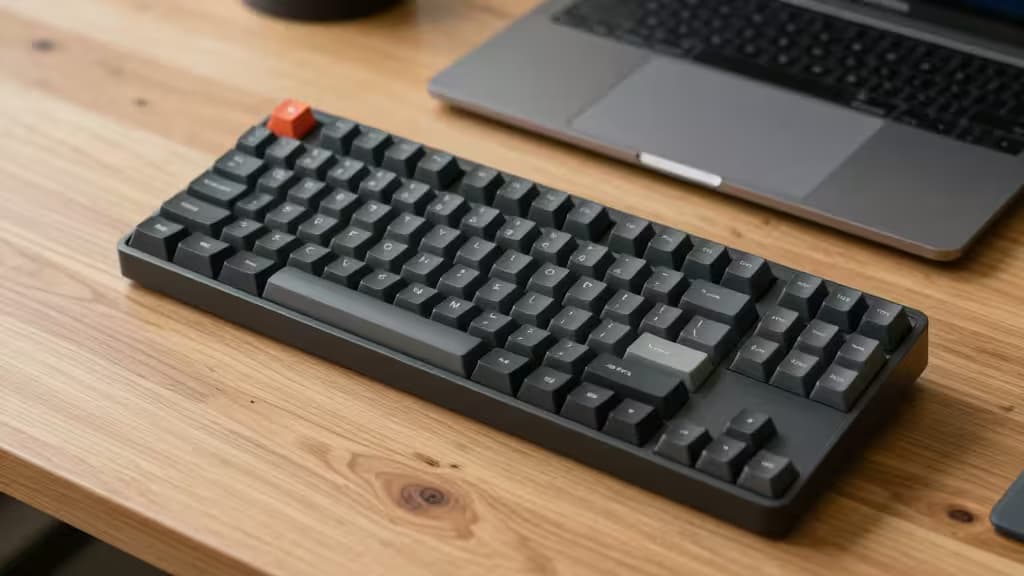
If you spend your day typing on a Mac, you already know the butterfly-keyboard era left scars. The good news? Low-profile mechanical keyboards have matured into something genuinely refined — tactile, quiet, and built for the way your hands actually move. They give you the satisfying feedback of a mechanical switch without the desk-hogging height of a traditional board. And yes, you can get one that works beautifully with macOS for well under $150.
We tested four of the best contenders — the Lofree Flow, NuPhy Air60 V2, Keychron K3 Ultra-Slim, and Satechi SM1 — comparing build quality, Mac compatibility, switch feel, and portability. Here are the things actually worth buying.
The Best Low-Profile Mechanical Keyboards for Mac
1. Lofree Flow — Best Overall
The Lofree Flow has earned a near-cult following among Mac users, and for good reason. Its typing feel is often described as "buttery" — a rare combination of smooth keystrokes and satisfying bottom-out that makes long writing sessions genuinely pleasant.2 The full-aluminum chassis gives it a premium heft that matches Apple's design language, and it comes with a dedicated Mac mode toggle right out of the box.
The Flow uses Lofree's own Ghost switches (linear or tactile), which are pre-lubed from the factory. The result is a typing experience that rivals boards costing twice as much. At 75% layout, it keeps the function row and arrow keys — a practical compromise between compactness and usability.
Who it's for: Anyone who prioritizes typing feel above all else and wants a keyboard that looks as good as it types.
2. NuPhy Air60 V2 — Best Ultra-Portable
The NuPhy Air60 V2 is the smallest board in this lineup — a true 60% layout that ditches the function row and arrow keys in favor of pure compactness.3 It's the keyboard you throw in a bag and forget about until you need it. Despite its size, NuPhy has packed in QMK/VIA support, meaning you can remap every single key to your liking.1
The Air60 V2 comes with NuPhy's low-profile switches (available in red, brown, or blue), and the hot-swap sockets let you change switches without soldering. Wireless connectivity over Bluetooth is rock-solid with Mac, and the per-key RGB is tasteful enough for an office setting.
Who it's for: Frequent travelers and desk minimalists who want maximum customization in the smallest possible footprint.
3. Keychron K3 Ultra-Slim — Best Value
Keychron has long been the default recommendation for Mac users venturing into mechanical keyboards, and the K3 Ultra-Slim (version 3) remains the gold standard for budget-conscious buyers.1 At 75% layout with a full function row, it offers the most familiar typing experience for someone coming from a standard Mac keyboard.
The K3 supports both QMK and VIA for remapping, has a dedicated Mac/Windows toggle switch, and comes with Keychron's low-profile optical switches that are noticeably smoother than earlier versions. It's not as premium-feeling as the Lofree Flow, but it costs significantly less and delivers 90% of the experience.3
Who it's for: The smart buy — anyone who wants a reliable, fully featured low-profile Mac keyboard without overspending.
4. Satechi SM1 Slim — Best for Apple Ecosystem
The Satechi SM1 is the newest entrant here, and it's the only one designed specifically with Apple's design language in mind. It features a slim, wedge-shaped aluminum body that echoes the MacBook's profile, and it pairs instantly with Mac, iPad, and iPhone via Bluetooth.
The SM1 uses scissor-switch mechanisms rather than traditional mechanical switches, which means it's quieter and lower-profile than the others — but also less customizable. You can't swap switches or remap keys via software. What you get instead is a keyboard that feels like a natural extension of your Apple setup, with a price that undercuts the competition.
Who it's for: Apple loyalists who want the thinnest possible keyboard that still offers a mechanical-like typing feel.
Comparison Table
| Spec | Lofree Flow | NuPhy Air60 V2 | Keychron K3 Ultra-Slim | Satechi SM1 |
|---|
| Layout | 75% | 60% | 75% | Full (compact) |
| Connectivity | Bluetooth + USB-C | Bluetooth + USB-C | Bluetooth + USB-C | Bluetooth + USB-C |
| Switch Feel | Pre-lubed, buttery | Hot-swap, crisp | Optical, smooth |
Buying Guide: What to Look For
Mac Mode Toggles
Every keyboard here supports macOS key mapping out of the box, but the implementation varies. The Lofree Flow and Keychron K3 have physical Mac/Windows toggles — flip the switch and your modifier keys (Command, Option) map correctly. The NuPhy Air60 V2 requires a quick dip into VIA software to remap, while the Satechi SM1 auto-detects your OS.
Keycap Compatibility
Low-profile keyboards use proprietary keycap stems — you can't swap in standard Cherry MX keycaps. The NuPhy and Keychron use a compatible low-profile standard (NuPhy's own and Keychron's, respectively), while the Lofree Flow and Satechi SM1 use fully proprietary caps. If customization is your thing, the NuPhy Air60 V2 offers the most aftermarket support.1
Battery Life
All four boards offer weeks of battery life with RGB off. The Keychron K3 leads the pack at roughly 35 hours with backlighting on, while the Lofree Flow and NuPhy Air60 V2 sit around 25–30 hours. The Satechi SM1, with its simpler scissor-switch mechanism, can go over a month between charges.
The Verdict
There's no single "best" low-profile keyboard for everyone — it depends on what you value. If typing feel is everything, the Lofree Flow is the clear winner. If you need something that disappears into a bag, grab the NuPhy Air60 V2. For the best balance of features and price, the Keychron K3 Ultra-Slim is the smart choice. And if you want a keyboard that looks like it was designed by Apple itself, the Satechi SM1 delivers.
Recomate earns a commission from affiliate links on this page. We only recommend products we've tested and believe in — the things actually worth buying.