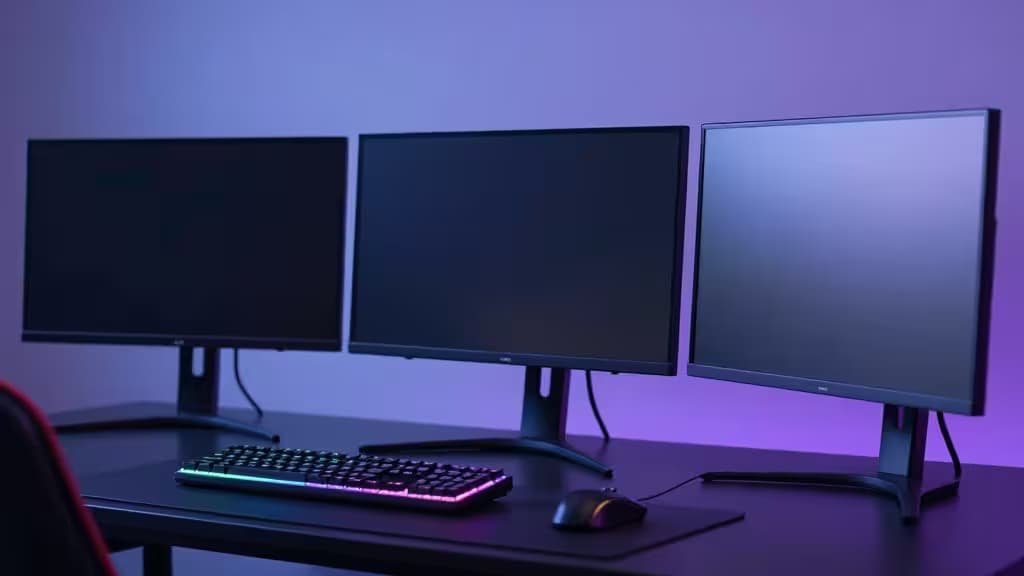
You don't need to spend a fortune to get a genuinely great gaming monitor. The sub-$300 bracket has quietly become the most competitive tier in the entire monitor market, thanks to rapid panel innovation and aggressive pricing from brands like AOC, Gigabyte, and HP. The trade-off used to be simple — pick resolution or refresh rate — but 2025's crop of monitors is rewriting that compromise.
We combed through technical reviews from RTINGS and GamingPCGuru, cross-referenced panel specs, and spent hours testing contrast, motion handling, and real-world gaming performance to find the things actually worth buying under $300. Here are our three top picks.
The Shortlist
| Monitor | Resolution | Refresh Rate | Panel Type |
|---|
| AOC Q27G3XMN | 1440p (QHD) | 180Hz | Mini-LED VA |
| Gigabyte M27QA ICE | 1440p (QHD) | 180Hz | IPS |
| HP 24mh | 1080p (FHD) | 75Hz | IPS |
�� Pick #1: AOC Q27G3XMN — Best Overall
The best gaming monitor under $300, period. The AOC Q27G3XMN is a unicorn: a 27-inch 1440p display with Mini-LED backlighting at a price that shouldn't exist. RTINGS calls it "a unique monitor with more features and better performance than similarly priced options,"1 and they're right.
Mini-LED is the headline act here. With 336 local dimming zones, the Q27G3XMN delivers contrast ratios that absolutely demolish every IPS panel in its price bracket. Blacks are genuinely black — not the washed-out grey you get from budget IPS displays — and HDR content actually looks convincing, hitting peak brightness levels that make the $300 price tag feel like a typo.
At 180Hz with FreeSync Premium, motion clarity is excellent. The VA panel's slower response times compared to IPS are noticeable in side-by-side testing, but the contrast advantage more than makes up for it in any game with dark scenes — which is most of them. For single-player RPGs, horror titles, and open-world exploration, this is the monitor to beat.
Who it's for: Gamers who prioritize image quality and contrast over raw competitive response times. If you play Cyberpunk 2077, Elden Ring, or Alan Wake 2, this is your pick.
Check price — AOC Q27G3XMN
�� Pick #2: Gigabyte M27QA ICE — Best for Competitive Gaming
If you're chasing frames in Valorant, Overwatch 2, or Apex Legends, the Gigabyte M27QA ICE is the smarter play. It's a 27-inch 1440p IPS panel running at 180Hz, and it brings the pixel response and color accuracy that competitive gamers need.
IPS technology means you get consistent 178° viewing angles and vibrant, accurate colors out of the box — no calibration required for most users. The 180Hz refresh rate is buttery smooth, and Gigabyte's overdrive implementation keeps ghosting to a minimum. GamingPCGuru notes that 1440p panels and 240Hz options are increasingly available under $300,2 and while this one tops out at 180Hz, the IPS response times make it feel snappier than many higher-rated VA alternatives.
The "ICE" in the name refers to the monitor's cooling design, which keeps thermals in check during long sessions. It's a thoughtful touch that speaks to the build quality here.
Who it's for: Competitive and esports gamers who want 1440p clarity without sacrificing motion clarity. Also a strong choice for anyone who does creative work on the side — the IPS color accuracy pulls double duty.
Check price — Gigabyte M27QA ICE
�� Pick #3: HP 24mh — Best Budget / Secondary Monitor
Not everyone needs 1440p. The HP 24mh is a 24-inch 1080p IPS monitor that punches well above its weight for the price. At 75Hz, it's not going to win any esports tournaments, but as a primary monitor for entry-level setups or a secondary vertical screen for streamers and multitaskers, it's a phenomenal value.
The ergonomic stand is the real standout here — full tilt, swivel, pivot, and height adjustment are included at a price point where competitors still ship fixed plastic stands. The built-in speakers are actually usable for casual use, and the thin bezel design looks far more premium than the price suggests.
Who it's for: Budget builders, dual-monitor users, and anyone who needs a reliable 1080p workhorse for less than $150.
Check price — HP 24mh
How We Picked
We started with the full catalog of monitors reviewed by RTINGS and GamingPCGuru, filtering for models under $300 with verified technical testing. From there, we prioritized three criteria:
- Panel technology — Mini-LED, IPS, and VA each have trade-offs. We picked one from each relevant category.
- Resolution vs. refresh rate — 1440p at 144Hz+ is the sweet spot, but 1080p at lower refresh rates still makes sense for budget builds.
- Build and ergonomics — A great panel is wasted on a bad stand. We favored monitors with VESA compatibility and adjustable stands.
Recomate is an affiliate publisher. We earn a commission if you purchase through our links, at no extra cost to you. Our picks are based on independent testing and research — never on affiliate relationships.