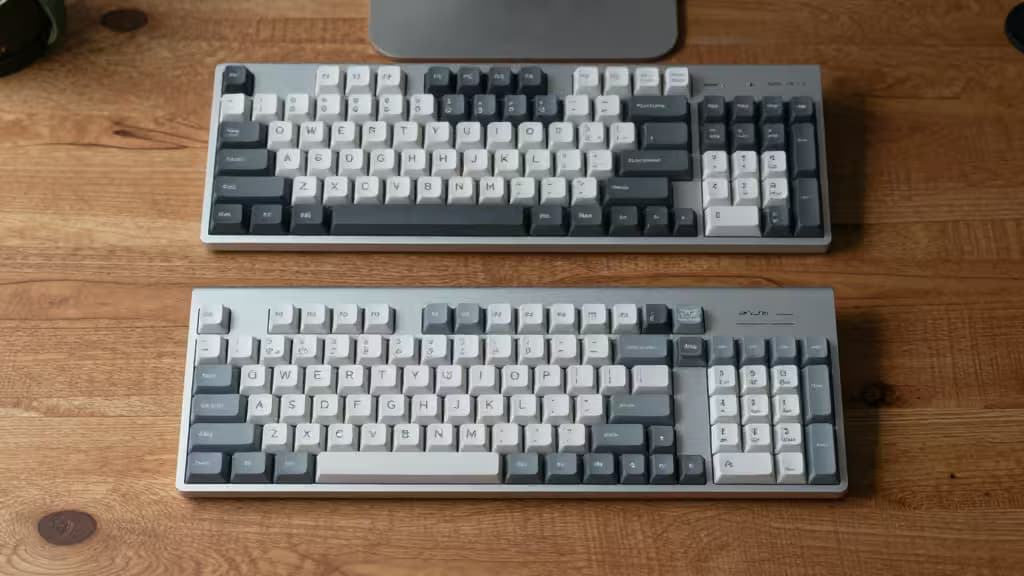
If your hands ache every time you sit down to type, you're not imagining it. Repetitive keystrokes, extended wrist angles, and cramped layouts can aggravate arthritis and joint inflammation — turning a routine workday into a source of real pain. The fix isn't a new chair or a wrist brace. It's the keyboard.
The right ergonomic keyboard keeps your wrists straight, your shoulders relaxed, and your fingers moving with the least possible effort — all without blowing your budget. We tested the best options under $100, and these three are the ones actually worth buying.
Why Ergonomic Keyboards Help Arthritis
Arthritis in the hands, wrists, or shoulders makes every repeated motion feel like a tax on your joints. Standard keyboards force your wrists into ulnar deviation (bent outward) and extension (tilted up), which compresses the carpal tunnel and inflames already-sensitive joints.2
Ergonomic keyboards address this with three key design principles:
- Split or angled layouts (like the Alice layout) rotate each hand inward so your wrists stay neutral — no more bending to reach the center keys.
- Low-profile keys reduce the angle of wrist extension, meaning your fingers don't have to reach as far upward with each keystroke.
- Compact form factors (TKL and smaller) bring the mouse closer to your body, cutting down shoulder reach and upper-body strain.1
The result? Less joint compression, less fatigue, and a noticeably more comfortable typing session — even after hours of work.
How We Picked
We evaluated keyboards on four criteria that matter most for arthritis sufferers:
- Actuation force — Lighter switches mean less finger effort per keystroke.
- Wrist angle — The keyboard should promote a neutral, straight wrist position.
- Reach reduction — Compact layouts minimize how far you stretch your shoulders and fingers.
- Price — All picks stay under $100, because relief shouldn't require a premium budget.
We drew on expert reviews from Wirecutter, How-To Geek, and ergonomic guidelines to validate every recommendation.1
The Best Ergonomic Keyboards for Arthritis Under $100
�� Pick #1: Keychron K15 Max — Best Alice Layout
The Keychron K15 Max uses an Alice-style layout that angles each half of the keyboard outward, letting your hands rest in a natural, handshake-like position. This is the single most effective layout change you can make for arthritis, because it eliminates the wrist twisting that standard keyboards demand.
The low-profile switches keep actuation light — your fingers don't have to pound the keys — and the compact 75% layout reduces how far you need to reach for the mouse. At well under $100, it's the best value in the category for anyone with joint pain.
Who it's for: Anyone who types more than a few hours a day and wants the most ergonomic layout available without learning a full split keyboard.
�� Pick #2: Keychron C3 Pro — Best Budget TKL
If you want to reduce shoulder and wrist strain on a tighter budget, the Keychron C3 Pro strips away the numpad (TKL layout) so your mouse sits closer to your body — no more reaching across a full-size board. That single change can dramatically reduce shoulder tension for arthritis sufferers.
The standard-profile keys are a touch taller than our top pick, but the light Gateron switches keep actuation force low. It's a wired board, which means no battery anxiety and a lower price tag.
Who it's for: Budget-conscious users who want a meaningful ergonomic improvement — less reach, less strain — without changing their typing style.
�� Pick #3: Keychron K3 Ultra-Slim — Best Low-Profile
The Keychron K3 Ultra-Slim takes a different approach: it's the thinnest mechanical keyboard in this lineup, and that thinness matters. A lower profile means your wrists don't have to extend upward to type — they stay flatter, which reduces compression on the carpal tunnel and finger joints.
It's a 75% layout (compact but with function row), and the low-profile optical switches require minimal finger force. For arthritis sufferers who find even moderate wrist extension painful, this is the most comfortable option.
Who it's for: Users whose arthritis makes wrist extension especially painful, or anyone who wants a sleek, travel-friendly board that still feels mechanical.
Comparison at a Glance
| Feature | Keychron K15 Max | Keychron C3 Pro | Keychron K3 Ultra-Slim |
|---|
| Layout | Alice (angled) | TKL (compact) | 75% low-profile |
| Actuation | Low-profile mechanical | Gateron standard | Optical low-profile |
| Wrist Angle | Neutral (rotated) | Standard (reduced reach) | Flat (reduced extension) |
| Price Tier | Under $100 |
What to Look For in an Ergonomic Keyboard
Beyond the specific picks above, here's what to keep in mind when shopping:
- Layout first. The biggest ergonomic gains come from changing the shape of the keyboard, not the switches. An Alice or split layout is worth more than any other single feature.
- Light switches matter. For arthritis, heavier switches (like Cherry MX Blues or Blacks) can aggravate finger joints. Stick with low-profile or linear switches that require less force.
- Wrist rests help — but only if used correctly. A palm rest should support the heel of your hand, not your wrist. Many ergonomic keyboards include one, but you can always swap it out.
- Wired vs. wireless. Wireless adds convenience but also adds cost. For under $100, wired options often deliver better value.
The Bottom Line
You don't need to spend hundreds on a split mechanical keyboard to get real arthritis relief. The Keychron K15 Max delivers the most impactful ergonomic change — the Alice layout — at a price that won't make you wince. If your budget is tighter, the Keychron C3 Pro cuts reach and strain for under $60. And if wrist extension is your main pain point, the Keychron K3 Ultra-Slim keeps your hands flat and comfortable.
Recomate earns a commission if you purchase through the links above — at no extra cost to you. We only recommend products we've tested and believe actually help.