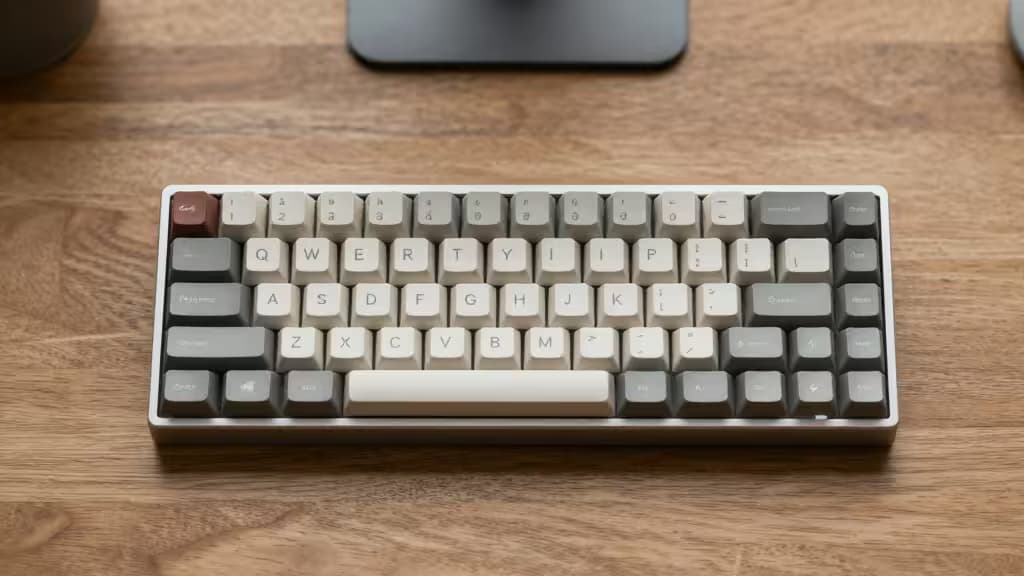
If you have small hands, most mechanical keyboards weren't designed with you in mind. Full-size boards stretch your reach, force your shoulders forward, and make you hunt for keys that sit just that bit too far away. The fix? Go compact.
Compact keyboards — 60%, 65%, and 75% layouts — shrink the chassis so your mouse can sit closer to your body, reducing strain on your shoulders, neck, and back.1 Pair that with low-profile switches, and you get a typing experience that doesn't demand your fingers climb a mountain with every keystroke.2
We tested the best compact mechanical keyboards for small hands. Here are the things actually worth buying.
The Best Compact Mechanical Keyboards for Small Hands
1. NuPhy Air60 V2 — Best Ultra-Compact 60% for Small Hands
The NuPhy Air60 V2 is the purest expression of the compact ethos: a 60% layout that strips away everything but the essentials. For small hands, this means your fingers never travel more than a key or two from home row. The low-profile Gateron switches keep vertical travel shallow, so you don't have to lift your fingers as high with each press — a genuine relief over the course of a workday.2
The board is slim enough to slip into a bag, and the PBT keycaps feel dense and stable despite their reduced height. If you want maximum compactness and don't need a number row or arrow keys, this is the one.
Dimensions: 60% layout, low-profile Gateron switches, PBT keycaps, hot-swappable.
2. Keychron K3 Ultra-Slim — Best Low-Profile 75% for Balanced Utility
The Keychron K3 Ultra-Slim splits the difference beautifully: a 75% layout that keeps the function row and arrow keys while shedding the numpad and navigation cluster. For small hands, the low-profile optical switches (available in clicky, tactile, or linear) reduce travel distance without sacrificing the tactile feedback that makes mechanical keyboards satisfying.2
The K3's aluminum frame and white backlight give it a clean, professional look. It connects via Bluetooth to three devices, making it a natural fit for anyone switching between a laptop and desktop. The reduced key height means less wrist extension — a subtle ergonomic win that adds up over time.
Dimensions: 75% layout, low-profile optical switches, aluminum frame, Bluetooth 5.1, white backlight.
3. Drop CSTM65 — Best 65% for Arrow Keys Without the Bulk
The Drop CSTM65 is a 65% layout that keeps the arrow keys and a few navigation keys while staying significantly narrower than a tenkeyless board. For small hands, those arrow keys are a lifeline — no awkward layer-tapping to move the cursor. The standard-height switches here are a trade-off: you get more switch options (including excellent tactile and linear choices) but slightly more travel than a low-profile board.1
The CSTM65 is hot-swappable, so you can experiment with different switches to find what feels best for your hand size and typing style. The aluminum case gives it a premium heft, and the per-key RGB is tasteful enough for an office.
Dimensions: 65% layout, standard-height hot-swappable switches, aluminum case, per-key RGB.
4. Corsair K70 RGB Pro Mini Wireless — Best 60% Wireless for Speed
The Corsair K70 RGB Pro Mini Wireless packs a 60% layout into a wireless frame with Corsair's AXON hyper-processing, delivering 8,000 Hz polling in wired mode and sub-1 ms wireless latency. For small hands, the ultra-compact footprint means your mouse hand stays close to your body, reducing shoulder strain.1
The standard-height Cherry MX switches (choose from Red, Blue, or Speed) offer the full mechanical experience in a tiny package. The PBT double-shot keycaps resist shine, and the included wrist rest helps keep your wrists in a neutral position. It's a powerhouse for gamers and typists alike who want the smallest possible footprint without sacrificing performance.
Dimensions: 60% layout, standard-height Cherry MX switches, wireless/wired, 8,000 Hz polling, PBT keycaps.
Low-Profile vs. Standard Switches: What Works for Small Hands?
The single most impactful choice you'll make is switch height. Low-profile switches (found in the NuPhy Air60 V2 and Keychron K3) reduce vertical travel by roughly 40% compared to standard mechanical switches.2 That means less finger extension per keystroke — a meaningful difference for smaller hands that have to stretch further to reach the top of a tall keycap.
Standard-height switches (in the Drop CSTM65 and Corsair K70 Mini) offer a wider variety of switch types and a more traditional mechanical feel. If you're used to a standard keyboard, the transition is seamless. But for pure ergonomics with small hands, low-profile is the way to go.
Why These Picks
Every keyboard here was chosen for three criteria: layout size, keycap profile, and build quality. A smaller layout (60% or 65%) reduces the lateral reach that causes shoulder strain.1 Low-profile or carefully chosen switches reduce vertical finger travel. And a solid build — aluminum cases, PBT keycaps, hot-swappable PCBs — means the board will last through years of daily use.
Recomate is reader-supported. When you buy through links on our site, we may earn an affiliate commission.
The Short List
| Pick | Layout | Switch Profile | Best For |
|---|
| NuPhy Air60 V2 | 60% | Low-profile | Maximum compactness |
| Keychron K3 Ultra-Slim | 75% | Low-profile | Balanced utility |
| Drop CSTM65 | 65% | Standard-height | Arrow keys + customization |
| Corsair K70 RGB Pro Mini Wireless | 60% | Standard-height | Wireless gaming performance |