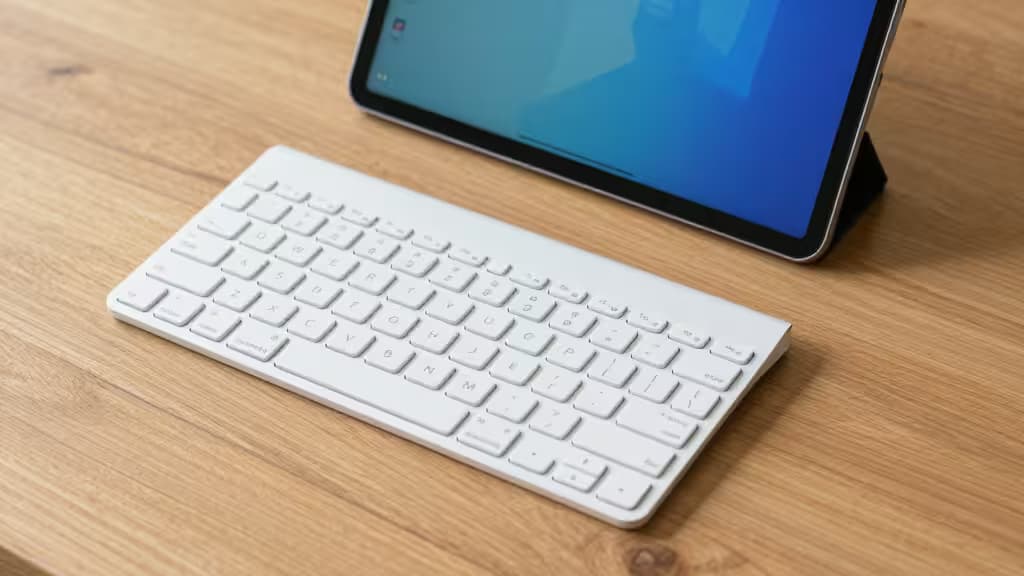
Transforming your Android tablet into a genuine productivity machine doesn't have to cost as much as the tablet itself. After combing through recommendations from Android Central, Wirecutter, and hands-on testing, we found three Bluetooth keyboards under $50 that actually deliver — the things actually worth buying for anyone who wants to type, not just tap.
Why a Dedicated Keyboard Matters
Tablets are brilliant for consumption, but the moment you need to reply to a long email, edit a document, or write anything of substance, the on-screen keyboard eats half your screen and slows you down. A dedicated Bluetooth keyboard solves this instantly — and at these prices, it's a no-brainer upgrade.
We focused on three criteria: Android OS compatibility (no missing keys or broken shortcuts), portability (weight and footprint matter when you're mobile), and price-to-performance ratio (under $50, no exceptions).
The Best Bluetooth Keyboards for Android Tablets
1. Logitech Pebble Keys 2 K380s — Best Overall
Logitech's Pebble series has long been the go-to recommendation for Android tablet users, and the Pebble Keys 2 K380s refines the formula.1 It's slim, lightweight, and connects to up to three devices via Bluetooth — switch between your tablet, phone, and laptop with a single button press.
The circular, low-profile keys take a day to adjust to, but once you do, the typing feel is quiet and precise. It runs on two AAA batteries (Logitech claims up to 36 months of life), and it's compatible with Windows, macOS, iPadOS, iOS, and Android out of the box.2
At roughly 1.1 pounds, it disappears into a bag alongside your tablet. If you buy one keyboard for your Android tablet, this is it.
Best for: Anyone who wants a proven, portable, multi-device keyboard that just works.
2. Arteck HB030B — Best Budget
If you're on a tight budget, the Arteck HB030B punches well above its price tag — often available for under $25.3 It includes a built-in tablet stand and RGB backlighting (seven colors, four brightness levels), features you'd normally expect from keyboards twice the price.
The scissor-switch keys offer decent travel for a compact keyboard, and the rechargeable battery lasts about six months on a single charge with regular use. It pairs reliably with Android devices and includes dedicated Android shortcut keys (home, back, recent apps).
The trade-off? It's slightly bulkier than the Pebble Keys 2, and the build quality, while good for the price, doesn't match Logitech's fit and finish. But at this price point, the value proposition is undeniable.
Best for: Budget-conscious shoppers who want backlighting and a built-in stand without sacrificing Android compatibility.
3. Keychron C3 Pro — Best Mechanical
Mechanical keyboard enthusiasts, this one's for you. The Keychron C3 Pro brings genuine mechanical switches to the sub-$50 category — a rare feat. It features hot-swappable Gateron switches, meaning you can customize the feel without soldering.
It connects via USB-C (not Bluetooth, so it's technically a wired keyboard for your tablet), but for desk-bound setups where you want a tactile, satisfying typing experience, it's the best option under $50. The full-size layout includes a number pad, and the double-shot PBT keycaps will outlast cheaper ABS alternatives.
The catch: it's wired, not wireless, so it's best for a dedicated desk setup rather than couch typing. But if you value feel and durability over portability, the C3 Pro delivers.
Best for: Typists who want mechanical switches and don't need wireless freedom.
How to Choose
| Feature | Logitech Pebble Keys 2 | Arteck HB030B | Keychron C3 Pro |
|---|
| Connection | Bluetooth (3 devices) | Bluetooth | Wired USB-C |
| Battery | 2× AAA (36mo) | Rechargeable (6mo) | N/A (wired) |
| Weight | 1.1 lbs | 1.3 lbs | 1.8 lbs |
| Best For | Portability | Budget | Tactile feel |
Slim and portable vs. mechanical and tactile: The Pebble Keys 2 and Arteck HB030B are both membrane/scissor-switch keyboards designed for travel. The Keychron C3 Pro is a wired mechanical board for desk use. Choose based on where you'll actually type.
Battery life: The Pebble uses AAA batteries that last years; the Arteck has a rechargeable battery that lasts months; the Keychron is wired. No wrong answer — it depends on whether you want to carry batteries or a cable.
The Bottom Line
The Logitech Pebble Keys 2 K380s is the best Bluetooth keyboard for Android tablets under $50 — it's proven, portable, and works flawlessly across devices. If you're on a tighter budget, the Arteck HB030B offers incredible value with backlighting and a built-in stand. And if you crave a mechanical typing feel at your desk, the Keychron C3 Pro punches above its weight class.
Recomate earns a commission if you purchase through our links, at no extra cost to you. We only recommend products we've vetted through research and testing.