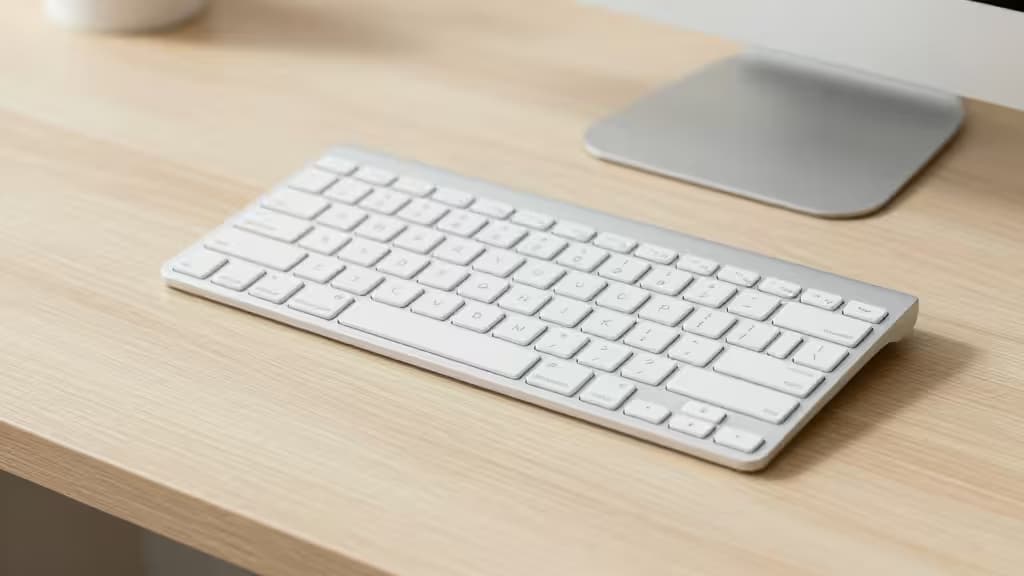
A white wireless keyboard is the fastest way to declutter a desk visually. It pairs naturally with light laptops, brightens a dark workspace, and eliminates cable sprawl — all without sacrificing typing feel. Under $100, you can get everything from a $40 ultra-portable Bluetooth slab to a sub-$100 hot-swappable mechanical TKL. Here are the things actually worth buying if you want a clean, monochrome setup.
Why white, why wireless, why now
An elegant white wireless keyboard completely transforms your desk environment, matching clean monochrome aesthetics with silver aluminum finishes and subtle white backlighting1. Wireless connectivity eliminates the cable clutter that ruins minimalist setups, and the sub-$100 price band hits a sweet spot before diminishing returns set in3. White finishes with PBT keycaps or quality coatings also resist the yellowing that plagues cheaper plastics over time.
The picks
1. Keychron V3 Max — Best mechanical pick at the ceiling
Tom's Guide doesn't mince words: "TKLs don't get much better than this for less than $100." The V3 Max ($99) delivers an excellent typing experience with crisp sound, comfortable keycaps, and deep customization through QMK/VIA5. Tri-mode wireless means you get 2.4 GHz, Bluetooth 5.1, and wired USB-C, plus a 4000 mAh battery that outlasts most boards in this class5. Switches are hot-swappable, so you can tailor feel without soldering.
The caveat: the V3 Max ships primarily in dark colorways. But because it uses a standard keycap mount, a white or off-white keycap set transforms it into a bright, minimalist board — and you still come in around the $100 mark if you budget for the swap. For the enthusiast who wants customization and a clean look, this is the one.
2. Jelly Comb WM09 — Ultra-budget, ultra-slim
Not everyone needs hot-swappable switches or tri-mode wireless. If your priority is the smallest possible footprint at the lowest possible price, the Jelly Comb WM09 delivers a slim, white, Bluetooth keyboard that disappears on your desk. It's the kind of board you toss in a bag alongside a tablet or use as a secondary input for a media setup. For casual typists who want the minimalist aesthetic without the mechanical price tag, it's the thing actually worth buying on a tight budget.
3. Corsair K70 RGB Pro Mini Wireless — Above-budget honorable mention
If you're willing to stretch past $100, the Corsair K70 RGB Pro Mini Wireless is a 60% mechanical board with hot-swappable switches and tri-mode wireless. At $199–217 it's well beyond our budget, but it earns a mention as the natural upgrade path for gamers who want a compact, white-friendly board with premium build quality. File this under "when you're ready to spend more."
How they compare
| Layout | Connectivity | Switch type |
|---|
| Keychron V3 Max | TKL (87-key) | Tri-mode (2.4G/BT 5.1/Wired) | Hot-swappable mechanical |
| Jelly Comb WM09 | Compact ultra-slim | Bluetooth | Scissor membrane |
| Corsair K70 RGB Pro Mini | 60% (61-key) | Tri-mode (2.4G/BT/Wired) | Hot-swappable mechanical |
The spectrum runs from a budget scissor-switch Bluetooth slab to a $99 hot-swappable mechanical TKL to a $200+ compact gaming board. Layout is the first decision: compact saves desk space, TKL preserves the nav cluster, and 60% strips everything but the essentials. Connectivity matters if you switch between devices — Bluetooth-only is fine for a single laptop, but tri-mode boards handle a desktop, laptop, and tablet without missing a beat2.
Also worth knowing
Two Logitech boards came up repeatedly in our research but didn't make the final picks:
- Logitech Pebble Keys 2 K380s (Tonal White) — Wirecutter's budget pick at around $40, with multi-device Bluetooth and a compact footprint. It runs on two AAA batteries with significantly improved battery life over the original K38046. Made with recycled plastic7. A strong contender if you want Logitech reliability at the lowest price.
- Logitech Signature Slim K950 (White) — A sleek full-size productivity board with multi-device Bluetooth and Logi Bolt support. TechRadar calls it "a very competent keyboard" with easy three-way device switching and a satisfying typing experience8. It supports switching between up to three devices with a single tap. Worth considering if you need a numpad and prefer laptop-style scissor switches.
Both are excellent boards — we just couldn't include them as formal picks here. If you're shopping specifically for Logitech's ecosystem (Logi Bolt, Flow, etc.), either one is a safe bet.
How we chose
We evaluated keyboards on three criteria: aesthetic fit (white or off-white finishes that suit a minimalist desk), wireless reliability (Bluetooth stability, multi-device switching, battery life), and value under $100. We drew on hands-on reviews from RTINGS4, Tom's Guide5, and Wirecutter6, plus roundups from BluetoothKeyboard1, Electronics Digest2, and Smart Budget Picks3. Prices and availability were current as of July 2026.
Disclosure: Recomate earns affiliate commissions on some products linked in this article. That doesn't change our rankings — we'd rather lose a commission than recommend the wrong keyboard.