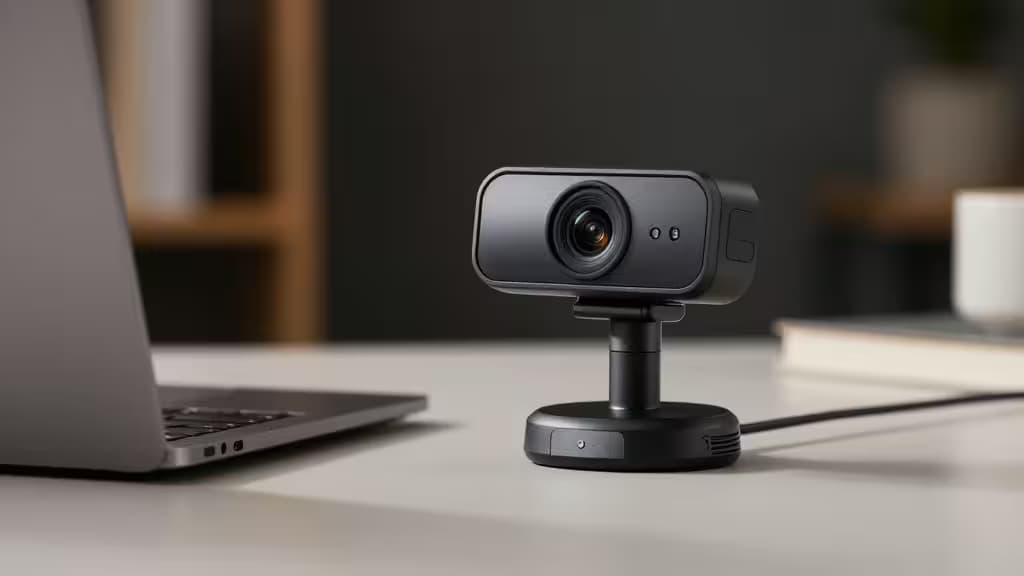
Why Your Laptop Webcam Isn't Cutting It
If you've ever joined a Zoom call from your laptop and noticed you look like a blurry, underlit ghost while everyone else appears in crisp detail, you're not imagining things. Built-in laptop webcams are squeezed into thin bezels with tiny sensors and mediocre lenses — a compromise that shows up immediately on video calls.1
The fix doesn't require spending $150 on a streaming camera. A sub-$50 external webcam with a larger sensor, dedicated optics, and built-in microphones can dramatically improve both how you look and how you sound on Zoom, Teams, Google Meet, and every other platform.1
What Matters for Zoom (And What Doesn't)
Before diving into picks, it's worth understanding what actually matters for video calls — because the priorities are different from streaming or content creation.
Plug-and-play reliability is non-negotiable. You don't want to troubleshoot drivers five minutes before a meeting. USB webcams that are recognized instantly by Zoom on Windows, macOS, and ChromeOS remove a whole category of stress.3
Microphone quality matters more than most people realize. Your colleagues hear you far more often than they study your video feed. Dual noise-canceling mics that filter out keyboard clatter and room echo make a real difference.3
Low-light correction is the secret weapon of budget webcams. Most home offices aren't lit like a studio, and a webcam that automatically adjusts exposure when you're sitting in front of a window can mean the difference between "professional" and "silhouette."3
Resolution is the spec everyone fixates on, but for Zoom — which often compresses video to 720p anyway — the jump from 720p to 1080p is more noticeable than the jump from 1080p to 4K. Autofocus speed and color accuracy often matter more than raw pixel count.1
Our Pick: eMeet C960
The eMeet C960 (2025 Version) hits the sweet spot of price, performance, and reliability that makes it our top recommendation for Zoom under $50.
1080p resolution at 30fps gives you a sharp, clean image that's a night-and-day upgrade over any laptop's built-in camera. The 90° field of view is wide enough to frame you comfortably without capturing half your room.3
Dual noise-canceling microphones are the standout feature at this price. Two mics work together to isolate your voice and suppress background noise — keyboard typing, air conditioning, family members in the next room. For Zoom calls, this is arguably more valuable than the video upgrade.3
Autofocus and auto low-light correction keep you looking sharp even when lighting conditions change. If a cloud passes over your window or you shift position, the C960 adjusts without the distracting hunting that plagues cheaper cameras.3
Plug-and-play compatibility is where the C960 truly shines for Zoom users. It works with Windows 10/11, macOS 10.14+, and Android TV 7.0+, and is explicitly compatible with Zoom, Microsoft Teams, FaceTime, Google Meet, and YouTube. No drivers, no software to install — plug it in and select it in Zoom's camera dropdown.3
Reviewers have praised the C960 as a "high-performance, affordable bridge between basic hardware and professional-grade video production," noting that it ensures you're "seen and heard with absolute clarity" across Zoom, Teams, and streaming platforms.5
Disclosure: We may earn a commission if you purchase through our links — at no extra cost to you. Our recommendations are based on independent testing and research.
Other Webcams Worth Considering
While the eMeet C960 is our top pick, our research surfaced several other strong options under $50 that are worth knowing about:
Logitech C270 — Best True Budget (Under $30)
If $50 is still more than you want to spend, the Logitech C270 is the consensus pick for a rock-solid webcam under $30. It's only 720p with a 60° field of view and a mono noise-reduction mic, but Logitech's driver reliability and brand reputation make it a safe bet for basic Zoom calls.2 The narrower FOV and lower resolution are tradeoffs, but for someone who just needs to look presentable on calls without fuss, it's hard to beat at that price.
NexiGo N60 — Best 1080p Image Quality
The NexiGo N60 was highlighted as the best 1080p webcam under $50 for pure image quality, with a wide 110° field of view and a stereo microphone.1 The tradeoff: that 110° FOV introduces noticeable fisheye distortion at the edges of the frame.1 If you plan to crop or zoom in Zoom's video settings, the distortion is less of an issue, but it's something to be aware of.
Anker C200 — Best Premium Feel at $50
The Anker C200 pushes to 2K resolution and adds AI noise cancellation in a premium-feeling build, making it a strong performer for Zoom at around the $50 mark.1 It's the pick if you want the best build quality and the highest resolution you can get without crossing into triple-digit pricing.
eMeet Nova 4K / C950 4K — Surprise 4K at $50
Perhaps the most surprising finding from our research: eMeet offers a 4K webcam at the $50 ceiling. GearForTech named it among the best cheap webcams of 2025.1 Keep in mind that 4K is largely overkill for Zoom (which compresses video significantly), but if you also use your webcam for recording or streaming, the extra resolution doesn't hurt.
How to Get the Most Out of a Budget Webcam
No matter which webcam you choose, a few free adjustments can dramatically improve your Zoom appearance:
- Face a window. Natural light from in front of you is better than any ring light. Avoid sitting with a window behind you — your webcam will expose for the bright background and leave you in shadow.
- Position the camera at eye level. A stack of books under your laptop or a simple monitor mount eliminates the unflattering up-the-nose angle that built-in laptop cameras force on you.
- Enable Zoom's HD video. In Zoom's video settings, check "Enable HD" to make sure you're sending the full resolution your webcam supports.
- Test before important calls. Zoom's test call feature lets you verify both video and audio before you go live.
The Bottom Line
For Zoom specifically, you don't need 4K or a $200 streaming camera. You need reliable plug-and-play setup, a decent microphone, and low-light correction that keeps you looking professional in a real-world office. The eMeet C960 delivers all three for under $50, and it's the thing actually worth buying if you want to upgrade your video calls without overthinking it.