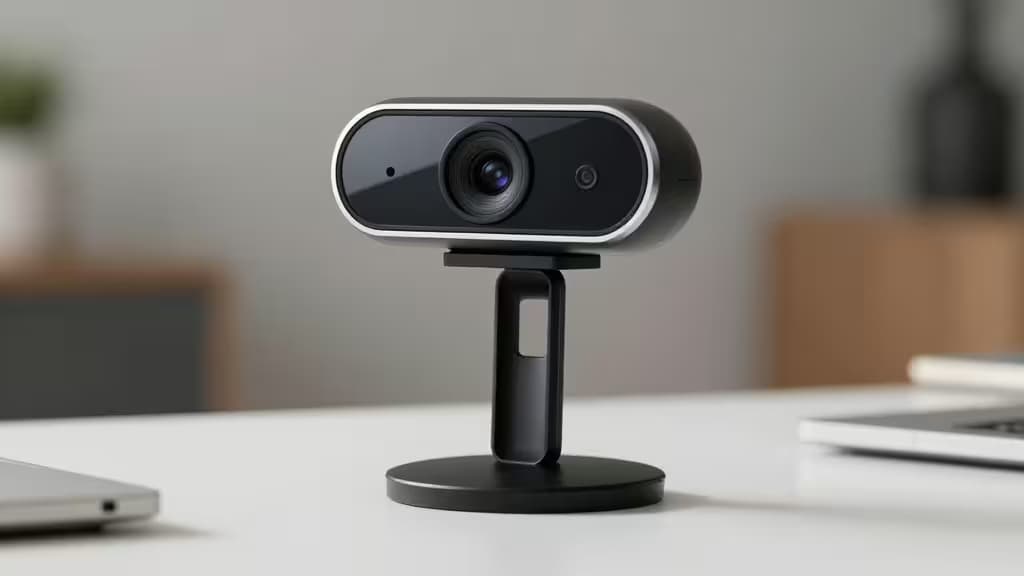
You don't need to spend $100+ to look professional on Zoom. A sub-$50 webcam can dramatically outperform your laptop's built-in camera with better resolution, lighting correction, and clearer audio. The jump from a cramped 720p laptop sensor to a dedicated 1080p webcam is immediately visible to everyone on the other end of your call — and it costs less than a single month of most premium SaaS subscriptions.
Here are the things actually worth buying if your goal is solid, reliable video quality for daily Zoom calls without breaking the bank.
What Matters in a Budget Webcam
Before diving into the picks, it helps to understand what actually makes a difference on Zoom:
- Resolution. 720p is adequate for basic calls, but 1080p is the sweet spot for professional settings. Zoom supports 1080p on paid plans, and the sharper image is noticeable even when compressed.6
- Autofocus. If you lean in, stand up, or hold up a document, autofocus keeps you sharp. Fixed-focus cameras blur the moment you move.
- Light correction. Most budget webcams include some form of automatic exposure or light correction. This matters more than raw resolution for looking good in a dim home office.
- Microphone quality. A dedicated webcam mic placed at screen height beats a laptop mic buried in the keyboard deck. Dual mics and noise reduction are bonuses.
- Field of view. A wider lens (75–90°) is better for group calls or presenting; a narrower lens (60–70°) flatters solo callers.
- Setup. Plug-and-play USB means no driver hunts. Every pick here works that way.
Even the cheapest dedicated webcam beats a laptop camera in sensor size, lens quality, and microphone placement. For Zoom specifically, 1080p is supported and makes a visible difference — but autofocus and light correction matter more than resolution for looking good on calls.6
1. AUSDOM AF640 — Best Overall Value
The AUSDOM AF640 packs more features per dollar than anything else under $50. You get 1080p Full HD resolution, autofocus, a 90° wide-angle lens, and dual microphones — a combination that usually costs twice as much.2
The 90° field of view makes it a strong choice if you sometimes present to groups or want to fit a whiteboard behind you. The dual mics do a credible job of isolating your voice in a quiet room. Autofocus is responsive enough for normal call movements — leaning forward, turning to grab a note — without the hunting you sometimes see in cheaper sensors.
If you want one webcam that checks every box without crossing the $50 line, this is it.
2. Logitech C270 HD — Most Reliable Budget Pick
The Logitech C270 is the webcam you buy when you want zero surprises. It tops out at 720p, but Logitech's automatic light correction and noise-reducing microphone punch above the resolution spec.1 In a well-lit room, the image is clean and color-accurate — better than many 1080p no-name cameras.
The C270's real advantage is reliability. It's plug-and-play on Windows, macOS, and ChromeOS with no drivers to install.1 The foldable clip sits securely on any monitor or laptop lid. And because it's been a best-seller for years, the support ecosystem — mounts, stands, troubleshooting guides — is unmatched.
If you just want a dependable upgrade from your laptop camera and don't care about 1080p, the C270 is the safest bet in this price range.
3. NexiGo N930AF — Best for Presenters Who Move
The NexiGo N930AF stands out for its 1080p/60fps capture, which produces noticeably smoother video than the 30fps standard on most budget webcams.3 If you present standing up, gesture frequently, or record meetings for replay, the extra frames make a real difference.
Advanced autofocus tracks movement well, and the included privacy cover is a thoughtful touch at this price — snap it shut when the call ends and there's no question about whether the camera is live.3
The trade-off is that NexiGo's brand recognition and support network aren't as deep as Logitech's. But for smooth, sharp video on a budget, the N930AF is the pick.
4. Creative Live! Cam Sync — Best for Educators and Wide Framing
The Creative Live! Cam Sync delivers 1080p with a wide-angle lens and a noise-cancelling microphone, making it a natural fit for educators and anyone who presents to groups.4
The wide-angle framing captures more of the room — useful if you're standing at a whiteboard or sitting with a small group. The noise-cancelling mic does a solid job in classroom-style environments with ambient sound. Setup is plug-and-play via USB with no software required.4
It's not the sharpest 1080p image in this lineup, and the fixed focus means you need to stay at a consistent distance. But for the specific use case of wide framing on a budget, it earns its place.
5. Elgato Facecam Neo — Best for Streamer-Quality Video on a Budget
The Elgato Facecam Neo brings 1080p/60fps capture, autofocus, and a physical privacy shutter to the sub-$50 category — along with Elgato's Camera Hub software for fine-tuning exposure, white balance, and framing.5
Camera Hub is the differentiator. Most budget webcams give you whatever the auto settings produce; the Facecam Neo lets you dial in a look that's closer to what a streamer or content creator would want. The physical privacy shutter clicks into place with a satisfying tactile feel.5
If you care about image control — not just image quality — and you want software that goes beyond the basics, the Facecam Neo is the most tunable option here.
How They Compare
| Webcam | Resolution | Frame Rate | Microphone |
|---|
| AUSDOM AF640 | 1080p Full HD | 30 fps | Dual stereo mics |
| Logitech C270 HD | 720p HD | 30 fps | Noise-reducing mono |
| NexiGo N930AF | 1080p | 60 fps | Built-in mono |
| Creative Live! Cam Sync | 1080p | 30 fps | Noise-cancelling |
Resolution: 720p (C270) is fine for casual calls. 1080p is the target for professional Zoom use, and four of these five picks hit it.
Frame rate: 30 fps is standard and perfectly adequate. 60 fps (NexiGo, Elgato) is a meaningful upgrade if you move around or record.
Microphone: Dual mics (AUSDOM) and noise-reduction features (Logitech, Creative) outperform basic mono mics. That said, any of these is a step up from a laptop's built-in mic.
The Bottom Line
For most people, the AUSDOM AF640 is the best balance of features and price — 1080p, autofocus, dual mics, and a wide lens for under $50.2 If you value brand reliability above all, the Logitech C270 won't let you down.1 And if smooth motion or software control matters to you, the NexiGo N930AF and Elgato Facecam Neo bring 60fps and tunability to the budget category.3
Any one of these will make you look — and sound — noticeably better on your next Zoom call.
Recomate may earn a commission when you purchase through links on this page. That doesn't influence our rankings — we recommend what we'd buy ourselves.