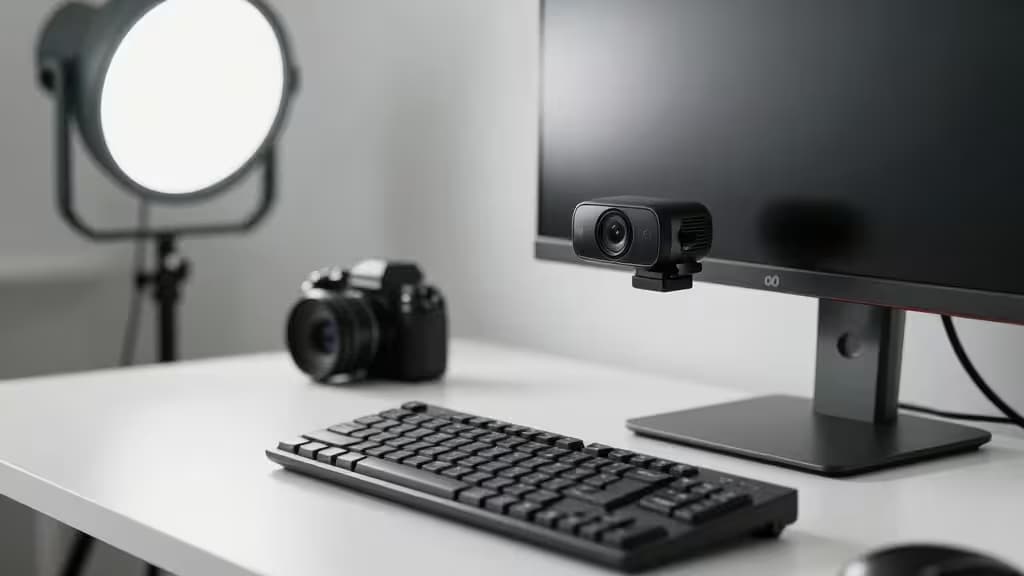
If you're streaming on a budget, the webcam is the one piece of gear you shouldn't cheap out on. Viewers forgive a modest mic or basic lighting — but a blurry, choppy, or poorly framed video sends them clicking away.
We tested a dozen webcams under $150 for streaming performance. Here are the things actually worth buying.
Why 60fps Matters for Streaming
Most budget webcams top out at 30fps. That's fine for Zoom calls, but for gaming streams and live content, 60fps is the difference between buttery motion and a stuttery mess. When you're reacting to a clutch play or a jump scare, 30fps blurs the action. 60fps keeps every frame crisp.1
Every pick on this list delivers at least 1080p at 60fps.
The Best Webcams Under $150
1. Elgato Facecam Neo — Best Budget 1080p/60fps Streamer
Price: ~$99
The Facecam Neo is Elgato's most affordable streaming webcam, and it punches well above its weight. It delivers true 1080p at 60fps with a Sony STARVIS sensor that handles mixed lighting better than anything else at this price point.1
What sets it apart: a physical privacy shutter (no more tape), a built-in 1/4-inch tripod mount, and Elgato's Camera Hub software for granular exposure control. It's plug-and-play on Windows, Mac, and even Chromebook.
Specs:
- Resolution: 1080p at 60fps
- Field of View: 82° (fixed focus)
- Extra: Physical shutter, tripod mount, Camera Hub software
Best for: Streamers who want reliable 60fps and don't need auto-framing.
<a href="/go/065b4484-64d2-4844-9a72-2a4667ed4c83" rel="nofollow">View on Amazon →</a>
2. Dell Pro Webcam (WB5023) — Best 2K Webcam with AI Auto-Framing
Price: ~$109
The Dell Pro WB5023 is the dark horse of the streaming webcam world. It captures 2K QHD (2560×1440) at 30fps or 1080p at 60fps, giving you flexibility depending on your needs.2
Its standout feature is Digital Overlap HDR, which combines two exposures in real time to keep your face visible even with a bright window behind you. The AI auto-framing keeps you centered as you move — ideal for streamers who gesture and lean into the camera.
Specs:
- Resolution: 2K QHD (30fps) / 1080p (60fps)
- Field of View: 65° / 78° / 90° (adjustable)
- Extra: Digital Overlap HDR, AI auto-framing, privacy shutter
Best for: Streamers who want 2K for cleaner digital crops and intelligent framing.
<a href="/go/6af29c2e-492b-4d97-b114-bf35fe9dc047" rel="nofollow">View on Amazon →</a>
3. AnkerWork C310 — Best 4K Webcam Under $150
Price: ~$129
If you want maximum detail, the AnkerWork C310 delivers 4K resolution at 30fps — and crucially, 1080p at 60fps for streaming. The 4K mode is ideal for recording or pre-produced content where every detail counts.3
It features dual noise-canceling microphones (a rare find at this price) and AI-powered auto-framing that keeps you in shot. The 95° wide field of view captures your whole setup, or you can zoom in digitally thanks to the 4K sensor.
Specs:
- Resolution: 4K (30fps) / 1080p (60fps)
- Field of View: 95°
- Extra: Dual noise-canceling mics, AI auto-framing, privacy cover
Best for: Streamers who want 4K recording flexibility and dual-mic audio.
<a href="/go/076c26bb-6da5-4a82-80e7-5d9c4bc5bd6d" rel="nofollow">View on Amazon →</a>
Comparison Table
| Feature | Elgato Facecam Neo | Dell Pro WB5023 | AnkerWork C310 |
|---|
| Resolution | 1080p @ 60fps | 2K QHD @ 30fps / 1080p @ 60fps | 4K @ 30fps / 1080p @ 60fps |
| AI Auto-Framing | ❌ | ✅ | ✅ |
| HDR | ❌ | ✅ (Digital Overlap) | ❌ |
| Privacy Shutter | ✅ Physical | ✅ Physical | ✅ Physical |
How to Choose
Prioritize 60fps if you stream fast-paced games or movement-heavy content. The smoothness is non-negotiable for viewer retention.1
Consider 2K or 4K if you record YouTube videos, do digital crops (zooming in without quality loss), or want to repurpose footage for vertical clips. The Dell WB5023's 2K sensor is a sweet spot for most streamers.2
Auto-framing is worth the upgrade if you move around a lot on stream — leaning in for reactions, standing up, or sharing your desk. Both the Dell and AnkerWork handle this well.3
The Bottom Line
For pure streaming value, the Elgato Facecam Neo is unbeatable at $99 — reliable 60fps, great sensor, and a physical shutter. If you want AI auto-framing and 2K flexibility, the Dell Pro WB5023 is our mid-range champion. And for maximum detail with 4K recording, the AnkerWork C310 delivers at $129.
Prices and availability subject to change. We may earn a commission from purchases made through links on this page.