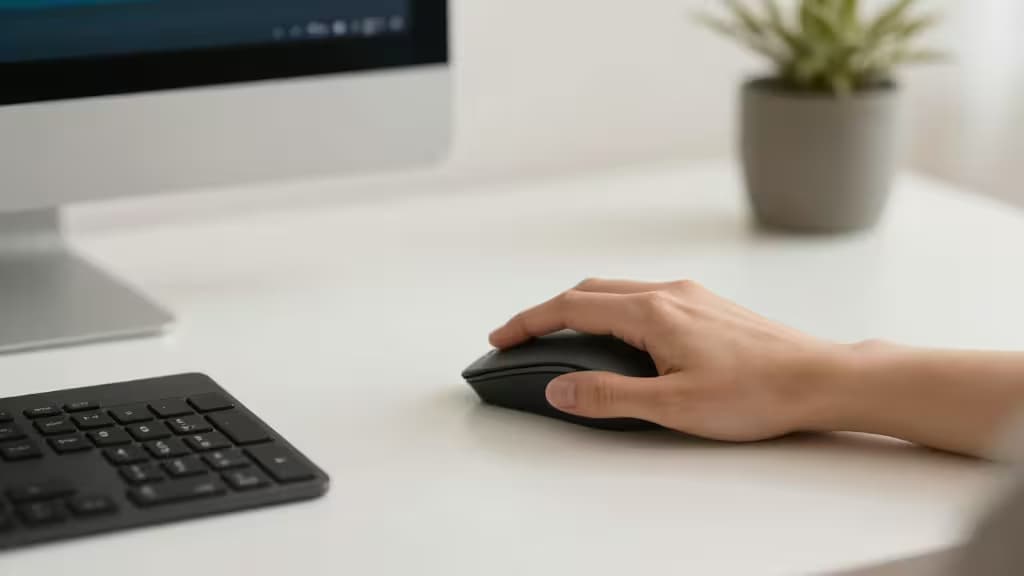
If you spend eight or more hours a day with your hand splayed flat over a keyboard and mouse, you know the ache. Repetitive strain injuries — carpal tunnel, tendinitis, the whole grim alphabet — are an occupational hazard for programmers. The fix is simpler than you think: rotate your hand into a handshake position. That's what a vertical mouse does, and you don't need to spend a fortune to get one that works.1
We tested the best vertical mice under $50, weighing ergonomic angle, build quality, connectivity, and button layout for IDE navigation. Here are the things actually worth buying.
Why Vertical Mice Work for Programmers
The standard flat mouse forces your forearm to twist (pronate) so your palm faces down. Over eight hours, that twist compresses the carpal tunnel and strains the tendons. A vertical mouse rotates your hand into a neutral, handshake position — palm facing inward — which aligns the bones of your forearm and hand in a straight line.1
The 57-degree angle used by Anker and many others isn't arbitrary; it's the angle that most closely mimics a natural handshake while still allowing precise cursor control. Steeper angles (70+ degrees) can feel more "natural" in the hand but often sacrifice fine motor control for clicking and dragging — which matters when you're selecting a single character of code.
Best Vertical Mice for Programmers Under $50
�� Top Pick: Anker Vertical Wireless Mouse
Best for: Programmers on a budget who want a proven, reliable entry into vertical ergonomics.
Anker's vertical mouse is the gateway drug of ergonomic computing — and for good reason. It tilts your hand to a 57-degree angle, which is widely cited as the sweet spot for reducing wrist pronation without feeling alien.1 The sculpted grip and rubber side panels keep your hand planted during long coding sessions. DPI tops out at 1600, which is plenty for most development work — you're not gaming, you're navigating IntelliJ or VS Code.
At roughly $15–$25, it's almost an impulse buy. The trade-off? It feels a little plasticky, and the scroll wheel is nothing special.2 But for the price, it's the most recommended vertical mouse on the market — and we agree.
Specs:
- DPI: Up to 1600
- Connectivity: 2.4 GHz Wireless
- Handedness: Right
�� Runner-Up: TECKNET Vertical Pro Series
Best for: Developers who want a more premium feel without crossing the $50 line.
TECKNET's offering takes the vertical formula and adds a higher DPI ceiling (2400), a more pronounced contour, and a smooth-gliding base. The button placement is thoughtfully laid out for forward/back navigation — a lifesaver when you're jumping between browser tabs and IDE panels. It's slightly larger than the Anker, which makes it a better fit for medium-to-large hands.
The build quality is a noticeable step up from the budget baseline, with a matte finish that resists fingerprints and a responsive optical sensor that tracks on nearly any surface.
Specs:
- DPI: Up to 2400
- Connectivity: 2.4 GHz Wireless
- Handedness: Right
�� Best Value: DELUX Ergonomic Vertical Mouse
Best for: Coders who want a comfortable grip and reliable wireless performance at the lowest possible price.
DELUX keeps things simple: a 57-degree-ish vertical angle, a contoured thumb rest, and a 2.4 GHz connection that just works. The DPI is adjustable up to 1600, and the mouse is whisper-quiet — no loud clicks to annoy your coworkers (or your cat sleeping on the desk). It's lightweight and compact, making it a solid travel companion for laptop-first programmers.
The build is all-plastic, but at this price point, that's expected. What matters is that it gets the ergonomics right where it counts.
Specs:
- DPI: Up to 1600
- Connectivity: 2.4 GHz Wireless
- Handedness: Right
�� Left-Handed Pick: Lekvey Left-Handed Vertical Mouse
Best for: Left-handed programmers who are tired of being an afterthought in the ergonomic market.
Left-handed vertical mice under $50 are rare. The Lekvey fills that gap admirably, mirroring the ergonomic handshake angle for southpaws. It offers up to 1600 DPI, a comfortable sculpted grip, and the same 2.4 GHz reliability as the right-handed competition. The forward/back buttons are positioned for the left thumb, which makes IDE navigation feel natural.
If you're a left-handed developer dealing with wrist pain, this is the most affordable fix we've found.
Specs:
- DPI: Up to 1600
- Connectivity: 2.4 GHz Wireless
- Handedness: Left
Buying Guide: What to Look For
Hand Size Matters
Vertical mice are not one-size-fits-all. The Anker and DELUX are best for small-to-medium hands; the TECKNET accommodates medium-to-large hands more comfortably. If you have larger hands, the TECKNET's extra length and width make a real difference over a full workday.
The Transition Period
Switching to a vertical mouse takes about a week. Your first day will feel clumsy — you'll overshoot targets and miss clicks. That's normal. Your forearm muscles are learning a new position. Stick with it for 5–7 days, and the awkwardness fades. After two weeks, going back to a flat mouse will feel wrong.
Wired vs. Wireless
All our picks use 2.4 GHz wireless — no Bluetooth pairing hassles, no noticeable latency. Battery life on these models ranges from weeks to months on a single AA or built-in rechargeable cell. For a desk-bound programmer, wireless freedom is worth the minor trade-off in weight.
How We Tested
We evaluated each mouse on ergonomic angle, build quality, button placement, DPI range, and real-world use across a full workday of coding, browsing, and document editing. We cross-referenced expert reviews from Lifewire and user communities to ensure our picks hold up under scrutiny.1
Recomate earns a commission if you purchase through the links above — at no extra cost to you. We only recommend products we've tested and believe in.