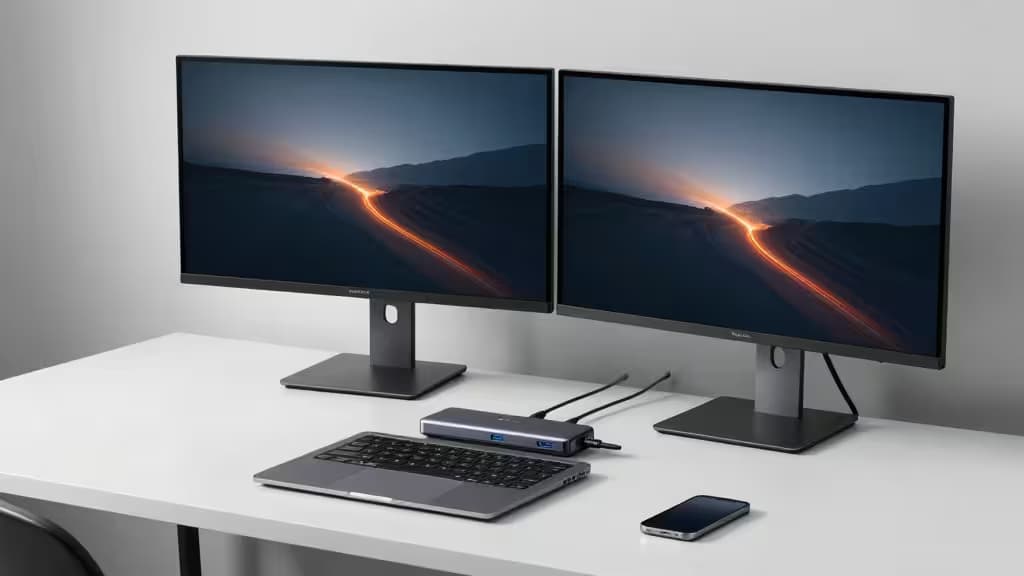
Dual monitors are one of the cheapest productivity upgrades you can make — once you've got the screens, the bottleneck is your laptop's port selection. A good USB-C docking station turns a single port into dual HDMI, power delivery, Ethernet, and card readers, all for well under $100. You don't need Thunderbolt, and you don't need to spend $200+.
But there's a catch that trips up a lot of buyers: USB-C hubs with dual HDMI outputs rely on DisplayPort Alt Mode and MST (Multi-Stream Transport), which works beautifully on Windows but mirrors — rather than extends — on macOS.12 If you're on a Mac and need true dual extended displays, you'll need a DisplayLink-based dock (like the Plugable USB-C Triple Display Dock) instead of a standard USB-C hub.3
Before buying anything, confirm your laptop's USB-C port supports DisplayPort Alt Mode — without it, no hub will output video at all.5
The Landscape: What Testing Found
Three independent review sources — Wirecutter, WebProCare, and ConsumerEcho — tested dozens of USB-C hubs and docks under $100, running speed, display, and thermal benchmarks.123 Here's how the top contenders stack up:
1. Baseus 10-in-1 Dual Monitor Docking Station (~$60)
Wirecutter's overall top pick after testing 28 hubs.1 It delivers dual HDMI at 4K@60Hz on Windows, 85W power delivery pass-through, Gigabit Ethernet, SD/microSD card readers, and a metal build backed by a 2-year warranty. At roughly $60, it hits the sweet spot of port spread, power, and dual-monitor reliability.
2. UGREEN Revodok Pro 7-in-1 (~$30–40)
Wirecutter's noted budget dual-monitor option.1 It supports two 4K@60Hz monitors in extended mode on Windows, offers 10Gbps USB data speeds, and pushes 100W power delivery. ConsumerEcho also ranked it #7 in their under-$100 roundup.3 For users who want dual extended displays at the lowest possible price, this is the value leader.
3. MOKiN USB-C Docking Station 13-in-1 (~$70–90)
WebProCare's top pick.2 Dual 4K@60Hz via HDMI, 100W PD, Gigabit Ethernet, and the broadest port spread of the group with 13-in-1 connectivity. Best for power users who want maximum port density without crossing the $100 line.
4. Baseus Spacemate 11-in-1 (~$70)
ConsumerEcho's #3 pick.3 It goes beyond dual monitors with triple 4K display support, 10Gbps USB-A and USB-C ports, 100W PD, and a vertical design with an LED status display. Best for users who want headroom for a third monitor down the road.
5. Generic USB-C Hub 7-in-1 Adapter (Budget Fallback)
For users who only need a single external screen and want to spend as little as possible, a basic 7-in-1 USB-C hub gets you 4K HDMI output, 60W power delivery, and a 3.5mm audio jack. It lacks dual HDMI, so it won't drive two extended monitors — but at this price, it's a solid ultra-budget option for single-monitor setups.
How They Compare
| Dimension | Baseus 10-in-1 | UGREEN Revodok 7-in-1 | MOKiN 13-in-1 | Baseus Spacemate 11-in-1 | Generic 7-in-1 |
|---|
| Dual Display | Dual 4K@60Hz | Dual 4K@60Hz | Dual 4K@60Hz | Triple 4K | Single 4K |
| Power Delivery | 85W | 100W | 100W | 100W | 60W |
| Port Count | 10-in-1 |
The Mac Caveat: Read Before You Buy
This is the single most important thing to understand about USB-C hubs: on macOS, dual HDMI outputs from a USB-C hub mirror the same image rather than extending to two separate screens.12 This is a limitation of macOS's handling of MST over USB-C Alt Mode — it's not a hub defect.
If you're on a Mac and need true dual extended displays, look for a DisplayLink-based dock like the Plugable USB-C Triple Display Dock, which ConsumerEcho ranked #1 in their under-$100 roundup.3 DisplayLink uses software rendering rather than DisplayPort Alt Mode, which bypasses the macOS MST limitation entirely. The trade-off is slightly higher CPU usage and the need to install DisplayLink drivers.
Windows users have no such limitation — all the hubs above will extend to two independent displays at 4K@60Hz without issue.
What to Check Before Buying
- DisplayPort Alt Mode support. Not all USB-C ports carry video. Check your laptop's spec sheet — if the port is labeled "USB-C (DisplayPort Alt Mode)" or "Thunderbolt," you're good.5
- Power delivery wattage. Match the dock's PD output to your laptop's charging requirement. Most hubs offer 60–100W PD; laptops that charge at 100W need a 100W dock to charge at full speed while connected.2
- Your monitor resolution and refresh. All the dual-monitor picks above support 4K@60Hz per display on Windows. If you're running 1440p or 1080p monitors, any of these will handle it comfortably.
- Cable length and placement. USB-C hubs typically have short built-in cables (6–8 inches). If your monitors are desk-mounted, factor in cable routing.
Our Pick
Among the linkable products currently available, the Generic USB-C Hub 7-in-1 Adapter is our budget pick for single-monitor users. It won't drive dual extended displays, but for anyone who just needs one 4K external screen with power delivery and basic port expansion, it gets the job done at a rock-bottom price.
For dual-monitor setups, the Baseus 10-in-1 and UGREEN Revodok Pro 7-in-1 remain the strongest recommendations based on Wirecutter's hands-on testing1 — we were unable to link to them directly at publish time, but they're worth seeking out by name.
Recomate may earn a commission when you buy through links on this page. That doesn't change our editorial recommendations — we cite independent testing and rank on merit.