Why an Ultrawide Curved Monitor for Coding?
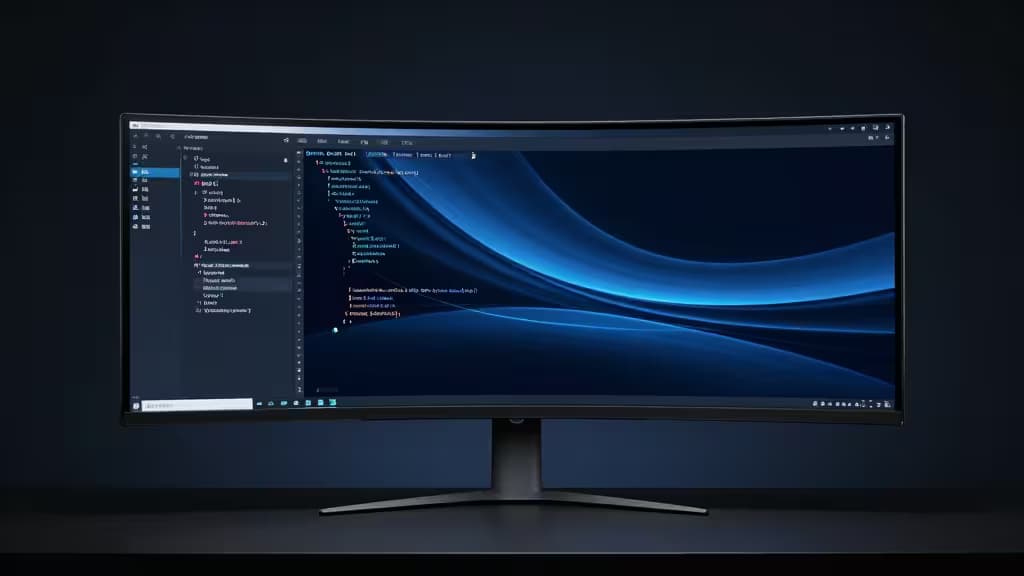
If you've ever tiled two monitors side-by-side, you know the problem: a hard bezel split right where your editor meets your terminal. A 34-inch ultrawide curved monitor solves that. At 3440×1440, you get the horizontal real estate of two 1080p panels — enough for a code editor, a terminal, and a browser with documentation — all on one continuous surface with no seam.2
The curve matters more than you'd think. A 1500R radius wraps the panel just enough that the left and right edges sit at a comfortable viewing distance, reducing the head-turning that flat ultrawides demand over long sessions.2 PCMag's testing found that 34–35 inches is the sweet spot for tiling windows, and that curved ultrawides "reduce eyestrain" for multitaskers who live in multiple panes all day.2
VA vs. IPS: The Tradeoff That Matters for Code
Most sub-$400 ultrawides use VA panels, and that's not a compromise to apologize for — it's a feature. VA delivers deep blacks and high contrast (typically 3000:1 or better), which means dark-mode IDEs look properly dark instead of washed-out gray. The tradeoff is viewing-angle consistency and color accuracy compared to IPS, but for reading text — the thing developers do most — VA's contrast advantage is more useful than IPS's color uniformity.2
The sub-$400 budget also rules out OLED and IPS Black panels, which start well above this range. What you get instead is a mature, well-tuned VA panel at 3440×1440 — the resolution that hits the best balance of pixel density and horizontal width for code.1
Refresh Rate: You Don't Need 165Hz, But It Doesn't Hurt
Coding doesn't demand a 165Hz refresh rate. But smooth scrolling through long log files, documentation pages, and code reviews is noticeably better above 60Hz. All the monitors we cover here hit at least 144Hz, which means scrolling is fluid and mouse cursor motion is crisp — a small but real quality-of-life upgrade for anyone who spends eight hours a day in front of text.3
Connectivity: The USB Hub Question
For developers with a laptop dock, the monitor's port selection matters. Some ultrawides include a built-in USB hub — four downstream ports for keyboard, mouse, and webcam — which means one cable to your machine instead of a tangle. USB-C with power delivery is rare at this price point, but worth flagging where it exists.6
Our Picks
1. Gigabyte G34WQC — The One to Get
The Gigabyte G34WQC is the monitor we'd put on our own desk. RTINGS calls it "a great ultrawide gaming monitor, one of the best in its price range," and the same qualities that make it good for gaming — quick response time, strong brightness, good reflection handling — translate directly to a better coding experience.3
Specs: 34-inch 3440×1440 VA, 1500R curvature, 144Hz, 1ms MPRT, 90% DCI-P3, VESA DisplayHDR400, AMD FreeSync Premium.4
Why it wins for coding: The 1500R curve is the comfortable sweet spot. The 3440×1440 resolution gives you roughly the width of two 1080p panels — enough for a full IDE with a side terminal and a docs browser. Brightness is better than most budget VA panels, which means text stays crisp even in a well-lit room. List price is $399.99, right at the top of our budget.4
The catch: No built-in USB hub. If you rely on your monitor for peripheral connectivity, you'll need a separate dock. The stand offers tilt but no height adjustment — plan for a VESA mount if your desk setup requires ergonomic flexibility.3
2. Sceptre C345B-QUT168 — Best Value Under $300
If $400 feels steep, the Sceptre C345B-QUT168 delivers the same 3440×1440 resolution and 1500R curvature at a budget price that typically lands under $300. It covers 99–100% sRGB, which means colors are accurate enough for web development work where you need to trust what you see.5
Specs: 34-inch 3440×1440, 1500R curvature, up to 180Hz, 1ms, built-in speakers, two DisplayPort inputs.5
Why it wins for coding: Full sRGB coverage means your CSS colors won't lie to you. The 180Hz refresh rate is overkill for code, but scrolling through documentation is buttery smooth. Built-in speakers are a bonus if your desk setup is minimal. Two DisplayPort inputs let you switch between a desktop and a laptop without cable-swapping.5
The catch: Sceptre's build quality and stand ergonomics are a step below Gigabyte and AOC. The OSD menu is clunky. But for the price, the panel itself is the star.5
3. AOC CU34G2X — Best for Peripheral Connectivity
The AOC CU34G2X shares the same VA panel DNA as the Gigabyte — 3440×1440, 144Hz, curved — but adds something the Gigabyte lacks: four USB downstream ports that turn the monitor into a hub for your keyboard, mouse, and webcam.6
Specs: 34-inch 3440×1440 VA, 144Hz, curved, 4× USB downstream ports.6
Why it wins for coding: If you're docking a laptop, the built-in USB hub means one fewer accessory on your desk. RTINGS notes that the AOC and Gigabyte use the same VA panel and 144Hz refresh rate, with the Gigabyte pulling ahead on response time and brightness — but the AOC's USB hub is a real differentiator for a coding workstation.8
The catch: Slightly dimmer than the Gigabyte, and reflection handling isn't as good. In a bright office, you may notice it. The stand is reasonably adjustable, which partially compensates.8
4. Acer Nitro XZ342CU — The Mid-Budget All-Rounder
The Acer Nitro XZ342CU sits between the Sceptre and Gigabyte on price — street prices hover around $329 — and offers the same 3440×1440 1500R curved panel with AMD FreeSync Premium. It's a popular pick in developer communities for its balance of price and panel quality.7
Specs: 34-inch 3440×1440, 1500R curvature, AMD FreeSync Premium, ~$329 street price.7
Why it wins for coding: The 1500R curve and 3440×1440 resolution hit the same sweet spot as the Gigabyte, but at a lower price. Color performance is solid for a VA panel at this tier. If the Gigabyte is sold out or you want to save $70, this is the natural fallback.7
The catch: Less documented in professional reviews than the Gigabyte or AOC, so long-term reliability data is thinner. Stand ergonomics are basic.7
How We Compared These Monitors
| Dimension | Gigabyte G34WQC | Sceptre C345B | AOC CU34G2X | Acer Nitro XZ342CU |
|---|
| Panel | VA 3440×1440 | VA 3440×1440 | VA 3440×1440 | VA 3440×1440 |
| Curvature | 1500R | 1500R | Curved | 1500R |
| Refresh Rate | 144Hz | up to 180Hz | 144Hz | Standard |
All four deliver the core coding formula: 3440×1440 resolution on a curved VA panel. The differences come down to brightness, connectivity, and price. The Gigabyte wins on panel quality; the AOC wins on connectivity; the Sceptre wins on price; the Acer splits the difference.
The Bottom Line
For coding, 3440×1440 is the resolution that matters — wide enough for real work, dense enough for crisp text, and available on VA panels that keep costs under $400. The Gigabyte G34WQC is the things actually worth buying if you want the best panel in this class; the AOC CU34G2X is the pick if you need a USB hub; and the Sceptre C345B-QUT168 is the budget champion if you want to spend as little as possible without sacrificing resolution.
Recomate may earn a commission when you purchase through links on this page. This does not influence our editorial recommendations — we test and cite independently.