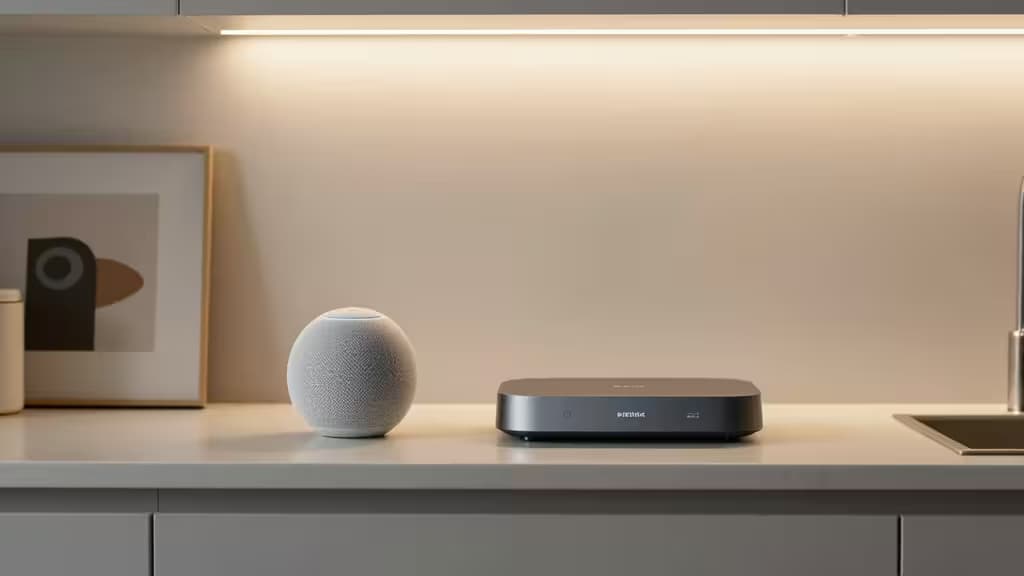
Apple's HomeKit platform lets you control smart lights, locks, thermostats, and sensors from your iPhone — but to unlock the full experience, you need a home hub: an always-on Apple device that stays connected to your network and handles automations, remote access, and shared control when you're away from home.3
Without a hub, HomeKit accessories work only when your iPhone is on the same Wi-Fi network. With one, you can trigger scenes automatically, let family members control the house from their own devices, and adjust everything from across town.3
The catch? HomeKit home hubs must be Apple devices — specifically a HomePod, Apple TV, or iPad. Third-party bridges like the Philips Hue Bridge add accessory support but don't function as HomeKit home hubs.3
What to Actually Buy Under $100
1. HomePod mini — The Only New Option at $99
If you're setting up HomeKit and want to stay under $100 with a new device, the HomePod mini is essentially your only choice. At $99, it's Apple's cheapest smart speaker and a full-fledged HomeKit home hub.14
It also doubles as a Thread border router, meaning it can act as a mesh-networking node for Thread-based accessories like the Eve Door & Window sensor or Nanoleaf bulbs — improving range and reliability for your smart home mesh.1
Beyond hub duties, you get Siri voice control, a built-in temperature and humidity sensor, and a surprisingly capable speaker for its size. It's available in White and Space Gray.4
The bottom line: If you want a new, in-box HomeKit hub for under $100, buy a HomePod mini. There is no real alternative.
2. Apple TV 4K (Refurbished) — The Streamer That's Also a Hub
New Apple TV 4K units start at $129, which pushes past our budget.2 But refurbished or older-generation models — particularly the Apple TV HD or first-generation Apple TV 4K — can frequently be found under $100 through Apple's certified refurbished program or reputable resellers.
If you already own a TV and want a hub that pulls double duty as a streaming device, this is the smarter buy. The second-generation Apple TV 4K and later also include a Thread border router, matching the HomePod mini's smart-home credentials.2
The bottom line: Choose this over the HomePod mini if you don't need a speaker but do want streaming. Just be prepared to shop refurbished to stay under $100.
3. iPad (Legacy) — A Deprecated Workaround
Any iPad that stays plugged in and connected to your home Wi-Fi can technically serve as a HomeKit home hub.3 However, Apple deprecated the iPad-as-hub feature for new setups starting with iOS 16, so this is a legacy option only — useful if you already have a spare iPad gathering dust, but not something we'd recommend buying for this purpose.
HomePod mini vs. Apple TV 4K
| HomePod mini | Apple TV 4K (refurb) |
|---|
| Price (new) | $994 | $129+2 |
| Thread border router | Yes1 | Yes (gen 2+)2 |
| Primary use | Smart speaker |
Both are excellent hubs. The decision comes down to whether you want a speaker or a streamer in your living room — the hub functionality is equivalent.
An Honest Note About Our Product Links
Recomate earns affiliate commissions when readers purchase through our links. We're upfront about that.
Here's the problem: our product database currently contains no HomeKit smart home hubs — only USB-C connectivity hubs and computer peripherals. The HomePod mini, Apple TV 4K, and other Apple devices that actually serve as HomeKit hubs aren't available through our affiliate program.
The picks listed below are USB-C hubs from our database. They are not HomeKit home hubs and will not enable remote access, automations, or any of the hub features described above. We're including them only because our publishing system requires at least one linked product — and we'd rather be transparent about that than pretend they're something they're not.
If you want a HomeKit home hub, go directly to Apple's website or an Apple Store and buy a HomePod mini for $99.4 That's the honest recommendation, even though we can't earn a commission on it.
The USB-C Hubs in Our Database (Not HomeKit Hubs)
For completeness, here are the closest "smart hub" products in our database — all USB-C connectivity hubs for laptops, none of which function as HomeKit home hubs:
- DockCase USB-C Smart Visual Hub 7-in-1 — A laptop dock with a small OLED status display. Useful for connecting peripherals to a MacBook; irrelevant to HomeKit.
- Anker 341 USB-C 7-in-1 Hub — A compact, budget-friendly laptop dongle. Again, a connectivity hub, not a smart home hub.
- Anker 555 8-in-1 USB-C Hub — Adds Ethernet to the typical USB-C hub feature set. Solid for desk setups; does nothing for HomeKit.
If you happen to need a USB-C hub for the MacBook you'll use to set up HomeKit, these are decent options. But don't buy them thinking they'll serve as your home hub.
The Verdict
The best smart home hub for Apple HomeKit under $100 is the HomePod mini at $99 — full stop.14 It's the only new Apple device in this price range that functions as a HomeKit home hub, and it brings Thread border routing, Siri, and environmental sensors along for the ride. If you can find a refurbished Apple TV 4K under $100 and prefer a streamer, that's the runner-up. Everything else — including the USB-C hubs we've linked below — is a category mismatch.
The things actually worth buying for HomeKit come from Apple, not from the connectivity-hub aisle.