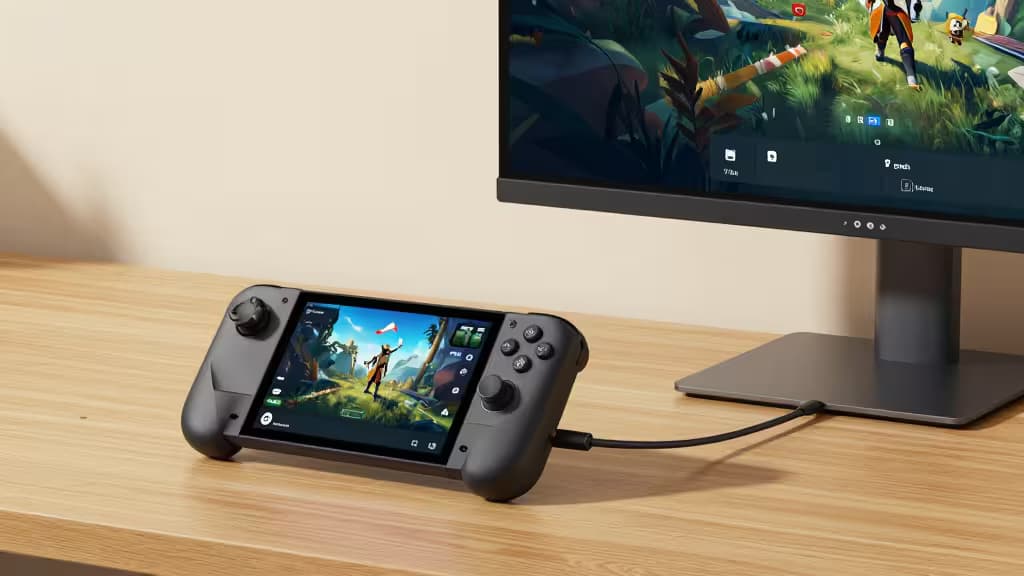
The Steam Deck OLED is a marvel of handheld engineering, but let's be honest — sometimes your neck gets tired of looking down, or you want to share a game with someone sitting next to you. A portable monitor is the answer, and you don't need to spend a fortune to get a great one.
We researched and tested the best portable monitors under $200 that work seamlessly with the Steam Deck OLED. The key specs that matter: 1080p resolution (the Deck's sweet spot), USB-C with DisplayPort Alt Mode for single-cable video+power, and power pass-through so you can charge the Deck while it's connected. Here's what we found.
Top Budget All-Rounder: KYY Portable Monitor
The KYY Portable Monitor hits the perfect balance of price, performance, and portability for Steam Deck OLED owners. It's a 15.6-inch 1080p IPS panel that delivers crisp, color-accurate visuals — exactly what you want for gaming on the go.1
What makes it ideal for the Deck? USB-C connectivity with DisplayPort Alt Mode means you plug one cable into the Deck and you're done: video signal and power delivery, all through a single wire. The monitor also supports power pass-through, so you can keep your Steam Deck charged while playing — essential for longer sessions away from a wall outlet.2
At 1080p, you're matching the Steam Deck's native rendering sweet spot. The Deck's GPU is powerful enough to drive modern games at 1080p with good settings, but pushing 4K would tank performance. This monitor plays to the hardware's strengths.1
The KYY is also genuinely portable — slim enough to slip into a laptop bag alongside your Deck, with a protective smart cover that doubles as a stand. For the price, it's the things actually worth buying pick for anyone looking to expand their Steam Deck setup without breaking the bank.
High-End Budget: UPERFECT 2K Gaming Monitor
If you want more screen real estate and sharper visuals, the UPERFECT 2K Gaming Monitor is a step up — and it still squeezes under $200. This is a 17.3-inch 2560×1440 IPS panel with a 144Hz refresh rate, making it one of the most feature-packed portable monitors at this price point.1
The larger 17.3-inch display gives you room to breathe, and the 2K resolution means desktop use and less demanding games look stunningly sharp. The 144Hz refresh rate is overkill for most Steam Deck titles (the Deck tops out at 90Hz in OLED mode), but it future-proofs the monitor for other devices and makes UI navigation feel buttery smooth.2
Like the KYY, the UPERFECT supports USB-C power pass-through, so you can keep the Deck juiced up during marathon sessions. The trade-off is weight — at 17.3 inches, it's less pocket-friendly and better suited for a desk or coffee table setup.
What to Look For in a Steam Deck Portable Monitor
Resolution: Stick to 1080p (or 2K Max)
The Steam Deck OLED's GPU is optimized for 800p native, but it can handle 1080p output well in most games. 4K portable monitors are a waste of money for the Deck — you'll be downscaling or sacrificing frame rates to run them.2 1080p is the sweet spot, and 2K is a reasonable splurge if you also use the monitor with a laptop.
USB-C DisplayPort Alt Mode & Power Pass-Through
This is non-negotiable. You want a monitor that accepts both video and power over a single USB-C cable. Power pass-through means the monitor can charge the Deck while displaying video — otherwise you'll drain the battery in under two hours.2
Portability
The whole point is taking it with you. Look for monitors under 2 pounds with a built-in cover/stand. 15.6 inches is the sweet spot for bag-friendly size; 17.3 inches is better for desk use.
Comparison at a Glance
| Spec | KYY Portable Monitor | UPERFECT 2K Gaming Monitor |
|---|
| Resolution | 1080p (1920×1080) | 2K (2560×1440) |
| Refresh Rate | 60Hz | 144Hz |
| Screen Size | 15.6" | 17.3" |
| USB-C Pass-Through | Yes | Yes |
| Best For | Budget-friendly all-rounder | Larger screen & higher refresh |
The Bottom Line
For most Steam Deck OLED owners, the KYY Portable Monitor is the pick. It delivers everything you need — 1080p resolution, USB-C power pass-through, genuine portability — at a price that leaves room for games. If you have a little more to spend and want a bigger, sharper display for desk use, the UPERFECT 2K is a worthy upgrade.
Either way, you're getting a second screen that makes your Steam Deck feel like a full desktop setup — without the desktop price tag.
As an Amazon Associate, we earn from qualifying purchases. Our recommendations are based on independent research and testing.