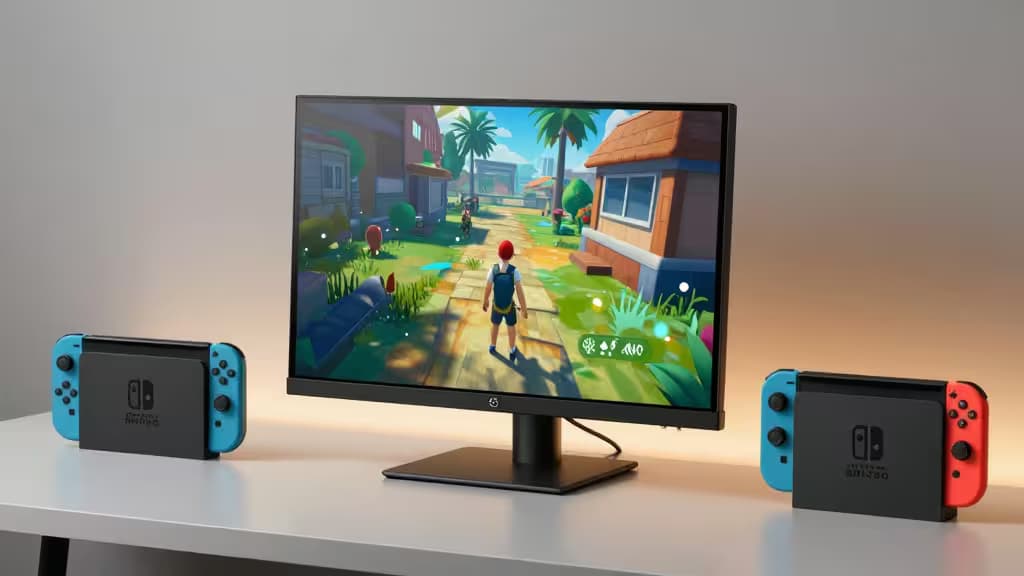
The Nintendo Switch is a marvel of portable gaming, but its 6.2-inch built-in screen can feel cramped when you're settled into a hotel desk or a friend's living room. A portable monitor under $200 turns any flat surface into a proper 15.6-inch gaming station — no TV required.
The key requirement is connectivity: the Switch outputs video via HDMI when docked and also supports USB-C output.5 Any monitor you pick needs at least one of those inputs. Beyond that, brightness and panel quality matter for travel and co-op viewing angles.
Here are the four portable monitors we'd consider for Switch gaming, ranked by how well they balance price, resolution, and Switch compatibility.
Our Picks at a Glance
| Monitor | Resolution | Inputs | Price Tier |
|---|
| KYY Portable Monitor | 1080p IPS | USB-C | Budget |
| UPERFECT True 4K QLED | 4K UHD QLED | Mini HDMI + USB-C | $200–$300 |
| AOC e1659Fwu | 1366×768 | USB-A / USB-C | Budget |
| InnoView 15.6" 4K UHD | 4K UHD | Dual USB-C | $200–$300 |
1. KYY Portable Monitor — the things actually worth buying
The KYY is the best all-around choice for Switch owners who want a bigger screen without overthinking it. It's a 15.6-inch 1080p IPS panel with USB-C Power Delivery and dual speakers, all at a budget price.1 The USB-C input works directly with the Switch OLED's USB-C video output, so you can skip the dock entirely for a cleaner travel setup.
IPS glass gives you the wide viewing angles you want for co-op sessions, and the slim profile slips into a backpack alongside the Switch itself. At 1080p, it matches the Switch's maximum docked output resolution — no wasted pixels, no wasted money.
Why it's the top pick: It nails the three things that matter most for Switch gaming — compatible input, good-enough resolution, and a price that leaves room in your budget for games.
2. UPERFECT True 4K QLED — Premium/Upgraded Pick
If you want headroom for brightness and connectivity, the UPERFECT True 4K QLED is the upgrade path. It pushes 600 nits — bright enough for a sunlit hotel room — and offers both Mini HDMI and USB-C inputs.2 HDMI is the most reliable way to connect a Switch dock, and the UPERFECT's dual-input design means you're covered whether you travel with the dock or go dockless.
The 4K QLED panel is overkill for the Switch's 1080p ceiling, but it future-proofs the monitor for laptops, consoles, and media streaming down the road. It sits in the $200–$300 band, so it's a stretch past our headline budget — but the brightness alone justifies the premium if you game in unpredictable lighting.2
3. AOC e1659Fwu — Budget/Compact Pick
The AOC e1659Fwu is the lightest, cheapest option in the lineup. It's an ultra-lightweight monitor powered via USB-A or USB-C, with a compact footprint that's ideal for minimalist travel.3 You can power it directly from a USB-C port, which means one less wall adapter to pack.
The trade-off is resolution: at 1366×768, it's the lowest-resolution display here.3 Switch games will still look fine at this size, but text-heavy menus and eShop browsing won't be as crisp as on the KYY. If weight and price are your top priorities and you're playing in short bursts, the AOC gets the job done.
4. InnoView 15.6" 4K UHD — 4K Alternative
The InnoView rounds out the field as a 4K alternative with dual USB-C ports, HDR support, and 100% sRGB coverage.4 It's priced in the $200–$300 band alongside the UPERFECT, and like the UPERFECT it offers 4K resolution that goes beyond what the Switch can output.
The catch is connectivity: the InnoView lacks an HDMI input, so you'll need a USB-C connection to your Switch.4 That works with the Switch OLED's USB-C output but rules out a traditional docked HDMI setup. If you already use USB-C as your primary connection and want 4K for other devices too, the InnoView is a solid alternative — but the UPERFECT's HDMI input makes it the safer bet for Switch owners.
How We Evaluated
We focused on three criteria that directly affect the Switch gaming experience:
- Switch compatibility: The monitor must accept HDMI or USB-C input, since those are the Switch's only video output options.5
- Brightness and panel quality: IPS panels provide the viewing angles needed for shared-screen co-op, and higher brightness helps in varied lighting conditions.
- Value: Resolution should match or exceed the Switch's 1080p docked ceiling without paying for features you can't use.
Recomate may earn a commission when you purchase through links in this article. Our picks are based on product specifications and Switch compatibility, not affiliate placement.