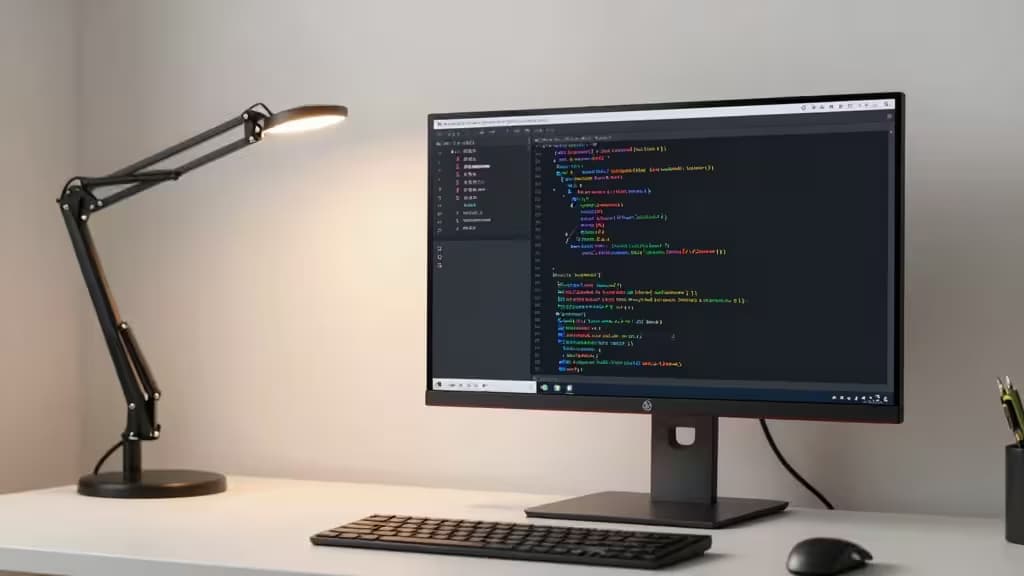
A good programming monitor under $300 balances four things: screen real estate, text sharpness, ergonomics, and eye comfort — the things actually worth buying when you stare at code all day. You don't need 4K or OLED; 1440p at 27" or a well-built 24" 1080p IPS panel hits the sweet spot.
What matters in a programming monitor
Text clarity is paramount. Higher pixel density (PPI) means sharper fonts and less eye strain over long sessions. A 27" 1440p panel delivers about 109 PPI — noticeably crisper than a 27" 1080p display at 81 PPI. A 28" 4K panel pushes past 150 PPI, making even small font sizes razor-clean.
Screen real estate drives productivity. Side-by-side editor and preview windows, terminal panels, and documentation all demand width. A 27" 1440p display gives you 2560 horizontal pixels to split your screen comfortably. A 24" 1080p panel works for a single-window workflow but feels tight for multitasking.
Ergonomics and eye comfort aren't optional. A stand that tilts, height-adjusts, and pivots to portrait mode is a necessity for long sessions. TÜV Rheinland eye-comfort certifications, flicker-free backlighting, and low-blue-light modes reduce fatigue over marathon coding days.
The monitors we recommend
1. Dell S2725DS — Best overall for coding
The Dell S2725DS is a 27" 1440p IPS monitor with a 100Hz refresh rate, recently available at $199.996. That resolution delivers 1.77x more detail than Full HD5, which translates to noticeably sharper text when reading code. It carries a TÜV Rheinland 4-star eye comfort certification and includes built-in dual 5W speakers5. The ergonomic stand rounds out a package that hits all four pillars — sharpness, space, ergonomics, and eye care — for around $200.
2. BenQ GW2785TC — Best budget with coding mode
The BenQ GW2785TC is a 27" 1080p IPS monitor priced around $1703. What sets it apart is a dedicated "coding mode" designed specifically for programmers7, along with BenQ's broader eye-care technology stack. It includes USB-C connectivity with 65W power delivery, a built-in microphone, and daisy-chain support for multi-monitor setups7. The ergonomic stand offers height, tilt, swivel, and pivot adjustments. If you want the most feature-rich budget monitor for coding, this is the one.
3. Dell P2425H — Best cheap and simple
RTINGS recommends the Dell P2425H as the best cheap, simple coding monitor1. It's a 24" 1080p IPS panel with a 100Hz refresh rate, 99% sRGB coverage, and a TÜV eye-comfort certification4. At around $150, it's the most affordable option here — ideal if you just need a no-frills display that gets text rendering right. The smaller screen means less multitasking space, but for a focused single-window coding workflow, it's hard to beat at this price.
4. Asus TUF VG27AQL3A — Best if you code and game
The Asus TUF Gaming VG27AQL3A is a 27" 1440p Fast IPS monitor with a 180Hz refresh rate, priced around $1702. It covers 130% sRGB, supports DisplayHDR 400, and includes G-SYNC compatibility and FreeSync Premium8. The stand offers height, swivel, and pivot adjustments, and it comes with a 3-year warranty8. If your monitor pulls double duty for work and play, this delivers 1440p sharpness for code and high-refresh smoothness for games — all under $200.
5. Philips 288E2A — Budget 4K for maximum text clarity
The Philips 288E2A is a 28" 4K UHD IPS monitor priced around $2503. At 4K on a 28" panel, you get over 150 PPI — text is razor-sharp at any font size, and the extra screen space accommodates multiple windows side by side. It's the most affordable 4K option in this lineup, and for developers who prioritize text clarity above all else, it's worth the premium over 1440p.
How they compare
| Monitor | Size | Resolution | Refresh | Price | Eye Care |
|---|
| Dell S2725DS | 27" | 1440p | 100Hz | ~$200 | TÜV 4-star |
| BenQ GW2785TC | 27" | 1080p | 100Hz | ~$170 | Coding mode |
| Dell P2425H | 24" | 1080p | 100Hz |
The sweet spot for most programmers is 1440p at 27" — the Dell S2725DS nails this with eye-comfort certification and an ergonomic stand for around $200. If budget is the priority, the BenQ GW2785TC's coding mode and USB-C connectivity offer the most features per dollar. And if text clarity is your top concern, the Philips 288E2A brings 4K to the table for $250.
Complete your setup: monitor arms and accessories
Any monitor in this list benefits from a monitor arm. A good arm frees desk space, enables precise ergonomic positioning, and — critically for developers — makes portrait mode trivial for code review. Several recommended monitors here also leverage USB-C for single-cable connectivity, so a hub adapter is worth considering for laptop-based workflows.
Below are the accessories we recommend pairing with your programming monitor.
(Disclosure: Recomate earns affiliate commissions on purchases made through links in this article. This doesn't affect our recommendations.)