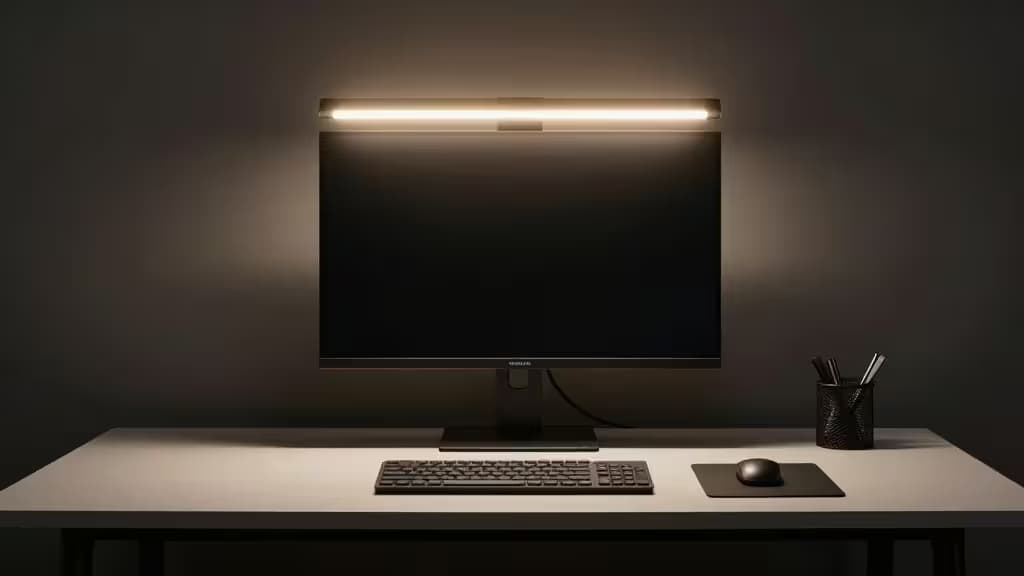
Monitor light bars have quietly become the things actually worth buying for anyone who spends hours at a desk. They sit atop your monitor, throwing asymmetrical light across your keyboard and workspace without bouncing glare back into your screen. The best ones add wireless control — a remote or dial that lets you adjust brightness and color temperature without reaching up to fumble with a touch panel.
Before we get into the picks, one important clarification: in this product category, "wireless" almost always refers to the controller or remote, not Qi phone-charging pads. Some light bars do ship with a charging base, but it's far from standard. If you specifically need a Qi-charging dock built into your light bar, verify the exact SKU before buying — none of the five models below guarantee that feature out of the box. What they do all offer is wireless control of some kind, which is the feature most buyers actually want when they search this space.
Here's how the field shakes out under $80.
1. Xiaomi Mi Computer Monitor Light Bar — Best Overall Value
Xiaomi's entry is the pick we'd put on most desks. It pairs a sleek, premium-feeling aluminum bar with a 2.4GHz wireless rotating remote that clicks satisfyingly through brightness and color-temperature adjustments.3 The magnetic base allows precise angle tuning, so you can dial in exactly where the light falls — a feature that cheaper bars skip entirely. The asymmetrical optical design keeps light off your screen and on your work surface, which is the whole point of the category.3
At its typical street price, it sits comfortably under $80 and offers the best build-quality-to-price ratio in this lineup. If you want one light bar that looks expensive, works wirelessly, and doesn't require you to read a manual, this is it.
Why it wins: Premium build, genuine wireless remote, magnetic adjustability — all at a mid-range price that leaves budget to spare.
2. Quntis Computer Monitor Light Bar with Remote — Best Budget Pick
The Quntis is the light bar we'd recommend to anyone who wants the core benefits without spending more than necessary. It includes a smart wireless remote for brightness and color-temperature control, auto-dimming that adjusts to ambient light, and asymmetrical optics that prevent screen glare.4 Crucially, it also supports curved monitors — a compatibility detail that rules out some pricier competitors.4
You give up some of the Xiaomi's build refinement and the BenQ's eye-care sensor pedigree, but you keep the features that matter most day-to-day: wireless control, glare-free lighting, and auto-dimming. For a budget pick, that's a strong trade.
Why it wins: Curved-monitor support and auto-dimming at a budget price, with a wireless remote that punches above its tier.
3. BenQ ScreenBar — Best for Eye-Care Pedigree
BenQ essentially created the monitor light bar category, and the ScreenBar remains the benchmark for optical quality. Its patented asymmetrical optical design is the gold standard for eliminating screen reflection, and the built-in auto-dimming sensor maintains a consistent 500 lux regardless of room conditions.1 You get 15 brightness levels and 8 color temperatures — more granular control than anything else in this price range.1
The catch is that the ScreenBar uses a touch-sensitive control bar mounted on the unit itself rather than a wireless remote. It's frequently found under $80 on sale, but at full MSRP it can stretch the budget. If eye comfort is your top priority and you don't mind reaching up to tap controls, this is the one to beat.1
Why it wins: Patented asymmetrical optics, 500-lux auto-dimming sensor, and the widest brightness/color range in the lineup.
4. HIOUME Light Bar — Best for Small Monitors
Not every desk has a 27-inch display. The HIOUME is a compact light bar designed for smaller monitors, with tool-free installation that clips on in seconds.5 It offers 10 brightness levels and 3 color temperatures — fewer than the BenQ, but enough for most work-from-home setups.5
It's the most budget-friendly option here and doesn't pretend to be more than it is: a straightforward, no-frills light bar that fits where others can't. If you're lighting a secondary monitor, a dorm desk, or a compact workspace, the HIOUME gets the job done without overcomplicating things.
Why it wins: Compact footprint, tool-free install, and a budget price that makes sense for smaller setups.
5. BenQ ScreenBar Plus — Honorable Mention
The ScreenBar Plus takes the original ScreenBar's optical formula and adds a wireless desktop controller dial — a small puck that sits on your desk for one-handed brightness and color adjustments.2 It's the most convenient control scheme in this lineup, combining BenQ's eye-care pedigree with true wireless operation.
The trade-off is price. The ScreenBar Plus sits at the premium end of the spectrum and may stretch the $80 budget depending on current pricing.2 If you can find it under $80, it's arguably the best overall pick here. If not, the Xiaomi offers similar wireless convenience for less.
Why it wins: BenQ optics plus a wireless desktop dial — the most convenient control experience, when the budget allows.
How They Compare
| Feature | Xiaomi Mi | Quntis | BenQ ScreenBar | HIOUME | BenQ ScreenBar Plus |
|---|
| Control | 2.4GHz wireless remote | Wireless remote | Touch bar | Touch | Wireless desktop dial |
| Auto-dimming | No | Yes | Yes (500 lux) | No | Yes (500 lux) |
| Brightness levels | Multiple |
The Xiaomi and Quntis win on value-to-feature ratio. The BenQ ScreenBar wins on optical pedigree. The HIOUME wins on compactness. And the ScreenBar Plus wins on convenience — if you can swing the price.
How We Evaluated
We assessed each light bar on five criteria that matter in this niche:
- Lighting quality: Does it use asymmetrical optics to keep light off the screen? How wide is the brightness and color-temperature range?
- Control method: Is the controller wireless? Is it intuitive? Can you adjust settings without looking up from your work?
- Monitor compatibility: Does it work with flat panels only, or does it also accommodate curved displays?
- Auto-dimming: Does it sense ambient light and adjust automatically, or do you have to tune it manually?
- Value: How much functionality do you get per dollar, relative to the $80 ceiling?
Product details were sourced from manufacturer homepages and retail listings.1 We recommend verifying current pricing before purchase, as sale cycles can shift these rankings.
Recomate may earn a commission when you purchase through links on this page. This never influences our rankings — we call it like we test it.