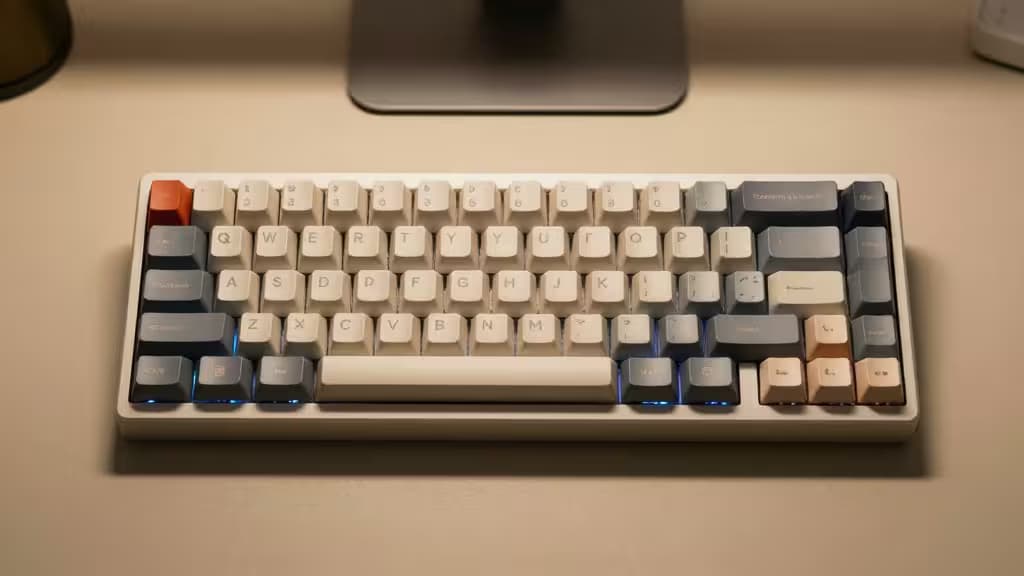
You no longer need to spend $100+ for a real mechanical keyboard. In 2026, $35–50 buys hot-swap switches, gasket mounts, and QMK/VIA programmability — features that were premium-only a few years ago12. Whether you're typing your first code commit or just tired of mushy membrane keys, the entry bar has dropped dramatically.
This guide covers the best beginner-friendly mechanical keyboards under $50, plus one step-up worth saving for if you catch the bug.
What to look for in a beginner mechanical keyboard
For first-timers, three things matter most:
- Real mechanical switches. Not all "gaming keyboards" are mechanical — popular budget models from Razer, Corsair, and Logitech use membrane domes under $80 and offer none of the tactile feel or durability that makes mechanical keyboards worth switching to1.
- Hot-swap support. Hot-swappable PCBs let you change switches without soldering, so you can experiment with different feel and sound profiles as your preferences evolve. This feature is now standard at $40+12.
- Community support. A keyboard from an established brand with active community documentation means you'll find firmware guides, switch recommendations, and troubleshooting help when you need it.
Our picks
1. Keychron C3 Pro — Best overall
The consensus top pick across every source we reviewed, and it's not hard to see why. The C3 Pro delivers a gasket-mounted typing experience — with sound-absorbing foam and double-mounted gasket construction — for around $35–4534. TechRadar scored it 4.5/5 and called it "a phenomenal keyboard that provides an experience of others twice or more its price"3. How-To Geek noted that QMK/VIA software customization at this price is "extremely rare"4.
You get a tenkeyless layout, a choice of red or brown switches, durable shine-through double-shot ABS keycaps, and adjustable feet4. It's Mac and Windows compatible out of the box3. ErrorEmpire highlights its 1000Hz polling rate and hot-swappable design as standout features at this price2. For a beginner who wants the best typing feel and software flexibility without spending more than $50, this is the one to get.
Check current price →
2. Redragon Kumara K552 — Most proven
If the C3 Pro is the enthusiast's budget pick, the Redragon K552 is the people's keyboard. It's been recommended to first-timers for years, and for good reason: a metal top plate, Outemu mechanical switches, per-key RGB, and a tenkeyless layout for $25–352. MKB Guide calls it the best reliable budget option on the market1.
The trade-off is that the K552 is not hot-swappable — you're locked into the switches it ships with. But if you just want a solid, no-nonsense mechanical keyboard that will last for years without any tinkering, it's the safest bet at the lowest price point2.
Check current price →
3. Keychron K10 — Best full-size
Not everyone can give up the number pad. The Keychron K10 is a full-size (104-key) keyboard with a hot-swappable PCB and multi-OS support, making it ideal for productivity-focused beginners who need a numpad for data entry or spreadsheet work. Keychron's build quality and community documentation make it a trustworthy choice for someone who wants the mechanical experience without relearning how to type on a compact layout.
Check current price →
4. 8BitDo Retro Mechanical Keyboard — Step-up pick
At $99, this one sits above our $50 budget — but if you try a budget board and decide you want more, the 8BitDo Retro is worth the upgrade. It's hot-swappable with Kailh Box V2 switches, features PBT keycaps (a step up from ABS in durability and feel), and has a retro Nintendo-inspired design that stands out on any desk6. Think of it as your reward for surviving your first mechanical keyboard rabbit hole.
Check current price →
How they compare
| Layout | Hot-swap | Price tier |
|---|
| Keychron C3 Pro | TKL | Yes | ~$35–45 |
| Redragon K552 | TKL | No | ~$25–35 |
| Keychron K10 | Full-size | Yes | ~$40–50 |
| 8BitDo Retro | TKL | Yes | ~$99 |
What to avoid
Several popular "gaming keyboards" from major brands — the Razer Cynosa, Corsair K55, and Logitech G213 — are membrane boards, not true mechanical keyboards1. They may advertise gaming features and RGB lighting, but they won't give you the tactile switch feel, durability, or modding potential that makes a mechanical keyboard worth buying. If you're spending under $80 on a big gaming brand, you're almost certainly getting membrane1.
The bottom line
For most beginners, the Keychron C3 Pro is the clear starting point — it combines gasket-mount typing feel, QMK/VIA programmability, and hot-swap support at a price that leaves room in the budget for switch experimentation. If you want the cheapest reliable option, the Redragon K552 has years of proven track record. And if you need a numpad, the Keychron K10 covers full-size duties without compromise.
Recomate may earn a commission when you buy through links on this page. That doesn't influence our rankings — we recommend what we'd buy ourselves.