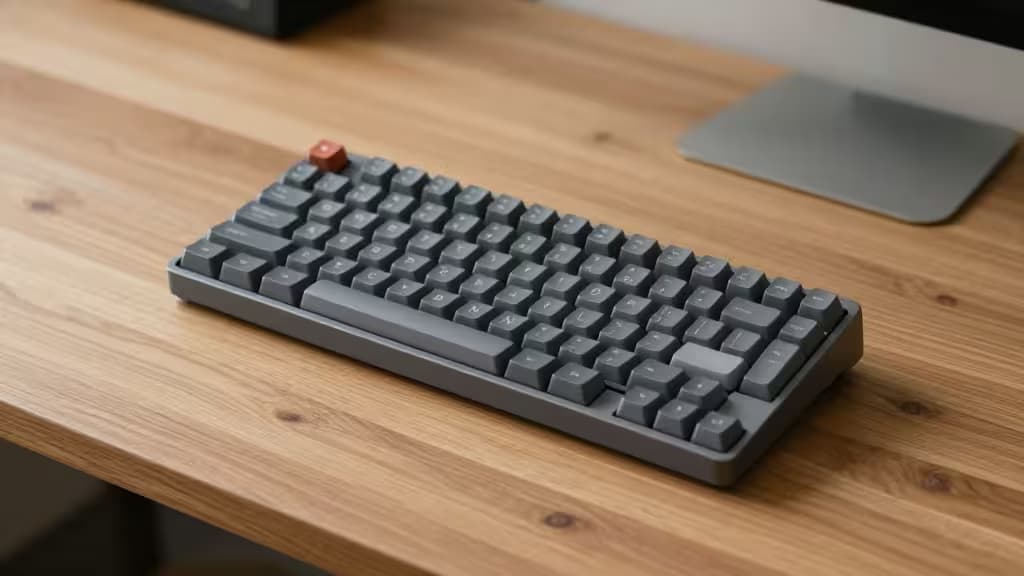
A small desk is a constraint, not a character flaw. And the single biggest space hog on most setups isn't the monitor — it's the keyboard. A full-size board eats depth and width, pushing your mouse to the edge of the desk and your wrists into an uncomfortable incline.
Low-profile mechanical keyboards solve both problems. Slimmer switches reduce the height between desk and keycap, so your hands rest flatter. Compact layouts — 60%, 75%, or TKL — give back the real estate your mouse has been begging for. And you don't need to spend more than $100 to get there.
We picked five boards that each address a specific small-desk constraint: depth, width, wrist strain, or raw budget. Some are true low-profile designs; one is a standard-height board that's compact and cheap enough to earn a spot. Here's how they stack up.
1. Keychron K3 Ultra-Slim — Best All-Rounder
The K3 Ultra-Slim hits the sweet spot for most people. It's a 75% layout, meaning you keep the function row and arrow keys but lose the numpad and nav cluster — a fair trade for reclaiming several inches of desk width. The low-profile switches keep the board remarkably thin, and Bluetooth lets you pair with up to three devices, switching between a laptop, tablet, and phone without replugging anything.1
It works with both Mac and Windows out of the box, with a toggle switch on the side. At its budget price point, it's the board we'd recommend first to someone who wants one keyboard that does everything reasonably well and doesn't dominate the desk.
Why it's the top pick: The K3 balances layout, connectivity, and price better than anything else here. If you're not sure which board to get, start here.
2. Satechi SM1 Slim — Best for Mac Users
If your desk is dominated by Apple hardware, the Satechi SM1 Slim is the most natural fit. It's a low-profile 75% board at $99 — right at the ceiling of our budget — with Bluetooth and USB-C connectivity and a layout tuned for macOS.2 The keycaps and shortcuts mirror what you'd expect from a Magic Keyboard, but with the tactile feedback of mechanical switches.
It's not the cheapest option here, and it's less flexible than the K3 if you also use Windows. But for someone who lives entirely in the Apple ecosystem and wants a mechanical board that looks like it belongs next to a MacBook, the SM1 is the strongest match.
Why it's here: The SM1 is the best aesthetic and functional pairing for Mac-first setups at exactly $99.
3. NuPhy Air60 V2 — Smallest Footprint
When desk space is measured in inches, not feet, the NuPhy Air60 V2 is the answer. It's a 60% layout — no function row, no arrow cluster, no numpad — which makes it the most compact board in this lineup. The low-profile design keeps it slim enough to slip into a bag, and tri-mode wireless (Bluetooth, 2.4 GHz dongle, and USB-C) covers every connectivity scenario.3
QMK/VIA support means you can remap every key to recover the functions the compact layout omits, so the 60% sacrifice is less painful than it sounds. It sits in a mid-range price band — not the cheapest here, but justified by the build quality and programmability.
Why it's here: The Air60 V2 is the pick for the most cramped desks and the most portable setups. If you need every millimeter, this is your board.
4. Keychron V8 Max — Ergonomic Pick
Not every small-desk problem is about space — some are about comfort. The Keychron V8 Max uses an Alice layout, which splits the keys into a slight V-shape to reduce wrist pronation during long typing sessions. At roughly $100–$110, it sits at the top of our budget range (and slightly beyond on the high end), but it brings tri-mode wireless, hot-swappable switches, and QMK/VIA support.4
It's not a low-profile board — the switches are standard height — so it won't save you vertical space the way the K3 or Air60 V2 will. But if wrist strain is the real problem on your small desk, the Alice layout addresses it more directly than any slim switch could.
Why it's here: The V8 Max is the ergonomic choice for typists whose wrists need a break, even if it means giving up the low-profile advantage.
5. Keychron C3 Pro — Budget Runner-Up
The C3 Pro is the outlier in this list: it's a standard-height TKL board, not a low-profile design. But at $40–$55, it's the most affordable pick here by a wide margin, and the TKL layout still trims the numpad to save desk width.5 It's programmable and well-built for the price.
If your primary constraint is budget rather than desk height, the C3 Pro gets you a solid mechanical keyboard for less than half the cost of the other picks. You'll give up the slim profile and wireless connectivity, but you'll keep money in your pocket and reclaim a meaningful chunk of desk space.
Why it's here: The C3 Pro proves you don't need to spend $100 to get a compact mechanical keyboard that works. It's the value play.
How They Compare
| Layout | Connectivity | Price |
|---|
| Keychron K3 Ultra-Slim | 75% | Bluetooth + USB-C | Budget |
| Satechi SM1 Slim | 75% | Bluetooth + USB-C | $99 |
| NuPhy Air60 V2 | 60% | Tri-mode wireless | Mid-range |
| Keychron V8 Max | Alice ergonomic | Tri-mode wireless | ~$100–$110 |
The K3 is the most versatile — a 75% layout with wireless at a budget price. The SM1 is the best Mac match at exactly $99. The Air60 V2 is the smallest and most portable, with full programmability. The V8 Max trades low-profile slimness for ergonomic comfort. And the C3 Pro is the value pick for anyone whose budget is the tightest constraint of all.
A Note on Pricing and Sources
Prices were sourced from manufacturer product pages at the time of research.1 Street prices fluctuate, and some boards may dip below or rise above the bands listed here — particularly during sales. We were unable to verify current pricing through third-party review sites during research6, so we recommend checking live prices before buying.
Recomate may earn a commission when you buy through links on this page. That doesn't influence our picks — we recommend the boards we'd actually use.