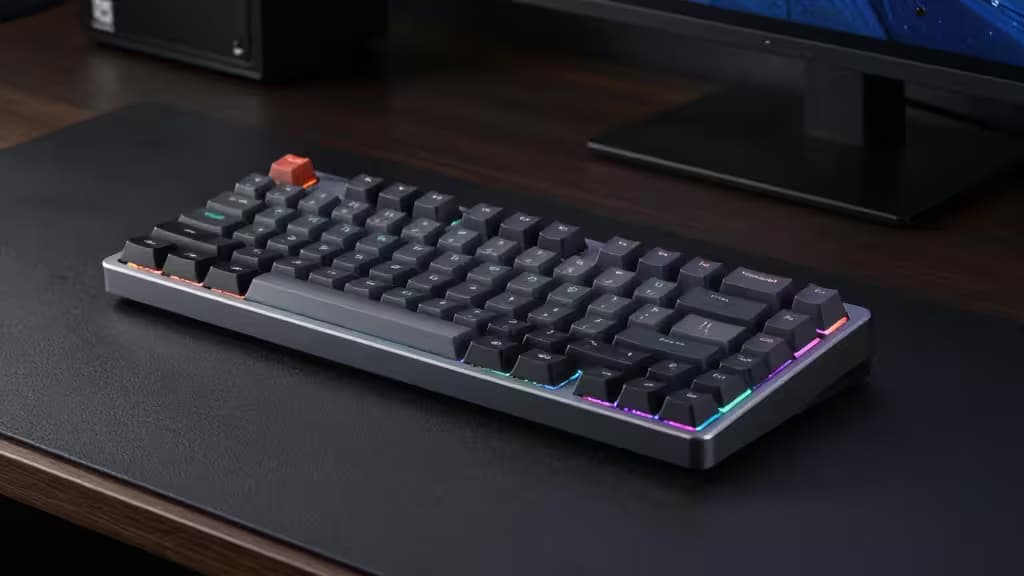
Low-profile mechanical keyboards occupy a sweet spot that traditional boards can't: the tactile satisfaction of mechanical switches in a chassis slim enough to keep your wrists flat and your fingers travelling less distance per keystroke. For gamers, that reduced travel translates to faster actuation and less fatigue over long sessions. And you don't need to spend premium money to get there — under $150, the field is genuinely competitive.
The brands leading this space are NuPhy, Keychron, and Satechi, each approaching the low-profile formula from a different angle. NuPhy prioritizes compactness and deep customization. Keychron offers ergonomic and full-size alternatives. Satechi delivers a clean, portable board at a value price point. We ranked four boards that each excel in a specific use case, plus one premium benchmark that sits above budget but defines what "ultra-thin gaming" looks like at the top end.
A note on how we evaluated: low-profile switches — whether Cherry MX Low Profile or Gateron Low Profile — are the defining feature here, reducing finger travel compared to standard-height switches5. Beyond that, we weighted connectivity (tri-mode wireless is a meaningful differentiator at this price), programmability (QMK/VIA support unlocks per-key customization), and hot-swappability (the ability to change switches without soldering). RTINGS' low-profile keyboard roundup served as a useful reference point for cross-checking our assessments6.
Disclosure: Recomate earns affiliate commissions on purchases made through links in this article. This does not influence our rankings or verdicts.
1. NuPhy Air60 V2 — Top Pick
Best for competitive gamers who want a compact footprint and deep customization.
The Air60 V2 is a 60% low-profile board, meaning it drops the function row, navigation cluster, and numpad for the smallest possible gaming footprint1. What sets it apart at this price is the combination of tri-mode wireless (Bluetooth, 2.4 GHz dongle, and USB-C wired) and full QMK/VIA support, giving you per-key remapping, macro programming, and layer customization that goes well beyond what most boards in this range offer1. For competitive gamers, that compact size means more desk space for mouse movement, and the low-profile switches keep actuation fast.
The trade-off is the 60% layout itself — no dedicated arrow keys or function row means a learning curve, and you'll rely on layers for navigation. If you live in spreadsheets or need F-keys for MMO binds, look at the other picks below. But for FPS and competitive play where minimal desk footprint and maximum programmability matter, the Air60 V2 is the board to beat under $150.
Specs:
- Layout: 60% (no F-row, no arrows)
- Connectivity: Tri-mode (BT / 2.4 GHz / USB-C)
- Customization: QMK/VIA, hot-swappable
2. Keychron K15 Max — Runner-Up
Best for gamers who want wrist comfort during long sessions.
The K15 Max takes a different approach: an Alice ergonomic layout that angles the keys to follow the natural splay of your hands2. Combined with the low-profile form factor, this makes it one of the most wrist-friendly gaming boards available under $150. Like the Air60 V2, it offers tri-mode wireless connectivity and uses low-profile switches for reduced finger travel2.
The Alice layout isn't for everyone — it takes adjustment, and it's less ideal if you frequently switch between multiple keyboards with standard layouts. But if your primary concern is comfort during marathon gaming sessions, the K15 Max addresses that more directly than any other board in this lineup. It retains enough keys (including arrows and a function row) that you won't feel the layout compromises as acutely as with a 60% board.
Specs:
- Layout: Alice ergonomic (with arrows + F-row)
- Connectivity: Tri-mode (BT / 2.4 GHz / USB-C)
- Customization: Hot-swappable, VIA support
3. Satechi SM1 Slim — Value Pick
Best for Mac/PC gamers wanting a clean, portable low-profile board.
At $99, the SM1 Slim is the most affordable board in this lineup, and it doesn't cut corners where it counts for a portable gaming setup3. The 75% layout gives you arrow keys, a function row, and a compact nav cluster — a practical middle ground between the Air60 V2's minimalism and the K10's full size. It connects via Bluetooth and USB-C, and Satechi designed it with Mac optimization in mind, though it works equally well on PC3.
The main compromise is connectivity: no 2.4 GHz dongle means you're limited to Bluetooth or wired. For competitive gaming where input latency is critical, Bluetooth may not be ideal. But for casual gaming, productivity, and travel, the SM1 Slim delivers a clean, low-profile experience at a price that's hard to argue with.
Specs:
- Layout: 75% (arrows + F-row + compact nav)
- Connectivity: Bluetooth / USB-C (no 2.4 GHz)
- Customization: Limited (no QMK/VIA)
4. Keychron K10 — Full-Size Pick
Best for gamers who need a numpad and full layout in a low-profile form.
Not everyone wants to give up keys for compactness. The K10 is a full-size 104-key low-profile mechanical keyboard, making it the pick for gamers who rely on a numpad for keybinds, macro keys, or productivity work alongside gaming4. It features a hot-swappable PCB, so you can swap switches without soldering, and supports multiple operating systems out of the box4.
The trade-off is desk space — a full-size board is the largest footprint in this lineup, and if you're primarily an FPS player who needs maximum mouse room, this isn't the right choice. But for strategy gamers, MMO players, or anyone who splits time between gaming and productivity, the K10 offers the full key set in a low-profile package that's surprisingly hard to find under $150.
Specs:
- Layout: Full-size 104-key (with numpad)
- Connectivity: Tri-mode (BT / 2.4 GHz / USB-C)
- Customization: Hot-swappable, multi-OS
5. Corsair K100 Air Wireless — Premium Benchmark (Over Budget)
Worth knowing about if your budget can stretch.
The Corsair K100 Air Wireless is the board that defines the premium end of low-profile gaming keyboards. It uses Cherry MX Low Profile switches and supports 8000 Hz polling over a wired connection — eight times the standard 1000 Hz — for the lowest possible input latency5. The ultra-slim chassis is among the thinnest mechanical gaming boards on the market.
It exceeds our $150 budget, but we include it as a benchmark because it illustrates what the picks above are reaching toward. If you find the Air60 V2 or K15 Max appealing but want Corsair's software ecosystem, dedicated media controls, and that 8000 Hz polling rate, the K100 Air is the upgrade path. For most gamers under $150, though, the performance gap won't justify the price gap.
Specs:
- Layout: Full-size (with media controls)
- Connectivity: Tri-mode (BT / 2.4 GHz / USB-C)
- Customization: iCUE software, 8000 Hz polling
How They Compare
| Feature | NuPhy Air60 V2 | Keychron K15 Max | Satechi SM1 Slim | Keychron K10 | Corsair K100 Air* |
|---|
| Layout | 60% | Alice ergonomic | 75% | Full-size 104-key | Full-size |
| Connectivity | Tri-mode | Tri-mode | BT / USB-C | Tri-mode | Tri-mode |
| Customization | QMK/VIA, hot-swap |
\Corsair K100 Air included as benchmark only — exceeds $150 budget.*
The Bottom Line
If we had to pick one: the NuPhy Air60 V2 is the most complete low-profile gaming keyboard under $150, combining tri-mode wireless, QMK/VIA programmability, and an ultra-compact footprint that competitive gamers will appreciate1. If wrist comfort is your priority, the Keychron K15 Max and its Alice layout is the better call2. If budget is the deciding factor, the Satechi SM1 Slim at $99 delivers the essentials in a clean, portable package3. And if you need a full numpad, the Keychron K10 is the rare full-size low-profile board that doesn't compromise on the features that matter.
All four are the things actually worth buying in the low-profile mechanical keyboard space under $150 — each excelling in a different direction rather than competing on the same axis.