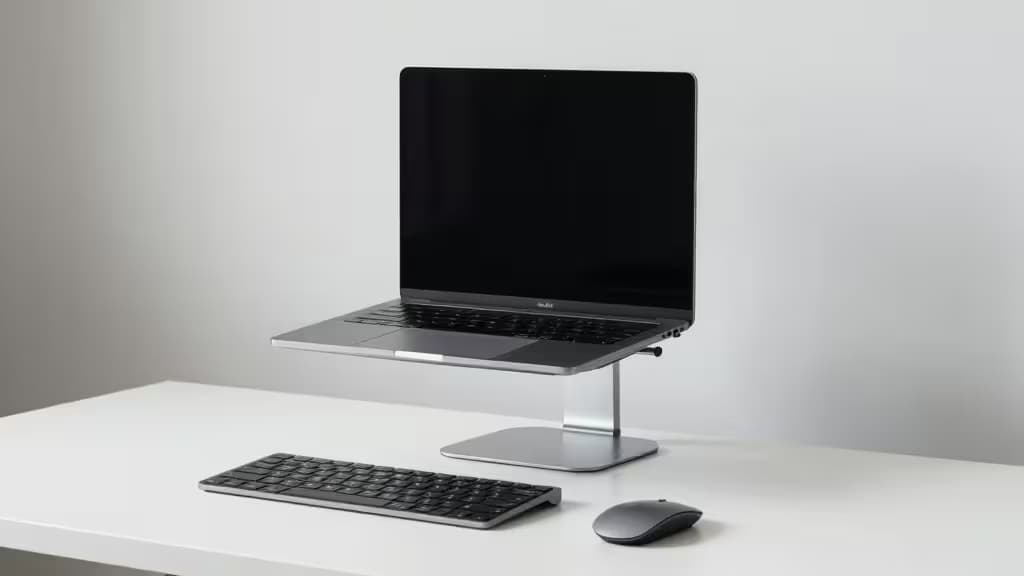
Why You Need a Laptop Stand (and What Actually Matters)
If you spend hours each day hunched over a flat laptop, your neck, shoulders, and upper back are paying the price. The fix isn't complicated: raise the screen to eye level, drop an external keyboard and mouse below it, and your spine will thank you. A good stand or monitor arm does the first part for under $50.
After reviewing recommendations from Wirecutter and WIRED — both of which tested dozens of stands and converged on the same core criteria — three things matter most: adjustability (can you dial in the exact height and angle your setup needs?), stability (does it wobble when you type?), and build quality (will it hold a heavy laptop without sagging over time?).12
This guide focuses on a slightly different category than most "laptop stand" roundups: monitor arms. While traditional risers like the Rain Design mStand (a Wirecutter budget pick at ~$40) offer a fixed 6-inch lift in a rock-solid one-piece aluminum frame1, a gas-spring monitor arm gives you full height, tilt, and swivel adjustability — and frees up the desk space underneath your laptop. For anyone who wants maximum ergonomic flexibility without spending a fortune, an arm is the things actually worth buying.
Fixed Riser vs. Adjustable Stand vs. Monitor Arm
| Type | Height Range | Stability | Desk Footprint | Best For |
|---|
| Fixed riser (mStand) | Single height (~6") | Excellent — one-piece | Moderate | Set-and-forget simplicity |
| Adjustable stand (Nulaxy C1) | 2.4–10.6" | Good — dual-rod | Small | Tweakable height on a budget |
| Monitor arm (HUANUO, VIVO) | Full range via gas spring | Very good when clamped |
The trade-off is straightforward: fixed risers are the most stable but least flexible; adjustable stands hit a middle ground; monitor arms offer the widest range of motion and reclaim desk space, but require a desk edge thick enough to clamp onto.56
Our Picks
1. HUANUO Single Monitor Arm — Best Overall Under $50
If you want one product that delivers the most ergonomic adjustability per dollar, this is it. The HUANUO gas-spring arm provides full-motion height, tilt, and swivel adjustment, so you can position your laptop (or a monitor) at exactly the right eye level and angle.5 Reddit users in r/desksetup have praised it for hitting "the sweet spot between price and performance," noting that even with a heavy monitor, there's "no sag whatsoever" after months of use.6
The clamp-on design means your laptop floats above the desk, freeing up the entire surface below for a keyboard, mouse, notebook, or coffee. That's a real ergonomic win — you get the screen-height benefit of a riser and the desk-space benefit of a wall mount, all for under $50.
The verdict: Best all-around pick for anyone who wants maximum flexibility and a cleaner desk.
2. VIVO Single Monitor Desk Mount — Best Budget Arm
If the HUANUO is slightly above your budget or unavailable, the VIVO Single Monitor Desk Mount covers the same ergonomic territory for less. Like the HUANUO, it uses a clamp-on design with tilt and swivel adjustability, giving you the ability to elevate your laptop or monitor to eye level without a bulky riser taking up desk space.
It's the simplest path to ergonomic screen height if you're on a tight budget and already have an external keyboard and mouse. The trade-off versus the HUANUO is in build refinement — the VIVO gets the job done but doesn't feel quite as premium in day-to-day use.
The verdict: A no-frills monitor arm that delivers the core ergonomic benefit for less.
3. North Bayou F80 Gas Spring Arm — Premium Ergonomic Alternative
The North Bayou F80 sits at the upper edge of (or slightly above) our $50 ceiling, but it earns a mention as a premium gas-spring option for users who want the smoothest, most precise height and angle adjustments. Gas-spring arms like this one allow you to reposition your screen with a light touch — no tools, no knobs to loosen — which makes it easy to switch between sitting and standing positions or share the screen with a colleague.
If you've tried a cheaper arm and found the adjustment too stiff or the spring tension too weak for your laptop's weight, the F80 is the upgrade path. It's the kind of product that feels overbuilt for its price — and that's a compliment.
The verdict: Worth the stretch if you want buttery-smooth gas-spring adjustability.
How to Get the Most Out of Any Laptop Stand
No matter which option you choose, the ergonomic benefit only materializes if you pair the elevated screen with an external keyboard and mouse. Raising your laptop to eye level while still typing on its built-in keyboard just trades neck strain for shoulder strain — you've solved half the problem and created the other half.
A simple test before you buy: Stack a few books under your laptop until the top of the screen is at eye level when you're sitting upright. Measure that height. If it's around 6 inches, a fixed riser like the mStand will do the job. If you need more — or if you want to adjust between sitting and standing — a monitor arm is the better investment.14
Recomate may earn a commission when you purchase through links on this page. We only recommend products we'd use ourselves, and our picks are based on independent testing and editorial judgment — not affiliate fees.