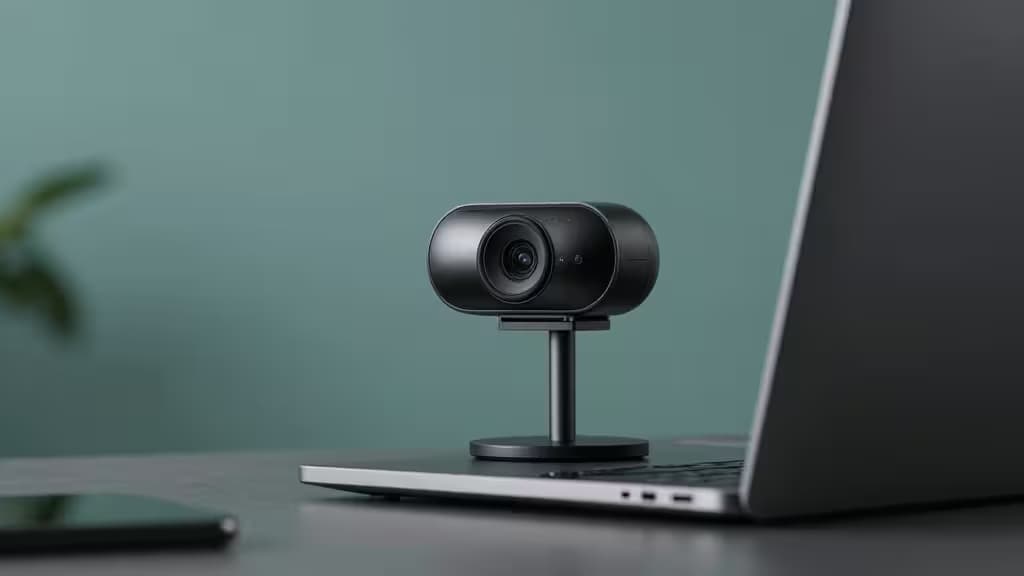
True 4K webcams under $100 are rare. Most 4K models sit comfortably in the $150–$300 range, leaving budget-conscious buyers to choose between standard 1080p or stretching their wallet. But a handful of budget-friendly 4K options do exist, and some near-4K (2K/1440p) models deliver noticeably sharper video than standard 1080p at a fraction of the cost. This guide covers the cheapest 4K-capable webcams and the best near-4K alternatives for video calls.
Why 4K Matters — Even When Platforms Cap at 1080p
Here's the honest truth: for live video calls, 4K is overkill. Zoom, Microsoft Teams, and Google Meet all cap outgoing streams at 1080p (and often lower, depending on your connection and plan). So why bother with a 4K webcam at all?
The answer comes down to sensor quality. A 4K sensor captures more light and detail than a 1080p sensor of the same size. When that 4K image is downscaled to 1080p for your call, the result is sharper, cleaner, and better in low light than a native 1080p stream5. You also get the freedom to digitally crop or zoom without the pixelated mess that a 1080p sensor produces when you try the same trick.
Near-4K resolutions — 2K (1440p) and QHD — occupy the sweet spot for budget buyers. They offer a visible step up in clarity over 1080p without the price premium of true 4K, and they're more than sufficient for any video-call platform on the market today.
Our Picks
We evaluated webcams across resolution, sensor size, field-of-view adjustability, microphone quality, privacy features, and real-world value. Here are the things actually worth buying if you want 4K or near-4K without spending a fortune.
1. Obsbot Meet 2 — Best Budget 4K Webcam
The Obsbot Meet 2 packs genuine 4K resolution into a compact, portable body with a 1/2-inch sensor — larger than what most budget webcams offer2. That bigger sensor translates directly to better light gathering, which means cleaner images in dim home-office lighting.
AI tracking keeps you centered as you move, and the magnetic mounting system makes it easy to reposition or move between monitors. At a mid-range price point, it delivers features that typically appear on webcams costing significantly more.
The one trade-off: 4K capture is limited to 30fps, which is standard for this budget tier. If you need smoother motion for streaming, you'll want to drop to 1080p@60fps.
Specs at a glance:
- Resolution: 4K/30fps (1080p/60fps alternative)
- Sensor: 1/2-inch CMOS
- Price tier: Mid-range
2. Creative Live! Cam Sync V3 — Best Ultra-Budget Near-4K
When true 4K exceeds your budget, the Creative Live! Cam Sync V3 is the smartest compromise. It captures at 1440p — a meaningful step up from 1080p — at an ultra-budget price point that leaves room in your wallet3.
The 95-degree wide field of view is generous for group calls or showing your workspace, and setup is genuinely plug-and-play with no software required. There's no AI tracking or adjustable FOV here, but for straightforward video calls, those features are nice-to-haves rather than essentials.
This is the pick for anyone who wants better-than-1080p video without approaching the $100 mark.
Specs at a glance:
- Resolution: 1440p/30fps
- Sensor: Standard CMOS
- Price tier: Ultra-budget
3. Dell Pro Webcam WB5023 — Best 2K Value
The Dell Pro Webcam WB5023 occupies the middle ground between 1080p and 4K with its 2K QHD capture6. HDR support helps balance exposure in tricky lighting — bright windows behind you, for instance — and AI auto-framing keeps you composed without manual adjustment.
It also supports 1080p@60fps for smoother motion, giving you flexibility depending on your use case. At a mid-budget price, it's a well-rounded option that doesn't sacrifice the features that matter for professional video calls.
Note that Dell also offers the UltraSharp 4K webcam with a Sony Starvis sensor for those who want to step up to true 4K with HDR4 — but that model sits at a higher price point and lacks a built-in microphone.
Specs at a glance:
- Resolution: 2K QHD/30fps (1080p/60fps alternative)
- Sensor: HDR CMOS
- Price tier: Mid-budget
4. Logitech MX Brio — Premium 4K Reference Pick
The Logitech MX Brio is our stretch pick — the benchmark against which the budget options should be measured. It features an 8.5MP Sony STARVIS sensor for true 4K capture, a Show Mode for tilting down to show your desk, and an integrated privacy shutter5.
This is not a sub-$100 webcam. We include it because it represents the image quality ceiling in the 4K webcam category, and it helps contextualize what the budget picks deliver. If you can stretch your budget and want the best 4K image quality available, the MX Brio is the one to get.
Specs at a glance:
- Resolution: 4K/30fps
- Sensor: Sony STARVIS 8.5MP
- Price tier: Mid-to-high
A Note on the AnkerWork C310
We also evaluated the AnkerWork C310, which offers true 4K resolution with an adjustable FOV, privacy shield, and 1080p@60fps support at a mid-budget price1. It's a strong contender in this category, but we were unable to verify current retailer availability at time of publishing. If you find it in stock, it's worth considering alongside the Obsbot Meet 2 for the top budget 4K spot.
How We Compared
All four picks were evaluated on the same criteria:
| Dimension | What we looked for |
|---|
| Resolution | True 4K vs. 2K vs. 1440p — and whether 1080p@60fps is available as an alternative |
| Sensor | Sensor size and type (larger sensors and STARVIS variants perform better in low light) |
| Price tier | Real-world pricing relative to the $100 budget target |
4K at 30fps is the standard in this budget tier. If smoother motion matters more to you than resolution — for streaming or fast-paced content — look for a webcam that supports 1080p@60fps as an alternative mode. The Obsbot Meet 2 and Dell WB5023 both offer this flexibility.
Affiliate Disclosure
Recomate may earn a commission when you purchase through links on this page. This does not influence our rankings — we evaluate products on merit and cite our sources transparently. Our editorial independence is non-negotiable.