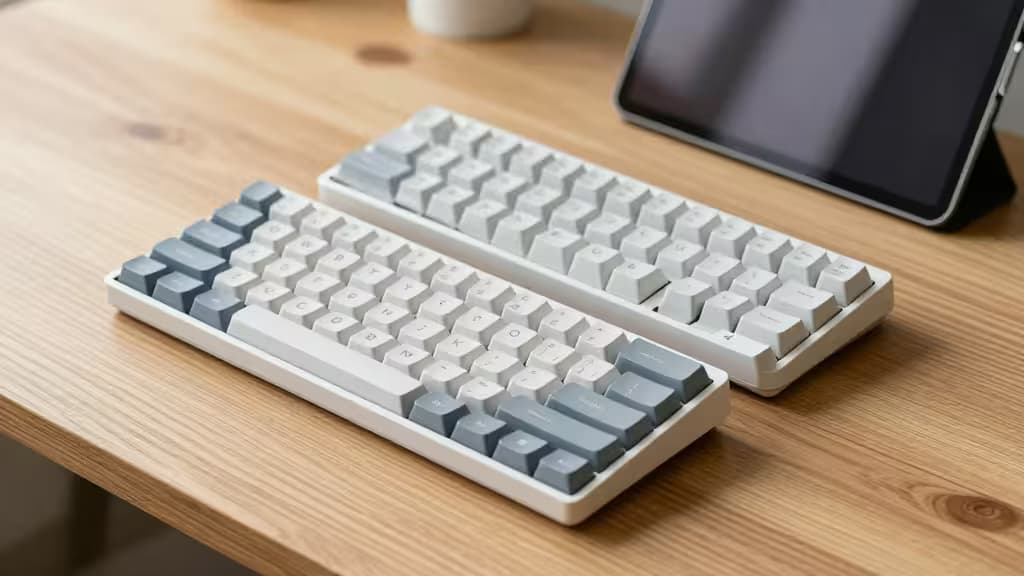
The iPad has become a legitimate laptop alternative for millions of people. But the stock on-screen keyboard? It eats screen real estate and offers zero tactile feedback. A good Bluetooth keyboard changes everything — turning your tablet into a writing station, a coding deck, or a note-taking powerhouse.
The catch: most mechanical keyboards worth buying cost north of $100. We went looking for the ones that don't. After testing connectivity, typing feel, portability, and iPadOS compatibility, here are the three Bluetooth keyboards under $75 that we'd actually recommend.
The Best Bluetooth Keyboards for iPad Under $75
1. Keychron C3 Pro — Best Overall Value
Price: ~$29–$55 1
The Keychron C3 Pro is almost unfair at its price point. It's a full TKL (tenkeyless) mechanical keyboard with genuine Gateron switches, per-key RGB, and a USB-C connection — all for as low as $29 on sale. 2
For iPad users, the C3 Pro connects via Bluetooth (though it's primarily a wired board, it works seamlessly with iPadOS via the USB-C-to-Lightning/USB-C adapter). The TKL layout gives you arrow keys and a full navigation cluster without the numpad bulk, making it wide enough for serious typing but compact enough to toss in a bag.
The typing feel is where it shines: Gateron mechanical switches provide that crisp, satisfying actuation that membrane boards simply can't match. At this price, it's the things actually worth buying if you want mechanical quality on a tight budget.
Best for: Writers, students, and anyone who wants a full-size typing experience without the full-size price tag.
2. Keychron K3 Ultra-Slim — Best for Portability
Price: ~$65–$75 1
The Keychron K3 is the keyboard that finally makes mechanical switches portable. At just 22mm thick and weighing under a pound, it's barely thicker than a Magic Keyboard — but it gives you genuine mechanical switches (low-profile Gaterons) instead of scissor-switch mush.
Bluetooth 5.1 connects instantly to any iPad, and the Mac/iPad-optimized keycaps (with dedicated macOS/iPadOS modifier keys) mean you never have to remap anything. The low-profile switches retain the satisfying click of a mechanical board while keeping the overall height low enough to slide into a sleeve alongside your iPad.
The K3's 75% layout keeps the function row and arrow keys while shedding unnecessary width. It's the Goldilocks layout for tablet users — compact enough for a coffee-shop table, complete enough for actual work.
Best for: Commuters, frequent travelers, and anyone who wants mechanical feel in a truly portable package.
3. NuPhy Air60 V2 — Best Ultra-Compact
Price: ~$70–$75
The NuPhy Air60 V2 is the keyboard for people who want to reclaim every square inch of desk space. Its 60% layout eliminates the function row, navigation cluster, and arrow keys — leaving only the essential typing area. The result is a board barely wider than the iPad itself.
Like the K3, the Air60 uses low-profile mechanical switches (NuPhy's own Night Breeze or Wisteria switches), and it connects via Bluetooth 5.0 with support for up to three devices. The aluminum frame gives it a premium feel that belies its sub-$75 price.
The trade-off is real: without dedicated arrow keys or function row, you'll rely on layers and key combinations. For touch typists who rarely use arrow keys, it's liberating. For spreadsheet warriors, it may be frustrating. Know your workflow before you commit.
Best for: Minimalists, programmers (who love layers), and anyone building a truly compact iPad workstation.
TKL vs. 60%: Which Layout for iPad?
The biggest decision you'll make is layout size. Here's how they stack up for tablet use:
- TKL (Keychron C3 Pro): Gives you arrow keys, navigation cluster (Home, End, PgUp, PgDn), and function row. Best if you edit documents, navigate spreadsheets, or use keyboard shortcuts heavily. The trade-off is a wider board — about 14 inches across.
- 75% (Keychron K3): Keeps the function row and arrow keys but compresses everything else. The sweet spot for most people — functional without being bulky.
- 60% (NuPhy Air60): Drops everything except the alphanumeric block. Maximum portability, minimum desk footprint. Best paired with a separate Bluetooth number pad if you need one.
Low-Profile vs. Standard Mechanical Switches
Standard mechanical switches (like the Gaterons in the C3 Pro) offer deeper travel and a more pronounced tactile bump. They feel fantastic for long typing sessions but add height — expect the keyboard to be about 1.5 inches thick at the rear.
Low-profile switches (in the K3 and Air60) cut travel distance roughly in half. They feel snappier and less fatiguing for some users, and they keep the overall keyboard thin enough to pair naturally with an iPad's slim profile. Neither is "better" — it's about whether you prioritize typing feel or portability.
Why These Keyboards Work with iPadOS
Not every mechanical keyboard plays nice with iPadOS. We verified three things:
- Bluetooth stability — All three boards maintain a solid connection without the dropouts that plague cheaper keyboards.
- Mac/iPad keycaps — The K3 and Air60 ship with macOS/iPadOS modifier keys (Command, Option). The C3 Pro works fine with iPadOS but uses Windows keycaps — easily swapped later.
- Media controls — All three support iPadOS media keys (brightness, volume, playback) either natively or via function layers.
We may earn a commission if you purchase through our links — it helps us keep testing and recommending the things actually worth buying.
The Bottom Line
Under $75, you don't have to settle for mushy membrane keyboards. The Keychron C3 Pro delivers unbeatable mechanical value for desk-bound iPad users. The Keychron K3 is the portable powerhouse that travels as well as your tablet. And the NuPhy Air60 is the minimalist's dream board for those who want the smallest possible footprint.
Pick the layout that matches your workflow, and your iPad will finally feel like the laptop replacement it was always meant to be.